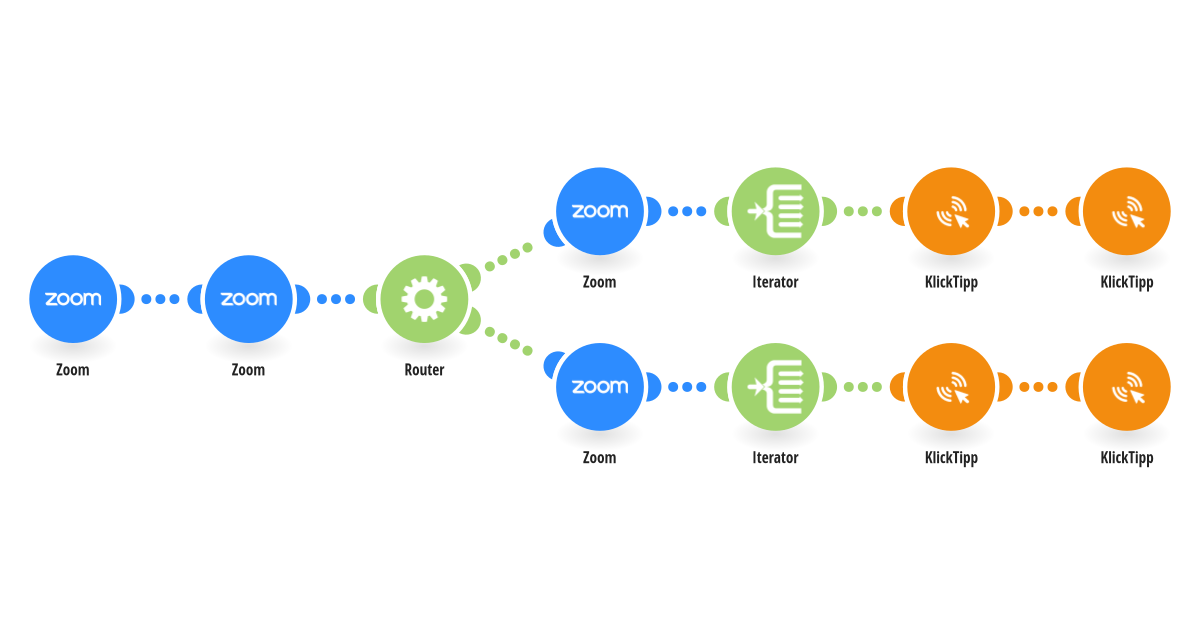
The scenario fetches attendance data from Zoom after a meeting ends and checks if the participants exceeded the defined threshold of the total meeting duration. Based on this, the scenario subscribes the contact to KlickTipp and applies specific tags in KlickTipp: Attended live full – joined and stayed for at least 90% of the meeting Attended live – joined meeting It supports different Zoom meetings and can process multiple participants in one run. This allows you to segment your list and run personalized follow-up sequences based on attendee engagement. The meeting needs compulsory registry for this automation to work. This setup is useful for online events, workshops, and live trainings where you want to track attendance behavior and trigger targeted automation according to participation level. If you want to register the meeting participants automatically we recommend using the Zoom Scheduler.
This is a predefined template that will make the creation of your scenario much easier. Of course, you can always expand and customize the scenario to meet your own individual needs.
 Zoom
Zoom Flow Control
 KlickTipp