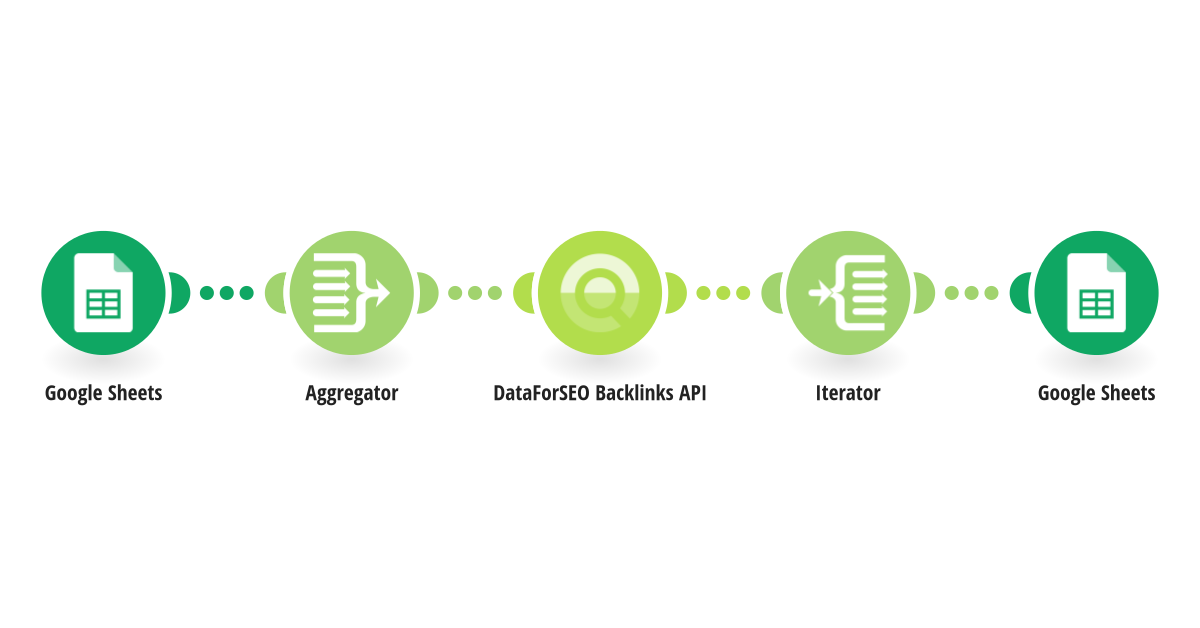
With this automation, you can monitor backlink changes across multiple domains without checking each one individually. On each run, the scenario reads your target domains from the Google Sheet, aggregates them into a batch request, and sends it to the DataForSEO Bulk New & Lost Backlinks endpoint. The endpoint returns the number of newly acquired and recently lost backlinks for up to 1000 domains, subdomains, or pages. After that, the backlink data is mapped back to the same Google Sheet, giving you an up-to-date picture of backlink changes across your entire target list. In addition, you can get historical backlink data for up to the last 365 days by specifying the custom starting date. To get started, prepare your Google Sheet with a list of target domains following the column structure in the example, establish your DataForSEO and Google Sheets connection, and run the scenario.
This is a predefined template that will make the creation of your scenario much easier. Of course, you can always expand and customize the scenario to meet your own individual needs.
 Google Sheets
 Flow Control
 DataForSEO Backlinks API