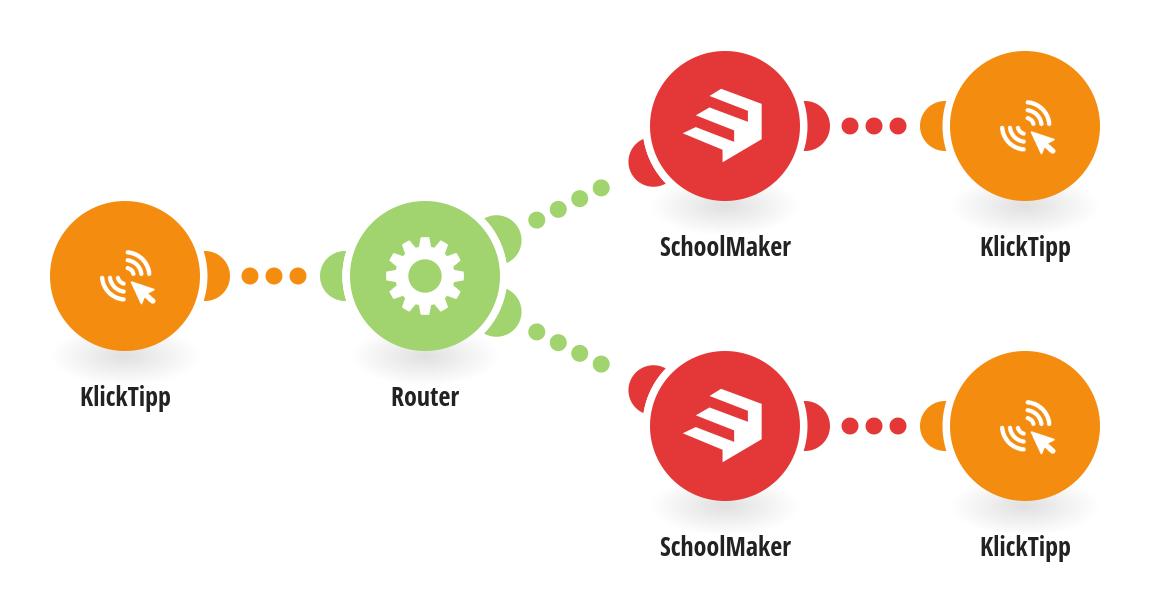
This automation connects KlickTipp and SchoolMaker to streamline the enrollment process for new members. When a new contact signs up via a KlickTipp landing page, the scenario is triggered through a webhook. The flow automatically checks which course the member selected using the “Schoolmaker | Course selection” custom field and routes them accordingly: If the contact chose “Integrations & Automations”, the system enrolls them in that course using the SchoolMaker module. If the contact chose “E-Mail Deliverability”, they are enrolled in that respective offer. After enrollment, the scenario updates the member’s KlickTipp contact record to include their SchoolMaker Member ID and Signup timestamp, ensuring the CRM data stays accurate and synchronized. This automation reduces manual work, prevents errors, and provides immediate course access for new members, creating a seamless onboarding experience.
This is a predefined template that will make the creation of your scenario much easier. Of course, you can always expand and customize the scenario to meet your own individual needs.
 KlickTipp
 Flow Control
 SchoolMaker