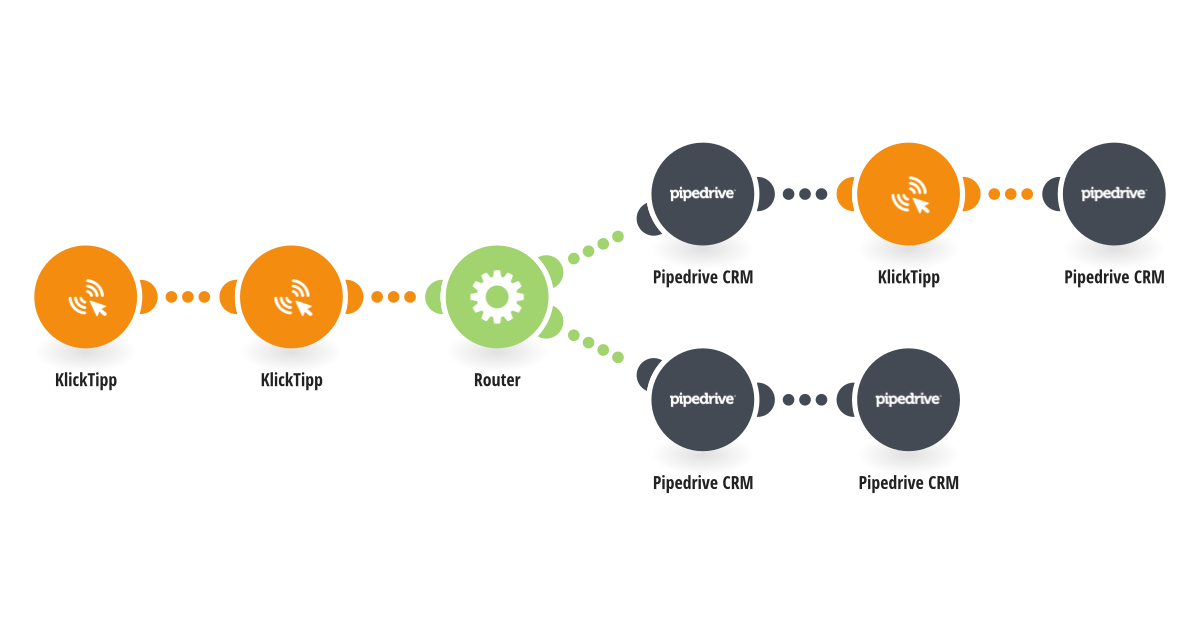
This template automatically synchronizes contacts from KlickTipp to Pipedrive. Whenever a webhook is triggered in KlickTipp, such as a contact being tagged with the according activation Tag, the scenario is triggered via webhook and checks whether the contact already exists in Pipedrive using the email address. If the contact does not exist, a new person is created in Pipedrive with the available contact and email marketing status data. If the contact already exists, the existing person is updated. The KlickTipp contact ID is stored in Pipedrive to maintain a reliable connection between both systems. Moreover the defined KlickTipp Tags are checked and the according statuses (subscribed, unsubscribed, no_consent) Labels are applied in Pipedrive. This helps you: - Keep Pipedrive automatically updated with your KlickTipp subscribers - Avoid duplicate contacts in your CRM - Use KlickTipp as a lead source while Pipedrive remains your single source of truth - Reduce manual data entry and synchronization errors The scenario supports creating and updating contacts, transferring core contact details, and maintaining a persistent link between KlickTipp and Pipedrive records. Requirements: - A KlickTipp account with webhook access - A Pipedrive account - Contacts must have a valid email address for matching
This is a predefined template that will make the creation of your scenario much easier. Of course, you can always expand and customize the scenario to meet your own individual needs.
 KlickTipp
 Flow Control
 Pipedrive CRM