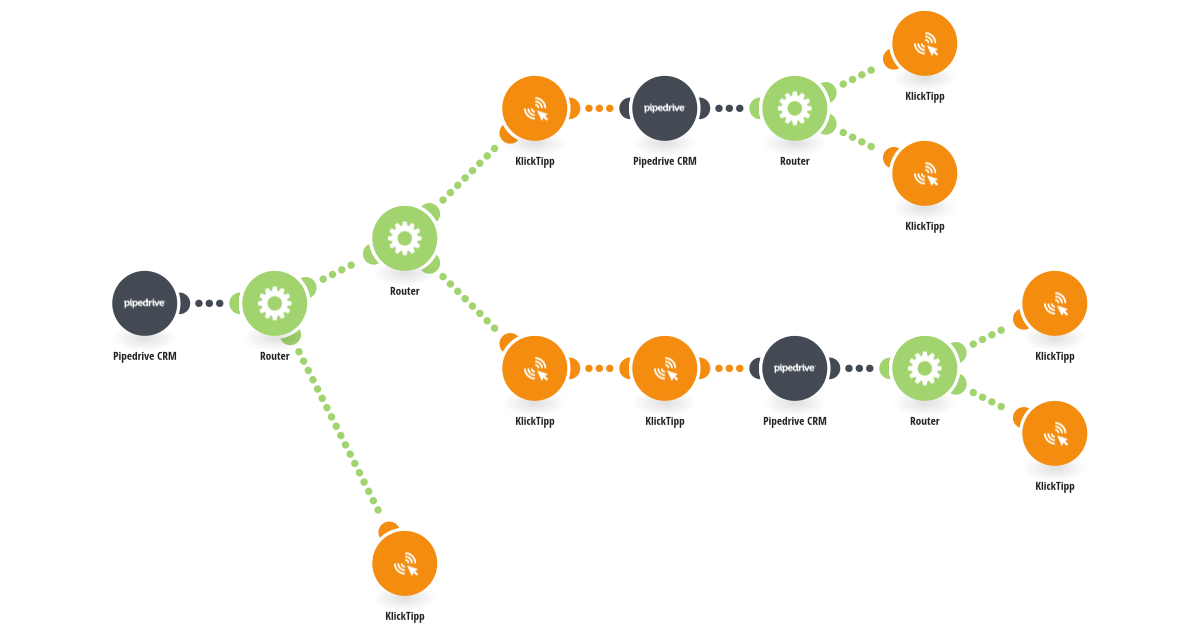
This template handles the ongoing synchronization of new Pipedrive events such as contact creations, updates and deletions to KlickTipp. It is designed to be used after an initial bulk migration of existing contacts has already been completed using a separate scenario. Whenever a new events happens in Pipedrive, the scenario is triggered and checks whether the contact already exists in KlickTipp by checking for the Contact ID as the unique identifier and the marketing status to control further processing. If the contact does not exist in KlickTipp, the contact is created and subscribed using the defined opt-in process, including one static Tag as well as dynamic Tags and custom fields. If the contact already exists, the contact data in KlickTipp is updated accordingly. Key contact details such as first name, last name, birthday, Pipedrive contact ID, and label are transferred into KlickTipp custom fields to maintain a consistent and reliable link between both systems. This template ensures that all new Pipedrive events are automatically reflected in KlickTipp without manual intervention. It complements a clean, two-step synchronization setup. Requirements: - A Pipedrive account with webhook access - A KlickTipp account - Contacts must have a valid email address
This is a predefined template that will make the creation of your scenario much easier. Of course, you can always expand and customize the scenario to meet your own individual needs.
 Pipedrive CRM
 Flow Control
 KlickTipp