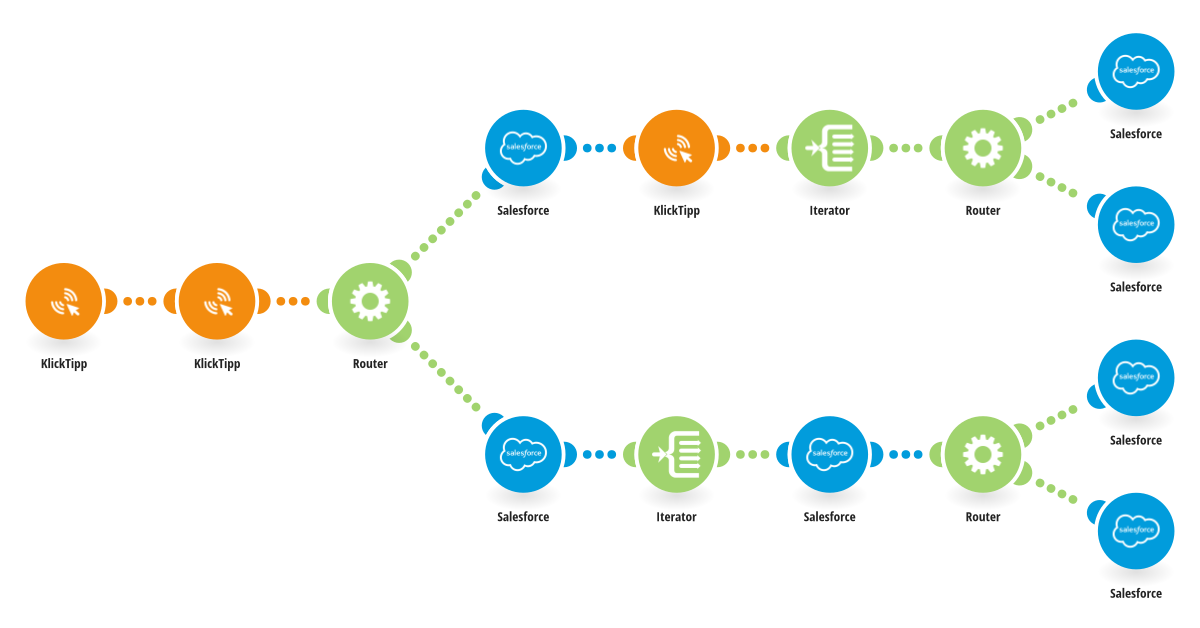
This scenario synchronizes contacts from KlickTipp to Salesforce whenever a contact is tagged in KlickTipp. It is triggered by a KlickTipp webhook and receives the full contact dataset, including personal data, custom fields, and metadata. The scenario checks whether a Salesforce Contact ID already exists and which marketing opt-in status is saved in KlickTipp. Logic overview: If no Salesforce Contact ID exists, a new contact is created in Salesforce using the KlickTipp data. If a Salesforce Contact ID exists, the corresponding Salesforce contact is fetched and updated with the latest information from KlickTipp, including assigned topics. After creating a new Salesforce contact, the generated Contact ID is written back to KlickTipp and stored in a dedicated custom field for future updates. Additional topics can be set based on KlickTipp tags. What this scenario does: - Listens for tagged contacts in KlickTipp - Creates new Salesforce contacts when needed - Updates existing Salesforce contacts - Stores the Salesforce Contact ID in KlickTipp - Keeps both systems continuously synchronized Benefits: - Salesforce remains the central CRM with up-to-date data - Prevents duplicate contacts - Enables reliable bidirectional syncing - Fully automated and event-driven - Supports strong sales and marketing alignment This scenario is ideal when KlickTipp is used for marketing and engagement, while Salesforce serves as the CRM source of truth.
This is a predefined template that will make the creation of your scenario much easier. Of course, you can always expand and customize the scenario to meet your own individual needs.
 KlickTipp
 Flow Control
 Salesforce