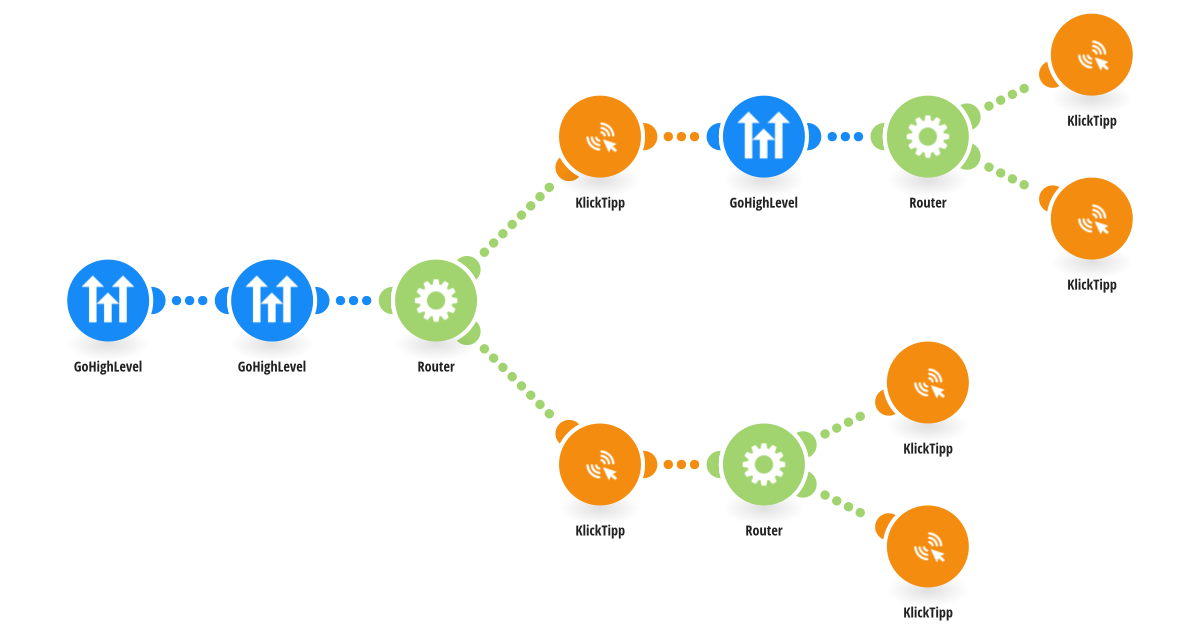
This workflow creates a seamless synchronization from GoHighLevel CRM to KlickTipp, ensuring your email marketing database always reflects the latest contact updates and segmentation changes from GoHighLevel. Whenever a contact is created or updated in GoHighLevel, the automation retrieves the contact record, checks communication permissions (DND all channels and email-specific DND), verifies whether a KlickTipp ID is already stored, and then creates a new KlickTipp contact or updates an existing one. It also writes the KlickTipp Contact ID back into GoHighLevel (custom field: “KlickTipp ID”), maintaining a reliable bi-directional link between systems. The workflow further enriches KlickTipp by transferring GoHighLevel segmentation logic into KlickTipp tags, so lists and automations match the same categorization used in GoHighLevel without manual exports. Subscription and opt-out logic is handled automatically: contacts marked as unsubscribed in GoHighLevel (global DND enabled or email DND active) are routed into an unsubscribe path in KlickTipp to keep communication compliant and consistent. This automation is especially valuable for agencies, coaches, consultants, course creators, membership sites, and service providers who use GoHighLevel as their CRM hub while relying on KlickTipp for email marketing. By syncing contact data, segmentation, and permissions, it improves targeting, reduces duplicates, and keeps both tools aligned.
This is a predefined template that will make the creation of your scenario much easier. Of course, you can always expand and customize the scenario to meet your own individual needs.
 GoHighLevel
 Flow Control
 KlickTipp