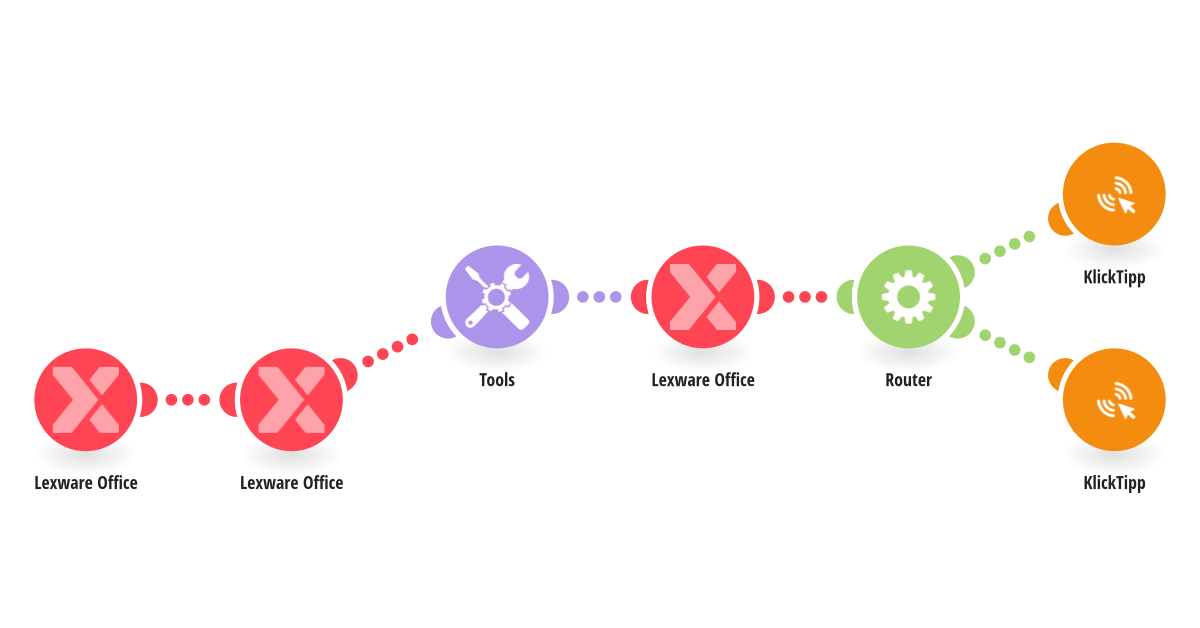
This automation connects Lexware Office with KlickTipp to synchronize invoice payment status changes and keep contact tags up to date. When the payment status of an invoice changes in Lexware Office, the scenario retrieves the full invoice details and identifies the related customer contact. It checks whether a business email address is available and then updates the corresponding contact in KlickTipp. If the invoice status is marked as paid, the contact is tagged with “Lexware | Paid Invoice”. If the invoice remains open, the contact is tagged with “Lexware | Open Invoice”. This ensures that your marketing automation always reflects the current financial status of the customer. By automatically updating tags based on real payment events, you can stop reminder campaigns immediately after payment is received and trigger follow up sequences such as thank you emails or onboarding workflows. This template requires the tags “Lexware | Paid Invoice” and “Lexware | Open Invoice” to exist in your KlickTipp account. It is ideal for businesses that want to align accounting processes with automated email communication and eliminate manual tag management errors.
This is a predefined template that will make the creation of your scenario much easier. Of course, you can always expand and customize the scenario to meet your own individual needs.
 Lexware Office
 Tools
Tools Flow Control
 KlickTipp