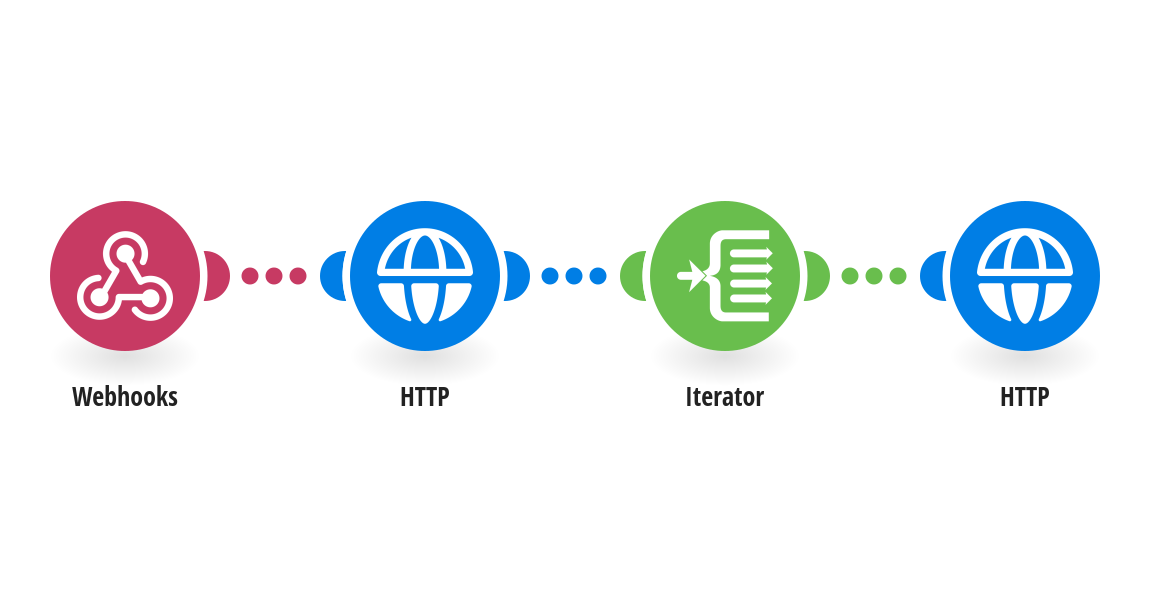
Never chase a customer who already paid. When your billing tool reports a payment to the Webhooks module, the HTTP module searches Webhook Scheduler for that invoice's pending follow-up, the Iterator goes through the results, and a second HTTP module cancels each one that is still waiting. Use it with "Schedule a 7-day invoice follow-up from a webhook with Webhook Scheduler", which creates the follow-ups. What you need: - The same Webhook Scheduler API key as the schedule template, at webhookscheduler.com/dashboard/api-keys. - Your billing tool sends the invoiceId used when the invoice was sent. A follow-up that is already being delivered is skipped, not cancelled. This template was created by Webhook Scheduler. Questions: [email protected] · Setup guide: webhookscheduler.com/guides/make-delayed-webhooks.
This is a predefined template that will make the creation of your scenario much easier. Of course, you can always expand and customize the scenario to meet your own individual needs.
 Webhooks
 HTTP
 Flow Control