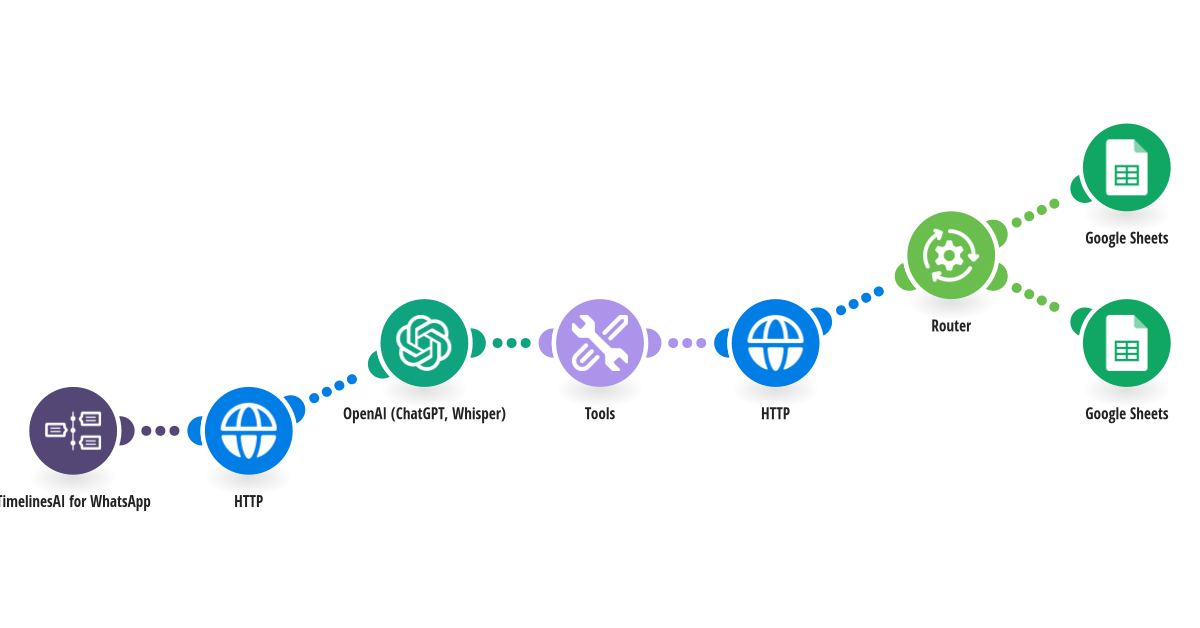
Turn WhatsApp replies from your leads into qualified and not-qualified lists automatically. ChatGPT reads each reply and sorts the lead, and TimelinesAI labels the chat to match. **How it works** Step 1: TimelinesAI watches your WhatsApp number for new replies. Step 2: It checks that the chat carries the lead-qualification label, so only replies to your qualification question are handled. Step 3: ChatGPT reads the reply and decides whether the lead is qualified, using the criteria you write. Step 4: The chat label is updated to qualified or not-qualified, and the lead is added to the matching tab of your Google Sheet. **What you need** • A TimelinesAI account with a WhatsApp number connected and an API token • An OpenAI account with an API key • A Google Sheet with two tabs named Qualified and Not qualified **Before you turn it on** Edit the prompt in the setup: replace [YOUR BUSINESS] and [YOUR CRITERIA] with your own details. This template works together with step 1 of 2, which asks the lead the question and adds the lead-qualification label. [New to TimelinesAI? Connect your WhatsApp number and start your free trial →](https://timelines.ai/whatsapp-make-integration?utm_source=make&utm_medium=template&utm_campaign=lead-qualification-step-2)
This is a predefined template that will make the creation of your scenario much easier. Of course, you can always expand and customize the scenario to meet your own individual needs.
 TimelinesAI for WhatsApp
 HTTP
 OpenAI (ChatGPT, Whisper)
 Tools
 Flow Control
 Google Sheets