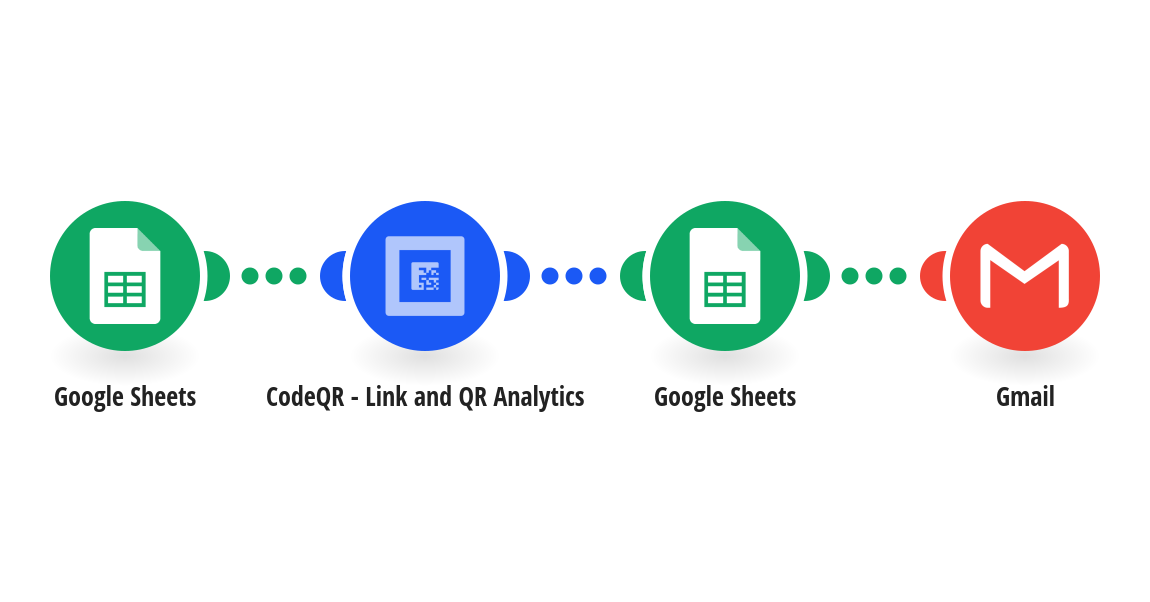
Send every attendee their own ticket QR code as soon as they register. Each time a registration is added to your Google Sheets spreadsheet, this template: - creates a dynamic QR code in CodeQR for that attendee - sets the ticket to stop working after your event, at the date you choose - writes the ticket link and the QR code image back to the row - emails the QR code to the attendee from your Gmail account At the door, scan the attendee's code. CodeQR counts every scan, so your dashboard shows which tickets were scanned and when. If your check-in page changes, update it in CodeQR and the tickets already sent keep working. Your sheet needs six headers in row 1: Name, Email, Ticket URL, QR Code ID, Ticket Link, QR Code Image. Ticket URL is what scanning opens: your check-in form, the attendee's page in your event tool, or the event page. This template needs CodeQR Starter or above, because ticket expiry isn't available on the Free plan. Each ticket counts toward your plan's monthly QR code limit. Apps used: Google Sheets, CodeQR, Gmail This template was created by CodeQR. Learn more at https://codeqr.io
This is a predefined template that will make the creation of your scenario much easier. Of course, you can always expand and customize the scenario to meet your own individual needs.
 Google Sheets
 CodeQR - Link and QR Analytics
 Gmail