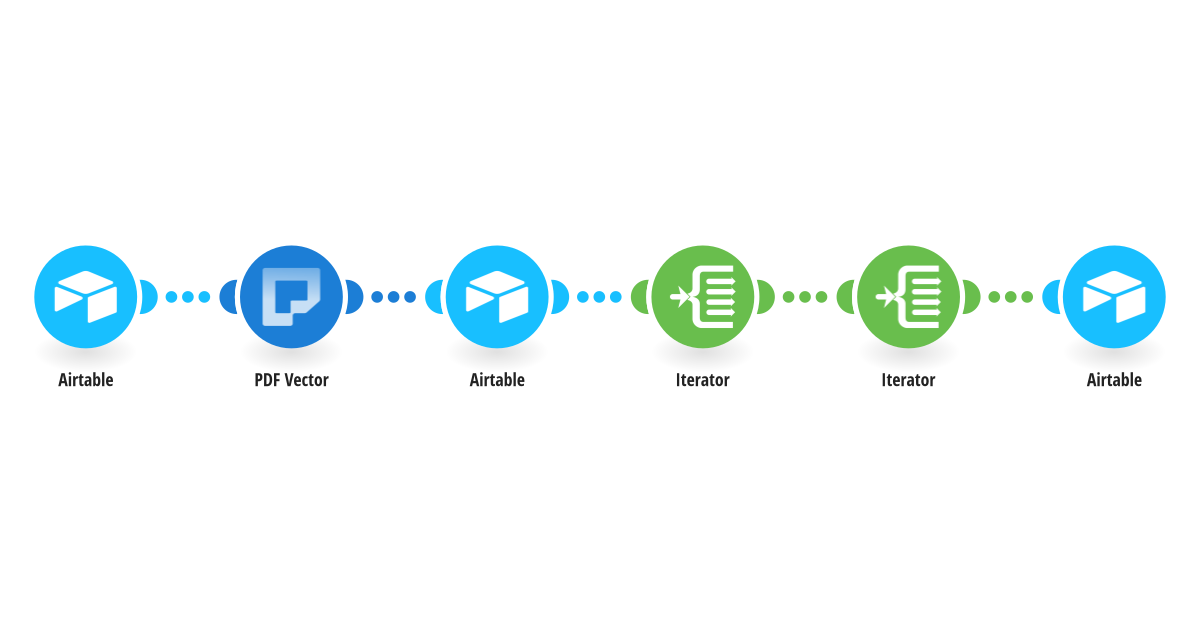
For students and researchers who draft in Airtable and need papers to back up their claims. When a record in your Drafts table gets a Paragraph, PDF Vector splits it into sentences and searches Semantic Scholar and OpenAlex for papers that match each one. PDF Vector scores each paper against its sentence from 0 to 10, keeps papers that score 5 or more and lists them highest first. The first 3 per sentence are added to a Sources table with title, authors, year, DOI, a link to the paper page, the sentence and the score, linked back to the draft. The draft gets a Status, the number of sentences checked and a note. Setup: connect PDF Vector (API key from app.pdfvector.com) and Airtable. Drafts needs Name, Paragraph (long text), Status (single select: Sources suggested, No sources found, Needs review), Sentences checked (number), Notes (long text) and a Last modified time field named Paragraph edited that watches Paragraph and Status. Sources needs Title, Authors (long text), Year (number), DOI, Link (URL), Sentence (long text), Match score (number) and Draft (link to Drafts). To search again, clear Status; the new papers are added next to the old ones. Suggestions come from text similarity, so a paper can share words with a sentence without supporting it: read each one before you cite it. PDF Vector charges 2 credits per sentence, and a paragraph can be at most 5,000 characters. Change the 3 in the filter before Add the paper to Sources to keep more or fewer.
This is a predefined template that will make the creation of your scenario much easier. Of course, you can always expand and customize the scenario to meet your own individual needs.
 Airtable
 PDF Vector
 Flow Control