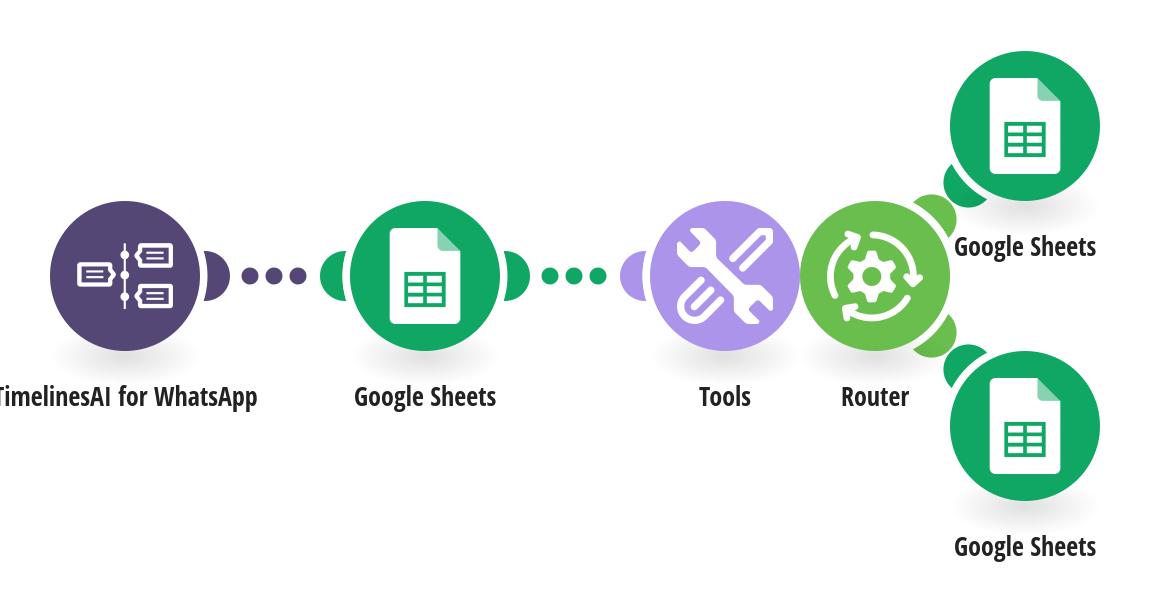
Turn your Google Sheet into a simple WhatsApp contact list: one row per contact, always showing their latest message, instead of one row per message. How it works: 1) TimelinesAI watches your connected WhatsApp number for new incoming messages. 2) Google Sheets looks up the sender's phone number in column B. 3) If the contact is there, their Last message and Last contact are updated. If not, a new row is added with the name, phone, message, time and a link that opens the chat in TimelinesAI. What you need: a TimelinesAI account with a WhatsApp number connected; a Google Sheet with a header row: A Name, B Phone, C Last message, D Last contact, E Chat link. Add your own columns after E (notes, owner, status); they're left alone. Before you turn it on: Pick the same spreadsheet and tab in all three Google Sheets steps. New to TimelinesAI? Connect your WhatsApp number and start your free trial: https://timelines.ai/whatsapp-make-integration?utm_source=make&utm_medium=template&utm_campaign=sheets-contact-list
This is a predefined template that will make the creation of your scenario much easier. Of course, you can always expand and customize the scenario to meet your own individual needs.
 TimelinesAI for WhatsApp
 Google Sheets
 Tools
 Flow Control