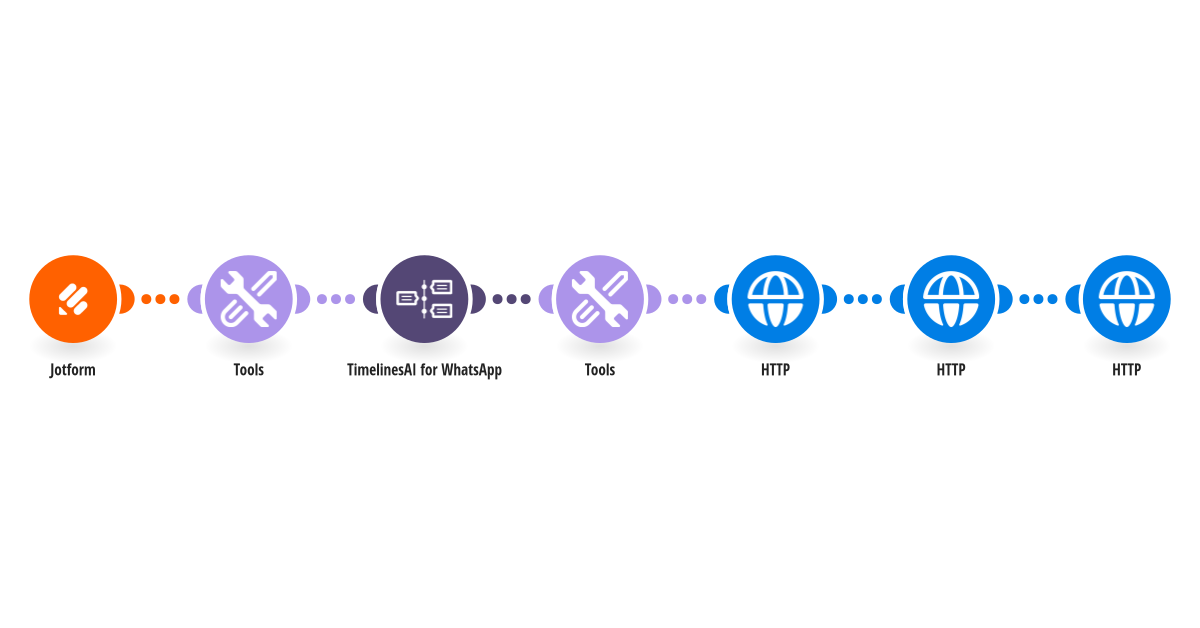
Message only the Jotform leads you want on WhatsApp, then label the chat and assign it to the right teammate in TimelinesAI. How it works: 1) Jotform sends each new submission to this scenario. 2) The answer you pick (for example team size or budget) is checked against the answers that qualify. 3) Qualified leads get your WhatsApp message. Everyone else gets nothing. 4) The new chat gets your label and is assigned to your teammate. What you need: a TimelinesAI account with a WhatsApp number connected; a Jotform with a Phone question, a name question and the question that qualifies a lead. Before you turn it on: Pick your form, then in Set variables map the phone, name and qualifying questions and fill in the qualifying answers, label, teammate email, country code and API key. Edit the message. New to TimelinesAI? Connect your WhatsApp number and start your free trial: https://timelines.ai/whatsapp-make-integration?utm_source=make&utm_medium=template&utm_campaign=jotform-qualified-leads
This is a predefined template that will make the creation of your scenario much easier. Of course, you can always expand and customize the scenario to meet your own individual needs.
 Jotform
 Tools
 TimelinesAI for WhatsApp
 HTTP