Make Endpoints vs Composio: which one fits your code?
Both let code call app actions without building every integration. They're built for different jobs. Here's how to pick.
📌 Key takeaways
- Composio is built for teams shipping AI agent products whose agents act inside their own users' accounts, for many end users at once.
- Make Endpoints is built for teams that already connect their apps in Make and want to call those app actions from their own code, with the connection managed in Make.
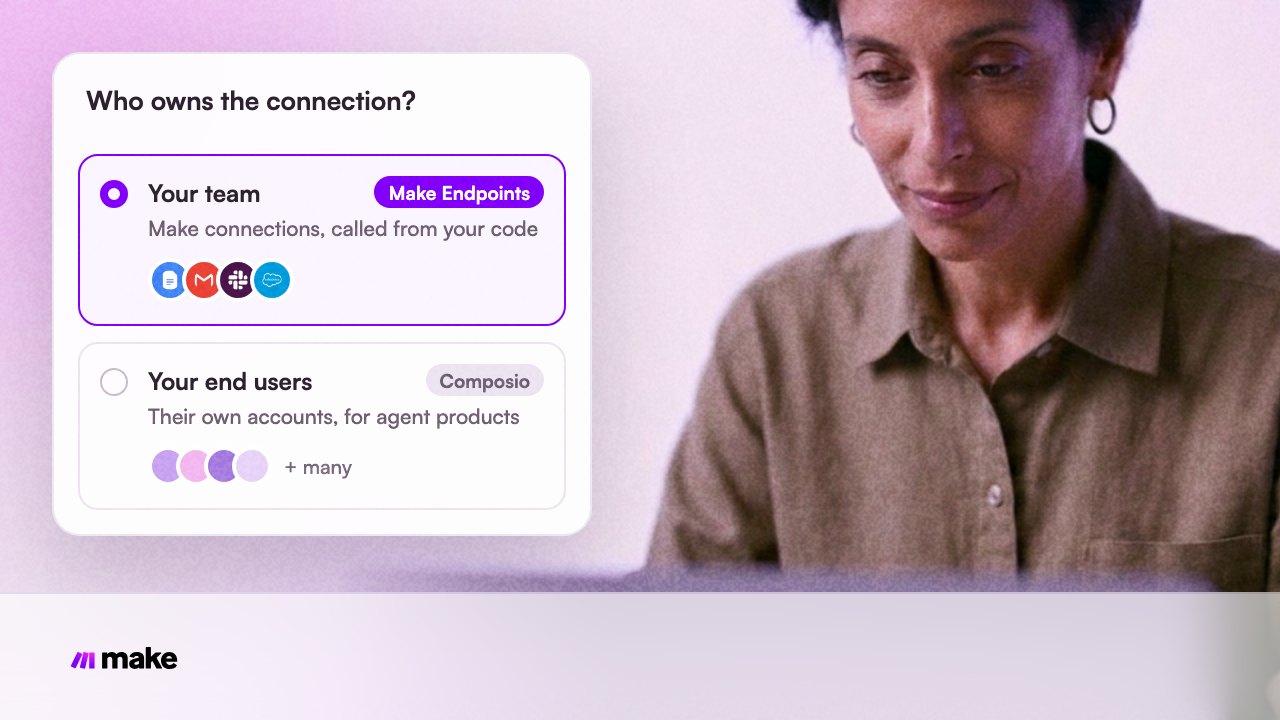
- The deciding question is who owns the connection: your customers, or your team.
- Make Endpoints costs 0.1 credit per call during the Beta. Composio is free up to an included number of calls, then charges a monthly fee plus a per-call rate.
Introduction
Every team that puts code next to business apps hits the same wall: someone has to handle sign-in, tokens and the API quirks of each app. Composio and Make Endpoints both take that work off your plate, so it's easy to treat them as the same thing.
They aren't. Pick the wrong one and you either rebuild your connections later, or pay for features you don't use. This post explains what each one is, where they differ, what they cost, and how to decide.
What is Make Endpoints?
Make Endpoints lets you call a single app action from your own code, without building a scenario. You pick an endpoint, such as Google Docs getDocument, pass its inputs and the ID of a connection your team already has in Make, and get the endpoint's output back.
You call it from JavaScript or TypeScript with the Make Endpoints SDK (@makehq/endpoints-sdk), or over REST. The bundled make-endpoints-cli lists and describes the endpoints in the package, and EndpointTools turns them into tool definitions for an agent.
A Make API key with the endpoints:run scope authenticates the request, and the connection ID selects the app account. App credentials never go into an endpoint's input. Endpoints are in closed beta: Make enables them per organization.
What is Composio?
Composio is an integration platform for developers who build AI agent products. Its customers are mostly AI-native startups and SaaS platforms whose agents act inside their own users' accounts, such as an AI sales rep that reads a customer's Outlook and updates their Salesforce.
Composio handles signing in to apps on behalf of those end users, ships tool definitions written for LLMs, and adds event triggers. It works with agent frameworks like LangGraph, Vercel AI SDK and CrewAI, and even its free plan includes unlimited connected accounts. That pricing makes sense for a product with many end users.
How are they different?
Dimension | Make Endpoints | Composio |
Built for | Teams calling app actions from their own code | Products whose agents act in their end users' accounts |
Whose accounts | Your team's connections in Make | Each end user's connected account |
How you call it | JavaScript or TypeScript SDK, REST | SDKs, MCP, agent framework integrations |
Discovery |
| Tool catalog with LLM-ready definitions |
Visual workflows | Next to your Make scenarios | No visual builder |
Price | 0.1 credit per call in the Beta | Free tier, then $29 a month plus per-call usage |
Status | Closed beta | Self-serve, with an enterprise plan |
What does each one cost?
Make Endpoints bills 0.1 credit per call during the Beta, from the credits in your Make plan. The Free plan's 1,000 credits cover 10,000 calls a month.
Composio's list price includes 100,000 tool calls a month with your own OAuth apps, or 20,000 with Composio-managed auth. Beyond that you pay $29 a month including $29 of usage, then $0.0003 per call ($0.0005 with managed auth).
Per month, list price | 100,000 calls | 1,000,000 calls |
Make Endpoints, Beta, billed yearly | $9 (Core, 10,000 credits) | $99 (Core, 150,000 credits) |
Composio, managed auth | $40 | $490 |
Composio, your own OAuth apps | $0 | $270 |
With your own OAuth apps, Composio costs less at low volume. With managed auth, or at higher volume, Make Endpoints costs less. Either way, price is rarely the deciding factor; who owns the connection is.
When should you use Make Endpoints?
- Your team already connects its apps in Make and wants to use those connections from a script, an internal tool or an agent.
- The logic belongs in code, and a whole scenario would be overkill for one app action.
- You want app actions, scenarios and AI agents to draw on one credit balance.
When should you use Composio?
- You're shipping a product whose agents act in your customers' accounts, and each customer connects their own apps.
- You need many end-user accounts and per-user sign-in flows inside your product.
- You build on an agent framework and want tool definitions and triggers out of the box.
Can you use both?
Yes. They solve different parts of the problem. A product team might use Composio for the actions its agent takes in customers' accounts, and Make Endpoints for its own internal tools, where the connections belong to the team and live in Make next to its scenarios.
What's your next step?
If your connections already live in Make, start with one read: install the Make Endpoints SDK, call getDocument with an existing Google connection, and inspect the output. Then use make-endpoints-cli to see what else your team can call.
Frequently asked questions
Q1. Is Make Endpoints a Composio alternative?
For internal use, often yes: both let code call app actions without writing each integration. Make Endpoints works with the connections in your Make team, so check that model fits before you build a product where every customer brings their own accounts.
Q2. Can an AI agent use Make Endpoints?
Yes. EndpointTools from @makehq/endpoints-sdk/tools turns endpoints into tool definitions for agents you run in JavaScript or TypeScript. Give your agent only the endpoints the task needs. For AI clients that speak MCP, Make MCP Server exposes your scenarios as tools.
Q3. What does Make Endpoints cost?
0.1 credit per call during the Beta. 10,000 credits, the Core plan's smallest pack, cover 100,000 calls.
Q4. Where do my credentials live?
In Make. You authenticate to Make with an API key and pass a connection ID; app credentials stay in the connection and never go into an endpoint's input.
Composio details from its public website and pricing page, as of October 2026.