Dec 8, 2025 | 5 minutes
Introducing Make AI Web Search: Real-time internet data, directly inside your scenarios
Introducing Make AI Web Search – a built-in module that lets you pull real-time web data directly into your scenarios. No APIs, no scraping tools, no external accounts. Search the internet and automate what you find, all inside Make.

Why real-time information matters in automation
Most scenarios eventually hit the same limitation: your data is only as good as what you can retrieve.
Whether you're tracking competitors, enriching leads, building AI-powered workflows, or monitoring trends, you often need fresh information from the web. But getting it has typically meant setting up external API connections, managing additional accounts, paying for separate scraping services, or dealing with inconsistent data formats that require cleanup before they're usable.
Make AI Web Search changes that. It brings web search directly into the Make canvas – native, ready for automation, and designed to fit seamlessly into your existing scenarios.
What is Make AI Web Search?
Make AI Web Search is a built-in module that lets you search the internet for any query and retrieve relevant results from across the web – all directly inside Make. Think of it as your scenarios gaining the ability to look things up on demand.
With Make AI Web Search, you can:
Search the internet for any query, from product names to breaking news topics
Retrieve results that you can use in downstream modules
Run searches without external integrations, API keys, or additional accounts
Connect results directly to AI Tools, notifications, CRMs, or any other app in your scenario
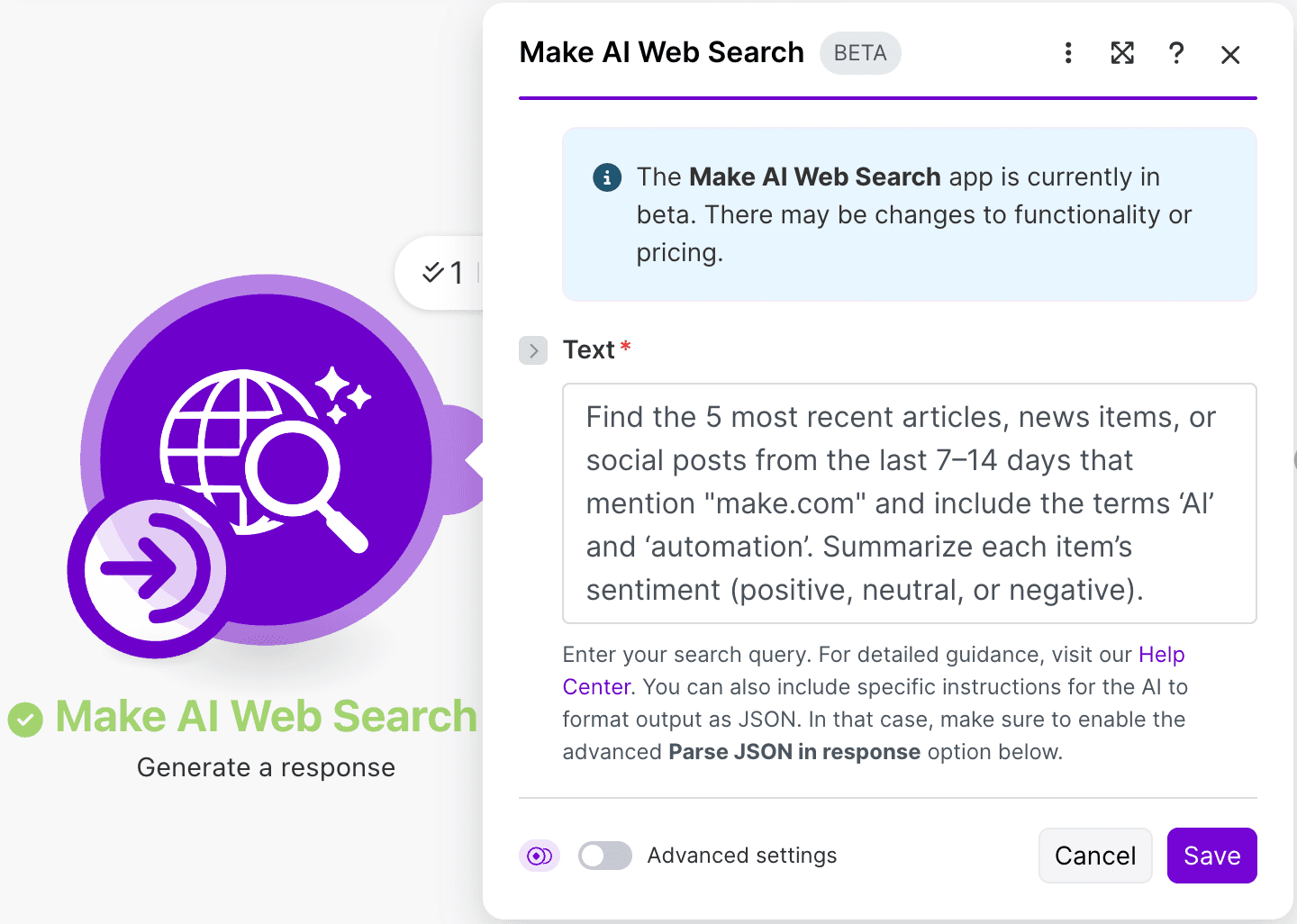
It works like any other Make module: drag it into your scenario, configure your query, and you're ready to go.

Why it matters: Fewer tools, more signal, cleaner scenarios
Until now, automating tasks that rely on real-time web data meant adding complexity. You'd manage external API keys, connect fragile browser bots, pay extra providers, or parse unpredictable HTML. Each dependency created another point of failure – and another thing to maintain.
With Make AI Web Search, the internet becomes just another data source in your scenario. Results arrive in a consistent format that flows naturally into your existing logic, whether you're feeding them into AI Tools for summarization, pushing updates to Slack, or enriching records in your CRM.
You’ll get timely, ready-to-use data without the hassles of server management, external dependency configuration, or parsing.
What you can do with Make AI Web Search
Automated research and monitoring
Track mentions of your brand or competitors and receive updates when new content appears
Monitor keywords on a schedule and push curated results to Slack, email, or a dashboard
Curate trending articles for newsletters without manual searching
Maintain SEO watchlists or backlink trackers that update automatically
See it in action: Brand tracking scenario template
Real-time alerts pipelines
Detect breaking news on a topic relevant to your business
Monitor regulatory updates or industry announcements
Trigger downstream actions when matching content appears
Combine with AI Tools or Make AI Agents for automated summarization and routing
Lead enrichment and research
Search for businesses in a niche and send enriched data directly to your CRM
Enrich leads with social links, recent news, or company descriptions
Run background research automatically when a new lead enters your system
See it in action: Lead generation and enrichment scenario
Research assistance and knowledge building
Generate summaries of recent articles on topics that matter to your team
Build auto-updating dashboards with curated industry insights
Create briefing documents that refresh on a daily or weekly schedule
Scenario triggers based on search results
If a result contains a specific keyword, trigger a follow-up scenario
Notify customer-facing teams when new reviews or mentions appear
Start workflows when a partner, client, or competitor appears in the news
How to get started with Make AI Web Search
Getting started takes just a few steps:
Drag the Make AI Web Search module into your scenario
Enter your search query – this can be static text or dynamic data from previous modules
Run the scenario to see your results
Map results into AI Tools, Slack, Notion, your CRM, or feed them into a Make AI Agent
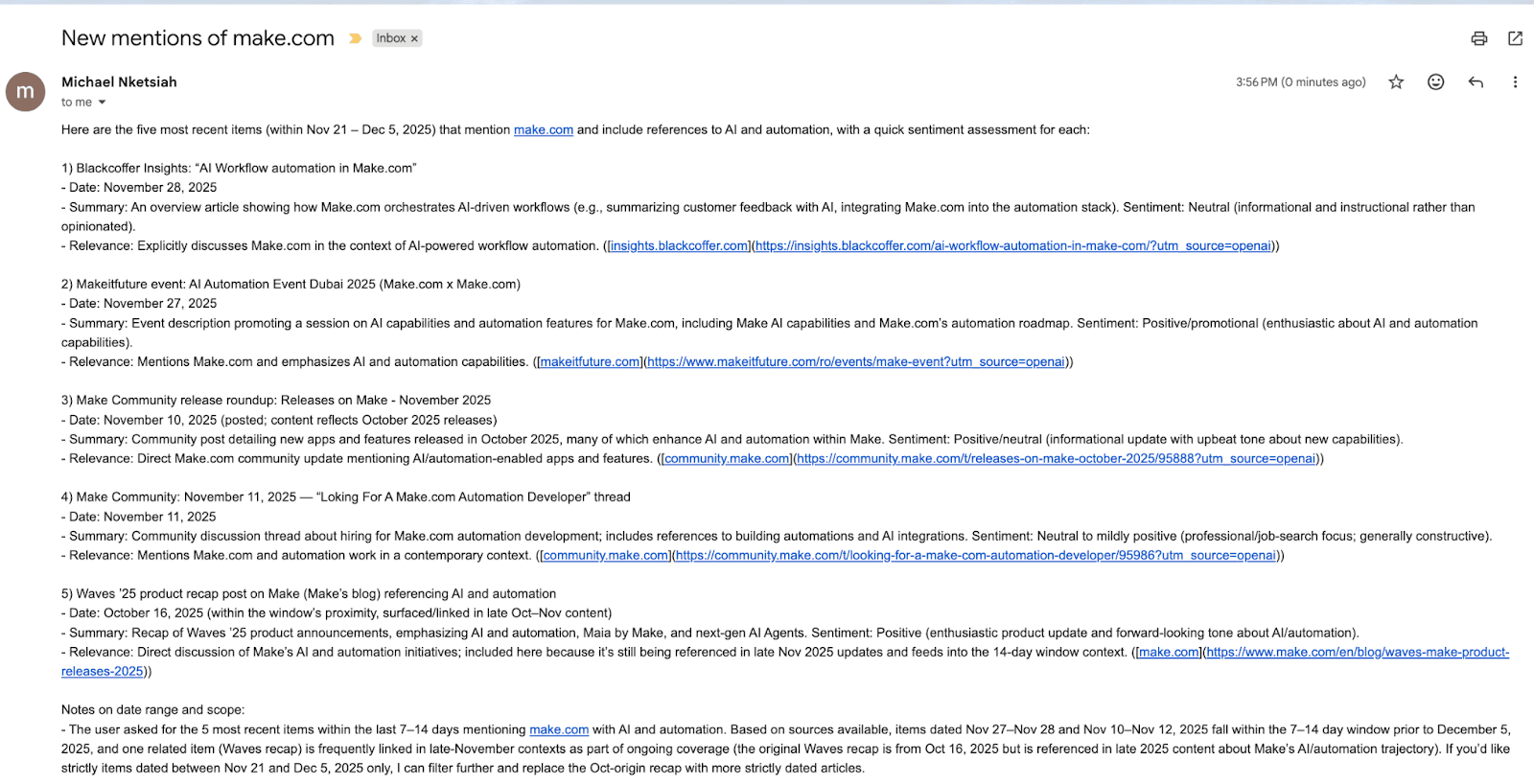
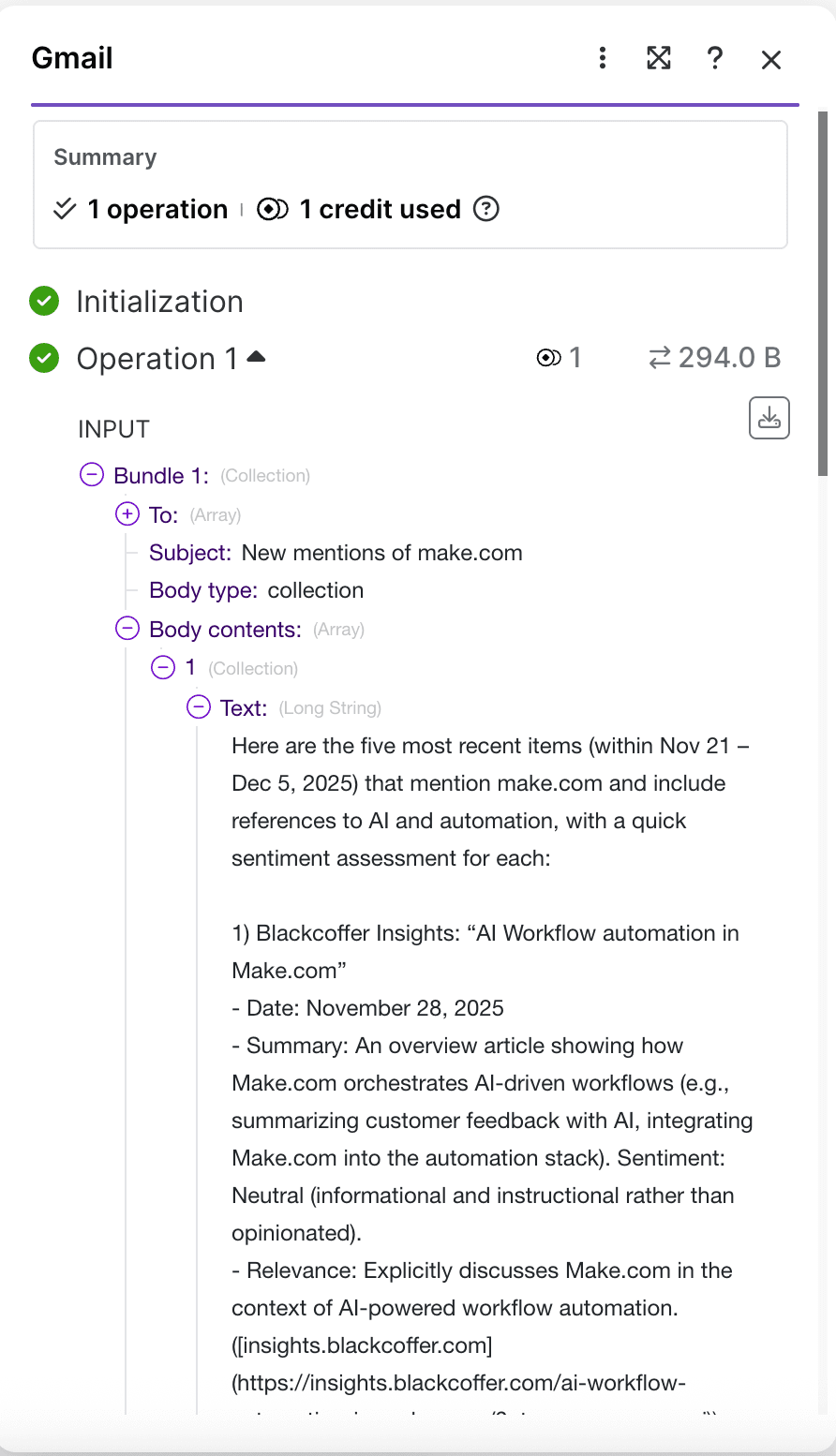
From there, you can build on your scenario however you like. Combine web search with AI summarization for automated briefings, connect it to your project management tools for competitive intelligence workflows, or use it as part of a larger agent-driven process.
Pricing and availability
Make AI Web Search is available on all plans. Searches consume credits based on model usage, and most searches remain lightweight – particularly when using smaller models – keeping costs low and predictable.
Bring the web into your scenarios
If you've ever hit a wall trying to get fresh data into your automation, Make AI Web Search removes that barrier. No more stitching together APIs and scraping tools. No more managing external accounts. The entire internet is now accessible directly from your scenarios.
Start searching today – no setup required.
Start building | View Help Docs | Join the Community
Ready to make the automation revolution happen?