How to cut hours of manual work with an automated AI project intake workflow
Learn how to turn a manual project intake process into an intelligent, automated workflow. With Make AI, requests move from submission to review in seconds, ensuring your whole team is aligned.

Project managers know this reality - requests flood in through forms, each one requiring follow-up, clarification, and coordination across multiple tools. While strategic planning is where the real value lies, most teams spend countless hours on intake admin, routing requests, checking for gaps, and notifying stakeholders.
That's where Make AI comes in. In this article, we'll introduce a real-world project intake automation built with JotForm, Notion, Asana, and Slack. It removes hours of manual work while making sure nothing falls through the cracks.

From form submission to team alignment in seconds
When a project request comes in, teams typically face a flood of manual tasks: reviewing the brief, identifying risks, creating documentation, setting up tracking, and notifying everyone involved. Each step takes time and comes with the possibility of missing crucial details.
Make AI handles the project intake process automatically, in seconds. As a result, teams spend more time executing projects, while the intake process runs itself in the background.
Here’s a brief overview of how it works:
- A project requester submits the project details via JotForm
- Make sends the project details to the Make AI Toolkit module for review
- Make creates a complete project brief in Notion
- New task created in the Asana project tracker
- Make sends a message to the main team Slack channel
- Confirmation Slack message for the requester
AI project intake workflow scenario walkthrough
Here's a step-by-step explanation of how the scenario works in Make.
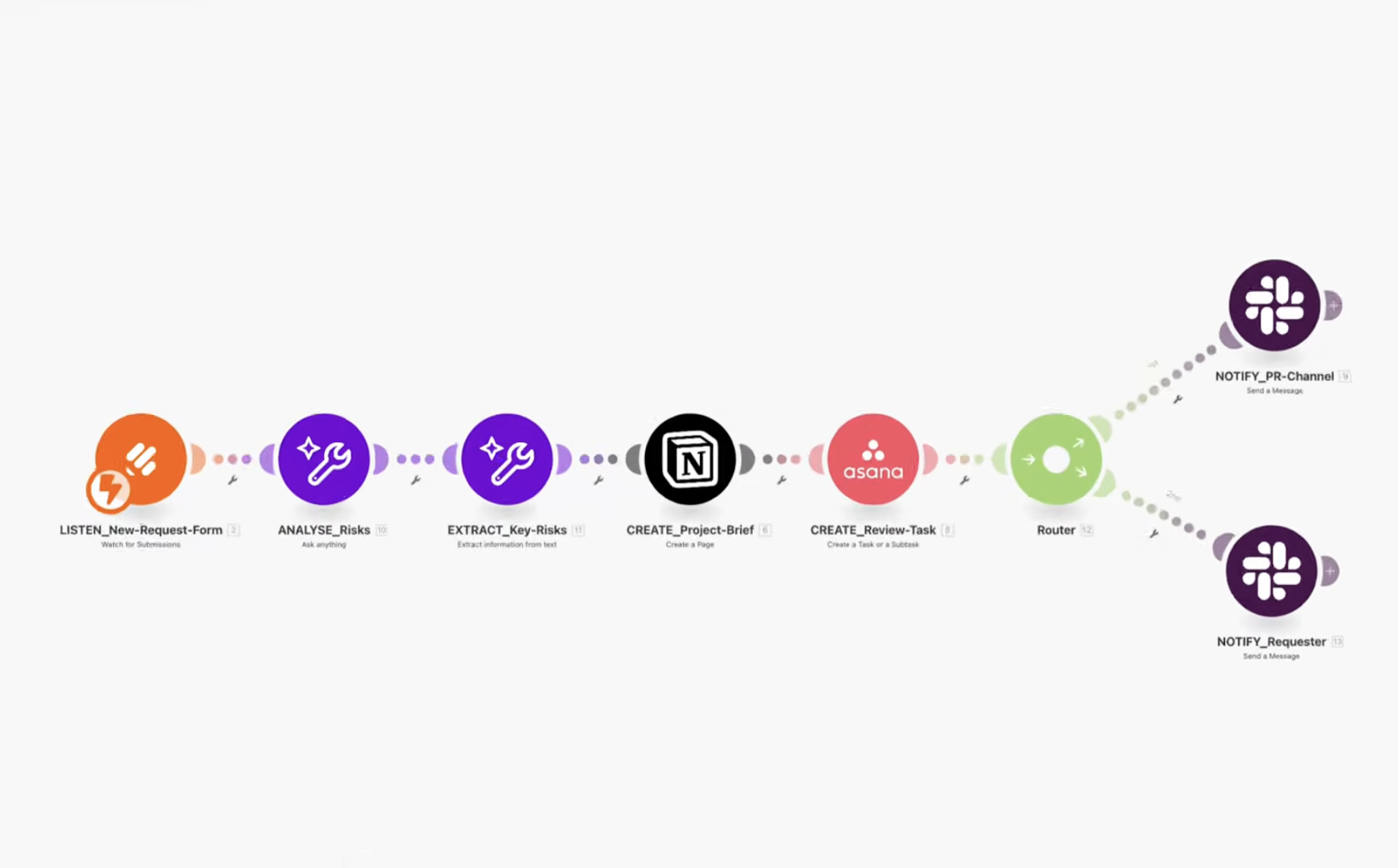
1. Watch for new project requests
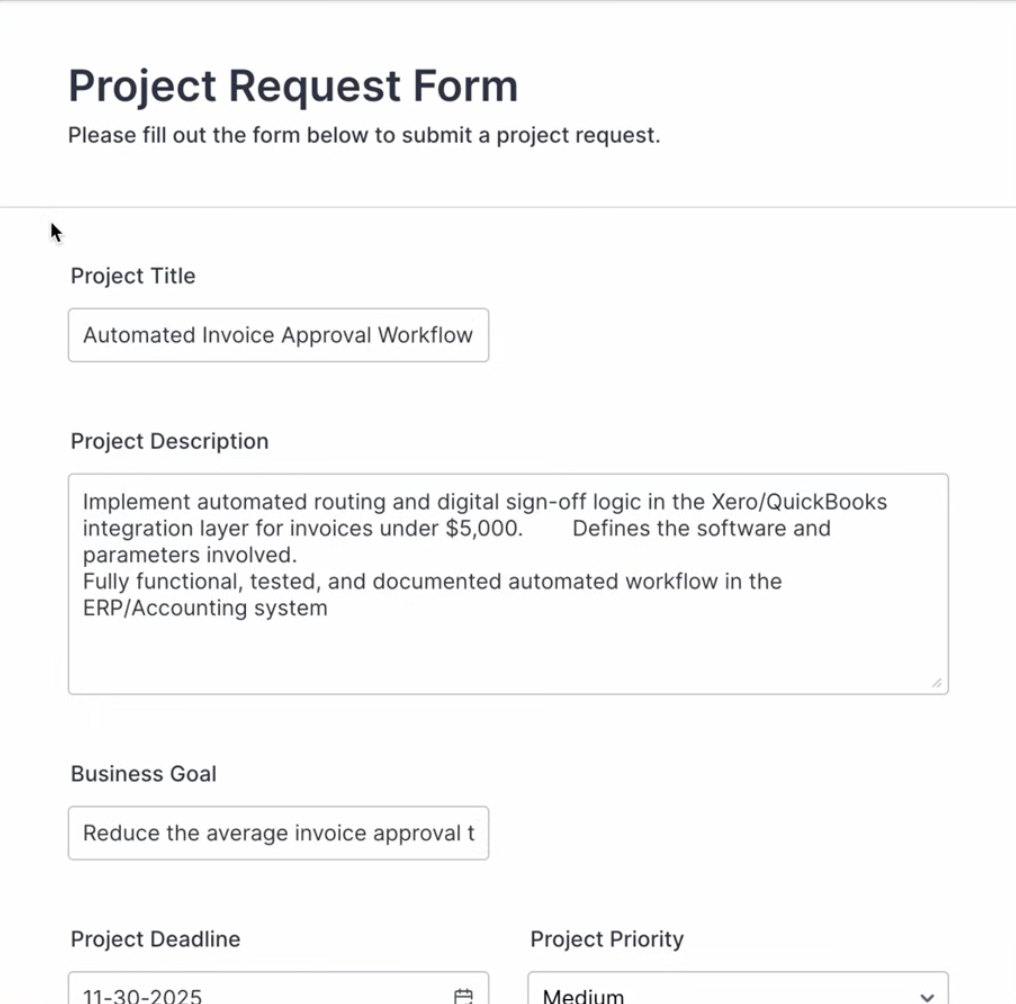
The workflow triggers instantly when someone submits a project request through JotForm. The form captures essential details:
- Project name
- Description
- Business goal
- Deadline
- Priority
- Involved stakeholders
This becomes the foundation for everything that follows.
2. Analyze with AI intelligence
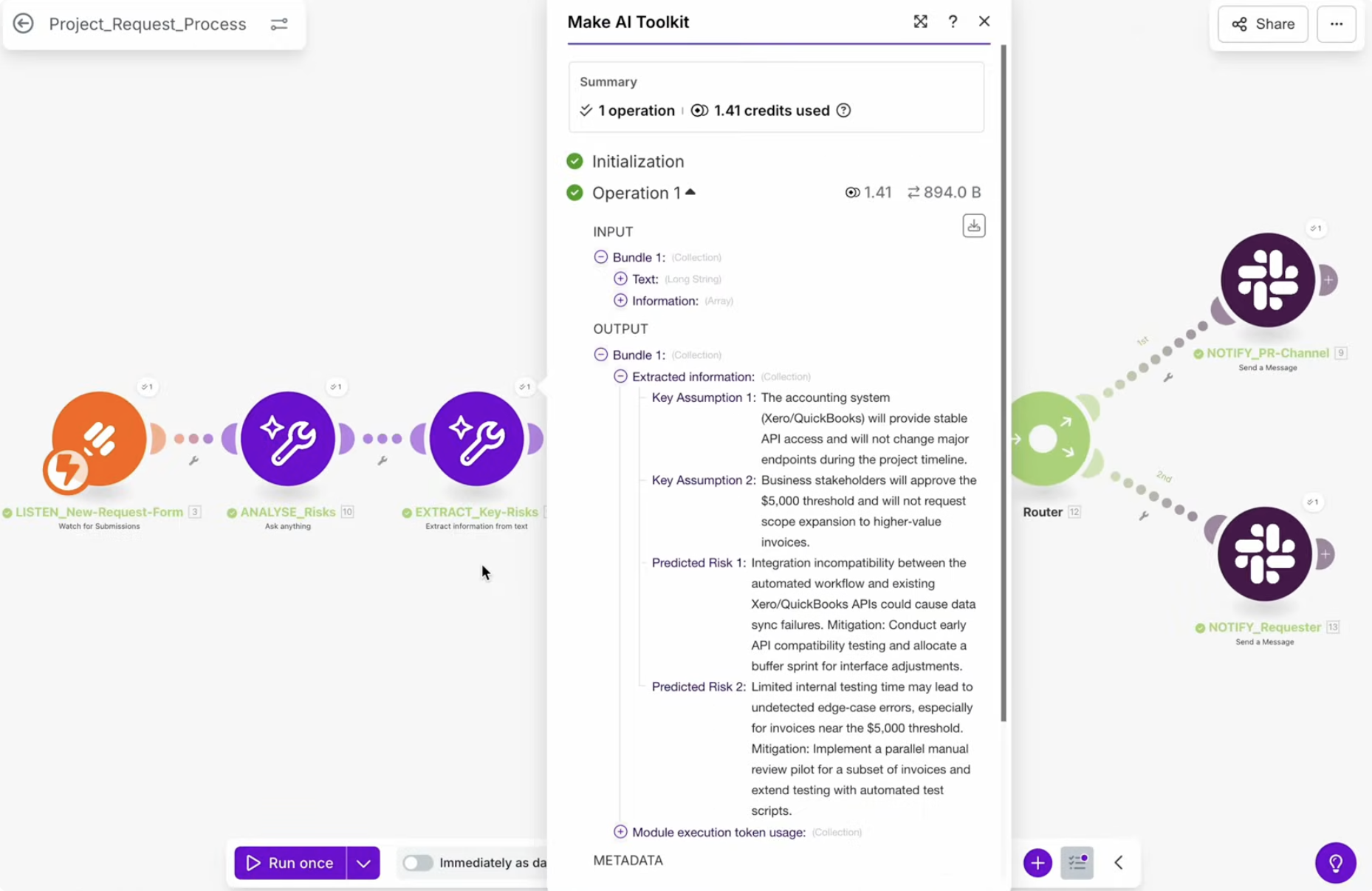
Once the form is submitted, Make sends the project details to the Make AI Toolkit module. The AI reviews the submission and generates critical insights:
- Potential risks that could derail the project
- Missing information that needs clarification
- Key assumptions that should be confirmed before work begins
This AI analysis turns a basic request into an informed starting point, catching issues before they become problems.
3. Create the Notion project brief
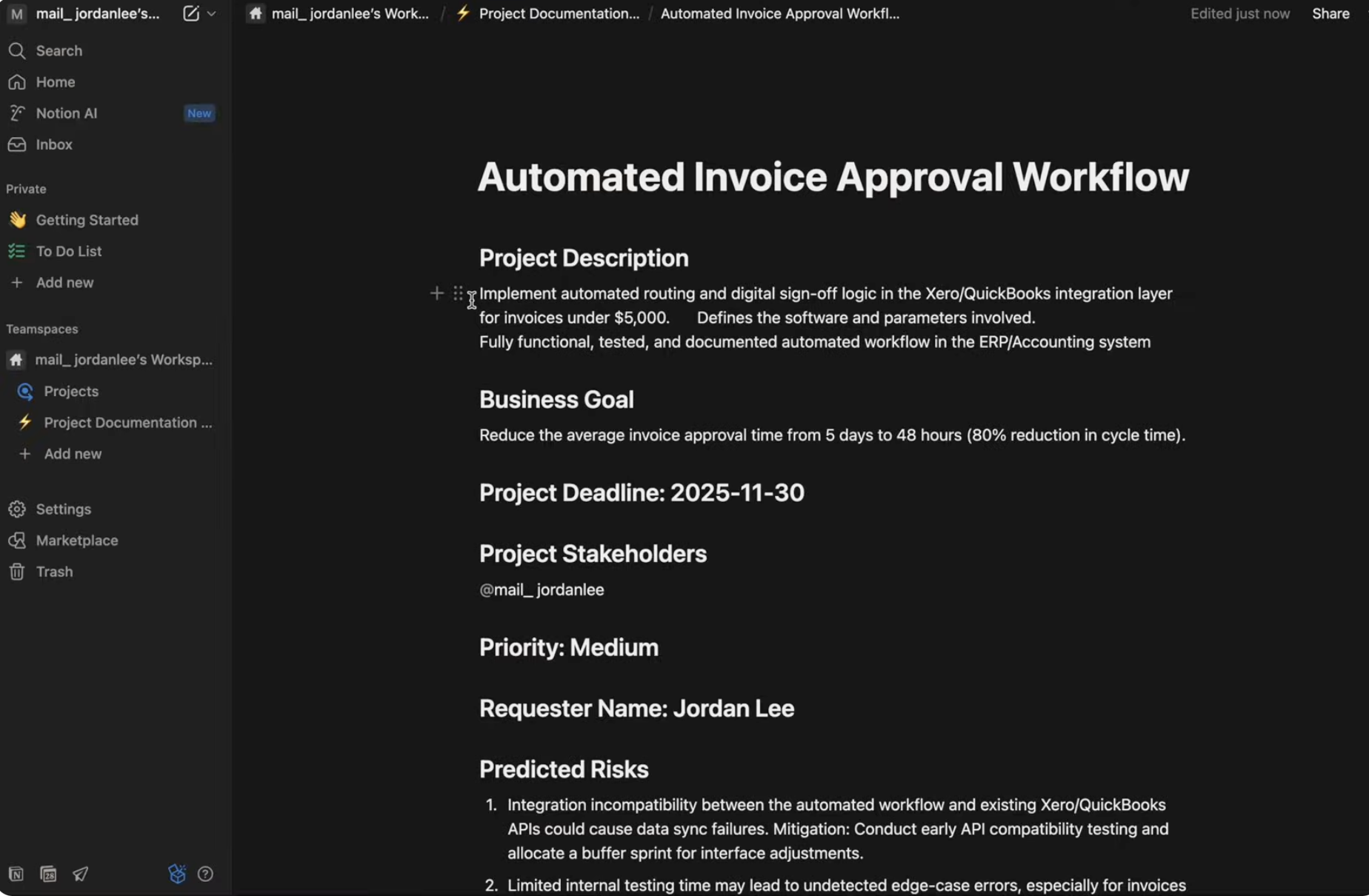
Make automatically generates a complete project brief in Notion, combining the original form data with AI-generated insights. This brief becomes the project's central reference hub. Everything the team needs to evaluate and plan is organized in one place, ready for review.
4. Set up project tracking in Asana
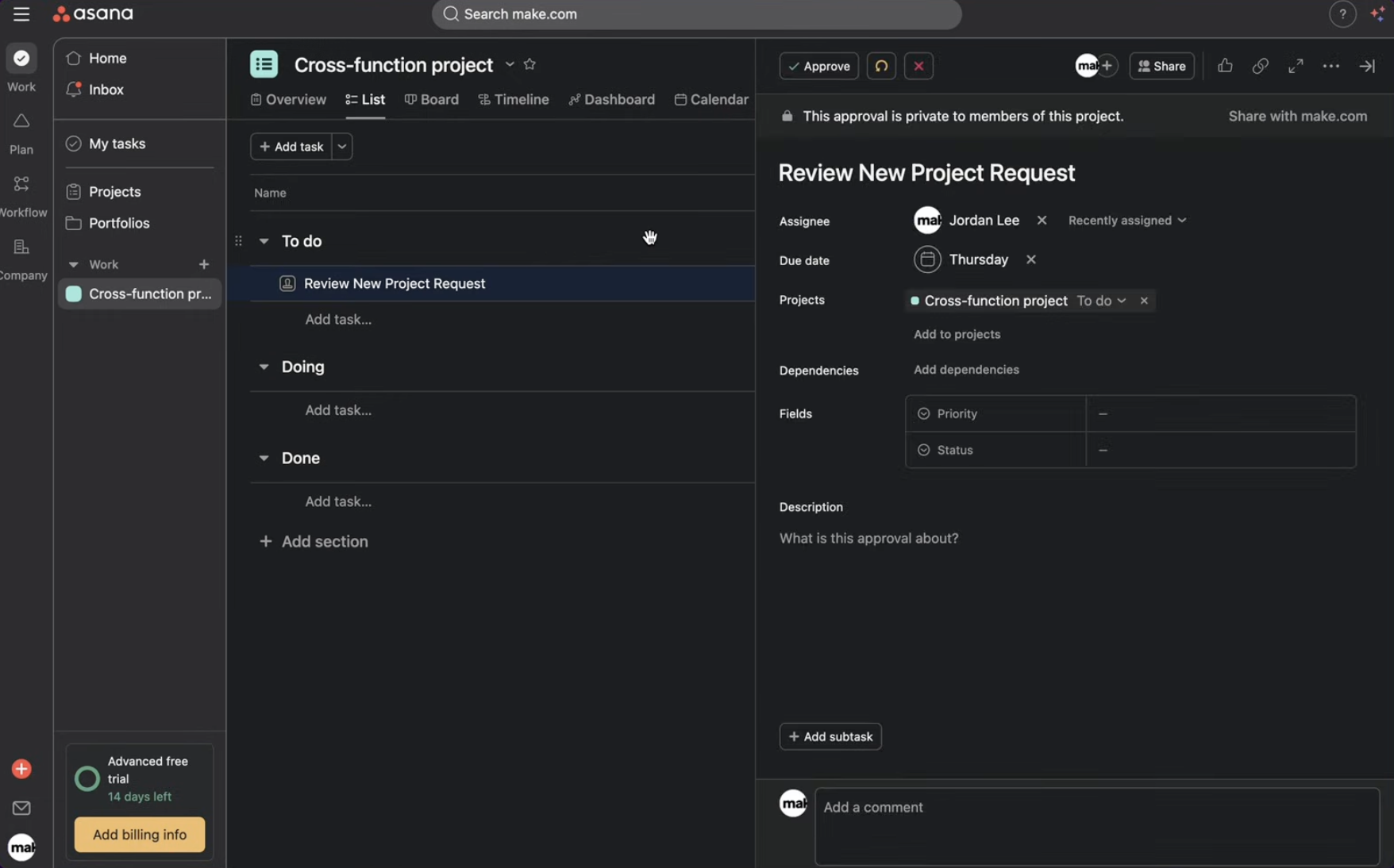
At the same time, a new task appears in the team's Asana project review board. The task includes:
- Essential project details
- A direct link to the Notion brief for added context
- Proper organization within your existing workflow
Now the project is tracked where your team already works, with seamless access to full documentation.
5. Notify the team in Slack
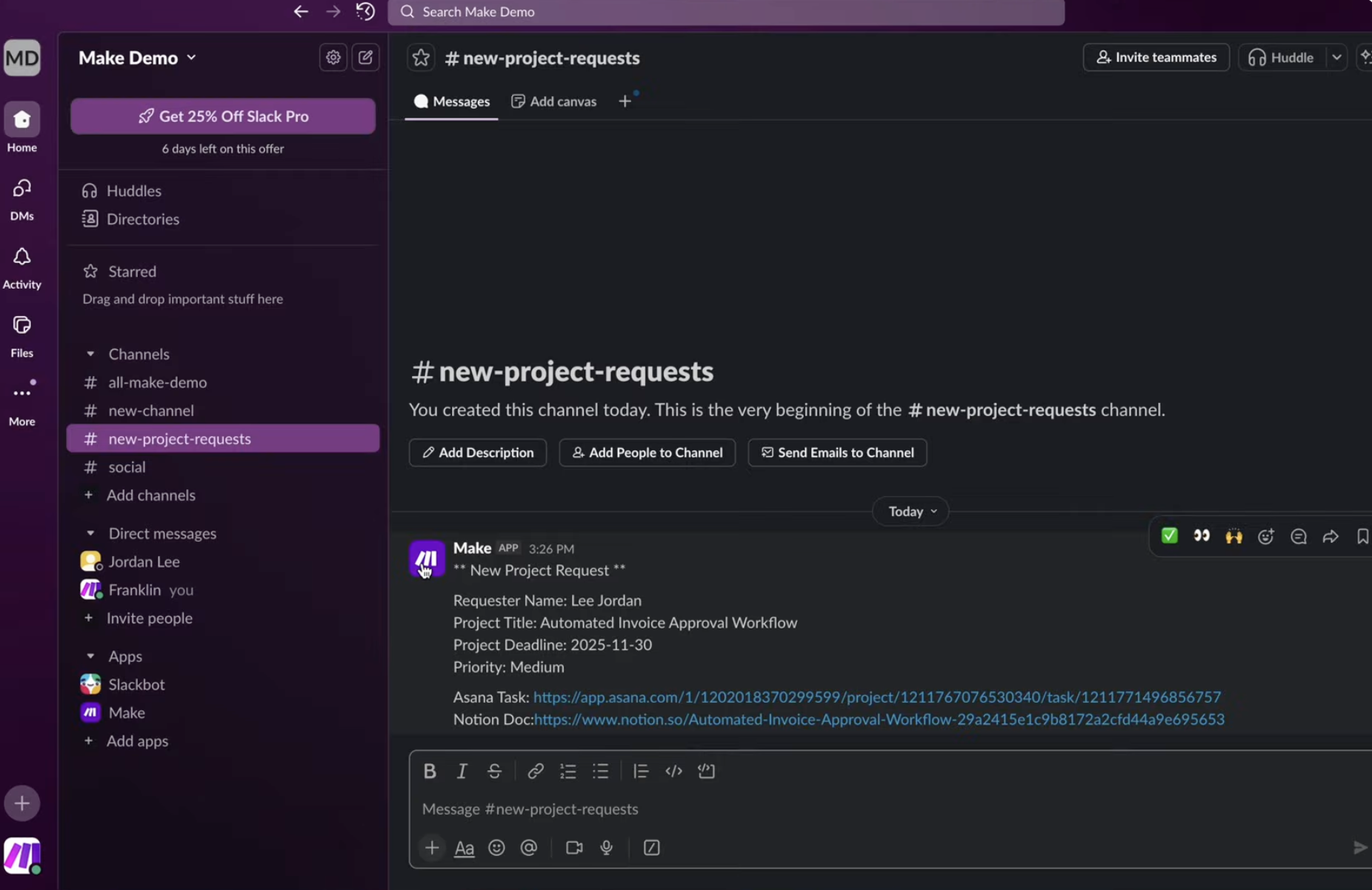
The main team channel receives an instant alert containing:
- Project title
- Requester name
- Project deadline
- Project priority
- Links to both the Asana task and Notion brief
At this point, everyone who needs to review the new project needs review has access to all relevant information.
6. Confirm with the requester
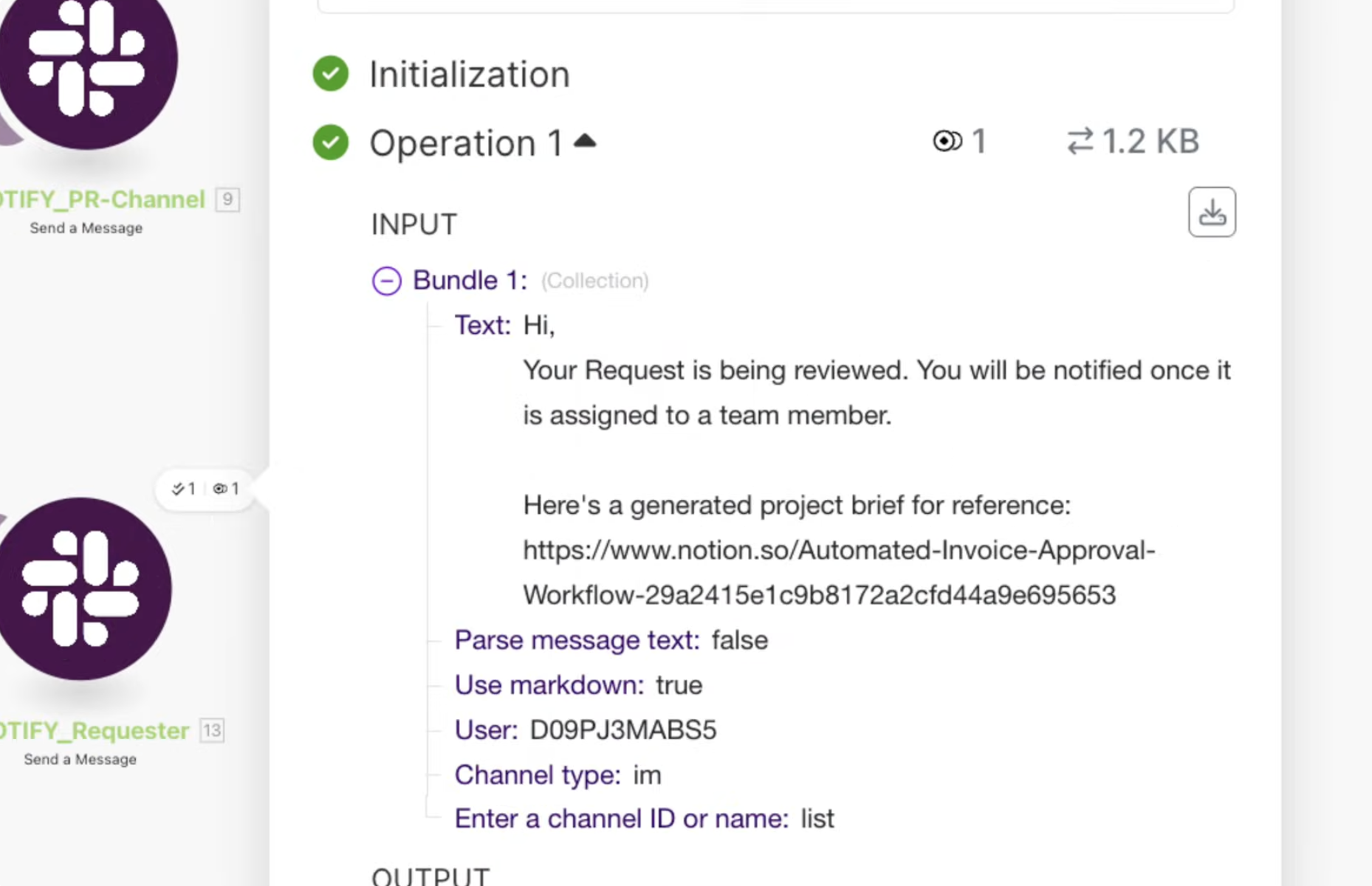
Finally, the person who submitted the request receives a personal Slack message confirming their submission is in review. They know their request was received and the process is underway.
What's the impact?
The AI project intake workflow is an intelligent system that improves both speed and quality. Here’s what it does for you:
- Reduces hours of manual work to an automated process done in seconds
- Provides a consistent, thorough review of every project request
- Identifies risk before projects begin
- Gives complete project visibility to all stakeholders from day one
- Allows project managers to focus on execution and strategy, not intake admin
Build your own AI project intake workflow
With Make, you can create intelligent processes to make better decisions. Whether it's project intake, request management, or internal operations, Make AI can handle the repetitive analysis so your team can focus on what matters most – delivering results.
Related guides
Tool and strategies modern teams need to help their companies grow.

How-to guides
How to create SEO-ready product copy with Make & AI e-commerce automation
Ready to streamline your product listings? Learn how to automatically generate SEO-optimized titles, descriptions, and tags for your Shopify store using Make and AI, saving hours of copywriting work.

Natalia Mrazova
October 23, 2025
Information Technology
How to automate customer feedback processing with Make’s AI survey submission manager
Instantly turn customer satisfaction surveys into actionable data with Make AI tools. The video below shows how AI automatically analyzes sentiment, translates responses from any language, and notifies your team of negative reviews.
Natalia Mrazova
September 30, 2025

Information Technology
How to build an AI agent to qualify your affiliates (and save 70% of your time)
Learn how to use Make AI Agents to create your own affiliate qualifying assistant. Save time, focus on building relationships, and capitalize on more opportunities.
Natalia Mrazova
September 17, 2025