Turn Meta leads into revenue with Make and Conversions API for CRM
Your CRM and Meta aren't talking. Here's what that's costing you, and how a closed feedback loop between your pipeline and Meta's algorithm fixes lead quality for good.

Your Meta campaigns are generating leads. Your sales team isn't closing them. And somewhere between the form fill and the follow-up call, the budget you spent attracting those leads disappears.
This is the lead quality problem, and it's more common than most marketing teams want to admit. The solution is a closed feedback loop between your CRM and Meta's algorithm: one where Meta doesn't just deliver leads, but learns from what happens to them after they fill out the form.
Meta's Conversions API for CRM is the infrastructure that makes this possible. Make is the integration layer that connects it to your CRM. Automatically, in real time, without a development team. In less than a day.
What’s more, Make offers Facebook Conversions API for CRM app usage in Make scenarios free of charge for 2 years, from February 27, 2026, until February 2028. Eligible new users also get an additional promo offer – a 2-month free Pro Plan with 20,000 monthly credits – so anyone can shift the focus from a random audience to actual buyer personas.
Read more about what's causing the lead quality problem, how the Make and Conversions API for CRM work together to fix it, and more in the blog below.
Get a detailed guide on Make and Meta’s Conversions API for CRM in our free e-book.
Why connecting your CRM to Meta unlocks better campaign performance
Meta's algorithm is built to deliver exactly what you optimize for. If your campaign is set up to generate leads at the lowest cost, that's exactly what it will do. It will find the largest pool of people likely to fill out a form and serve them your ad.
The Conversion API for CRM provides much more precise targeting. Form-fillers and buyers behave differently, and once Meta sees the difference, it optimizes toward the audience that actually converts.
There's a second layer to this. Since Apple's iOS 14.5 update in 2021 and the continued spread of ad blockers, a large portion of conversion data never makes it back to Meta at all. The algorithm is making bidding decisions without seeing what actually happened after the lead submitted. It can't learn from outcomes it can't see.
The result is campaigns that get incrementally worse at finding high-intent prospects, even as spend stays the same or increases. The Conversion API for CRM removes this barrier, too.
From lead volume to lead quality
The most effective advertisers have stopped optimizing for how many leads they generate. They're optimizing for how many of those leads actually progress through the funnel.
This is possible because of two things working together: Meta's Conversions API for CRM, and Make as the integration layer connecting it to your CRM.
What Conversions API for CRM actually does
Conversions API for CRM is a server-side integration that creates a feedback loop between your CRM and Meta's algorithm. Most lead generation campaigns operate with a one-way data flow: Meta serves an ad, a user submits a form, the lead lands in your CRM, and that's where Meta's visibility ends. The algorithm never learns whether that lead booked a call, became an opportunity, or converted into a customer.
Conversions API for CRM changes that. Every time a lead changes status in your CRM, from new inquiry to qualified, from qualified to opportunity, from opportunity to closed, that update goes back to Meta. The algorithm uses this signal to stop optimizing for people likely to fill out a form and start optimizing for people likely to buy.
The business impact is measurable across three areas:
- Lower cost per quality lead: Ads using Conversions API for CRM with the Conversion Leads performance goal delivered an average 21% lower cost per quality lead* compared to ads using the standard Leads performance goal.
- Better ROAS: With full-funnel data flowing back to Meta, the algorithm shifts spend toward higher-intent audiences, which means the same budget works harder over time.
- Lower cost per acquisition: When Meta is trained on actual sales outcomes rather than form submissions, it stops sending budget toward people who engage but never buy.
According to Deloitte research, brands that implement first-party data strategies see a 27% lift in conversion rates and 18% lower customer acquisition costs. The benchmark for return on ad spend sits at $3.31 in revenue per $1 spent, but that number assumes clean, closed-loop data flowing from your CRM back to your ad platform.
Most businesses don't have that loop yet.
*Based on an A/B test of 1,031 advertisers running Conversions API for CRM-integrated instant form campaigns using the Conversion Leads performance goal between Jul 28–Aug 11, 2025.
How Make connects your CRM to Meta
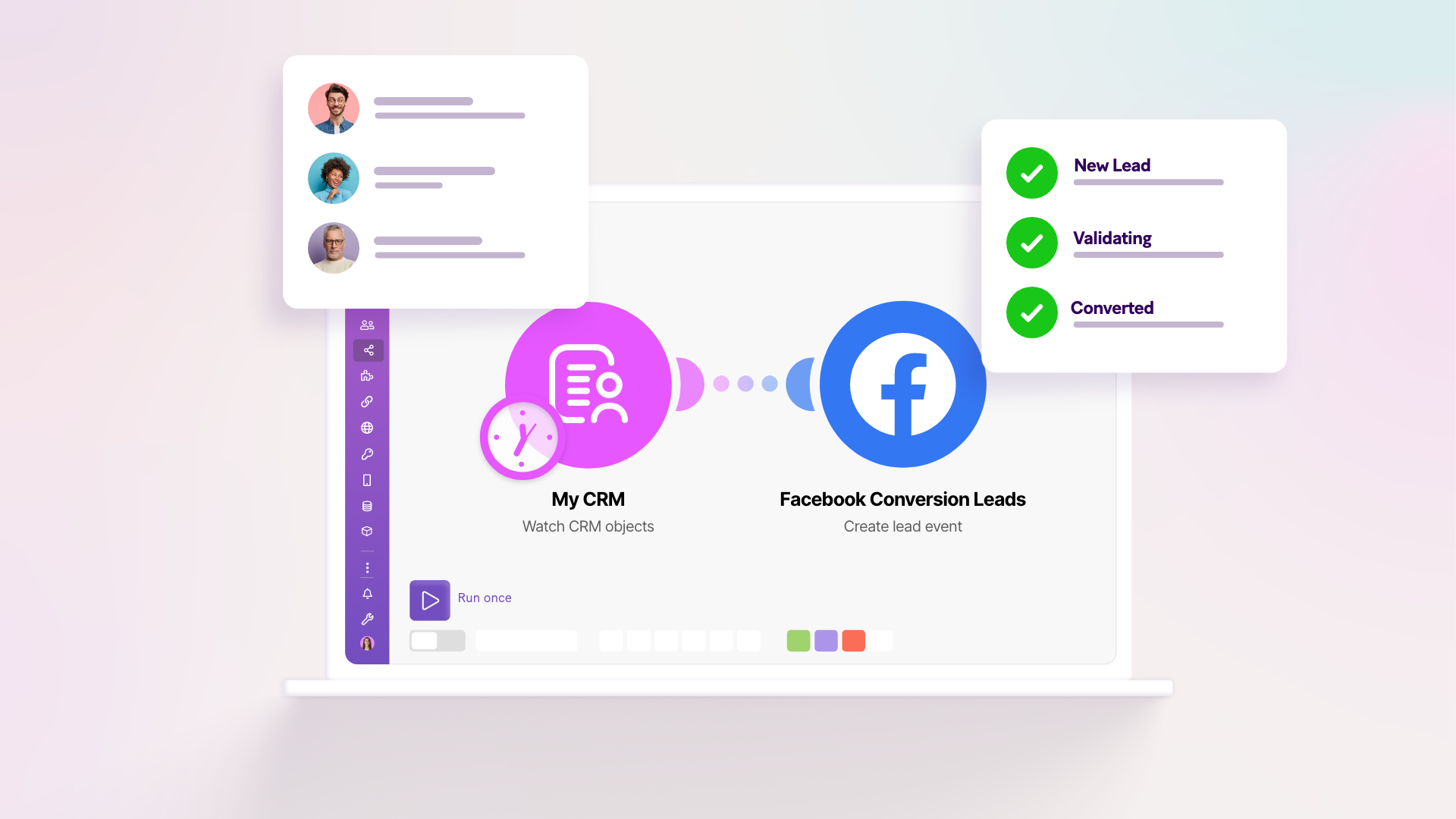
Make is the integration layer. It captures the lead data when a form is submitted, including the Lead ID that ties every future CRM event back to the original ad, creates a record in your CRM, and then watches for status changes. The moment a lead advances through your pipeline, Make sends the update to Meta via Conversions API for CRM in real time.
The setup runs on two Make scenarios that work together: one for lead capture, one for status updates. Any CRM with a Make connection works – Salesforce, HubSpot, Zoho, Pipedrive, and hundreds more. Unlike a custom server-side integration, which typically takes a development team three to four weeks, the Make setup takes less than a day.
Four best practices that make a difference
Getting the integration live is the first step. Getting it to perform well comes down to how you set it up.
Map your full funnel
Every meaningful CRM stage should generate an event, not just "Lead received" and "Closed Won." The more mid-funnel signals you give Meta (MQL, SQL, Demo Scheduled, Proposal Sent), the more accurately it can identify which early behaviors predict a closed deal.
Aim for at least 50 leads per week* flowing through your events, optimize for a stage reached by 10–30% of your leads*, and make sure that stage occurs within 28 days of the original lead.
*A benchmark recommended by Meta for Conversions for CRM campaigns.
Send the right identifiers
Event match quality (EMQ) determines how accurately Meta can attribute each server-side event back to a real user. The higher your EMQ, the more your events count. Meta's research shows that improving EMQ drives between 33% and 82%* more incremental conversions.
For CRM-based integrations, Lead ID is the most reliable identifier. Always store it when the lead first arrives. Phone and email round out the top tier; Click ID (fbc) and Browser ID (fbp) are the best fallbacks for website-sourced leads.
*The Meta analysis is based on the Global Conversion API based Lift studies (with 90+% confidence), conducted between 2022-02-05 and 2022-05-03 with different levels of EMQ scores. The difference in incrementality share was observed between an EMQ score of 5.0 to 7.0 for advertisers who are passing purchase events with Conversions API, as well as for advertisers who are passing subscription events with Conversions API.
Keep data fresh
Meta rates event freshness in two tiers: hourly is "best," daily is "good." Daily batch uploads mean Meta is always working with yesterday's data. Make's webhook-based scenarios fire the instant a CRM stage changes, so Meta sees your funnel data in real time.
Switch your campaign goal
Once the integration is live, go into Meta Ads Manager and change the performance goal from "Leads" to "Conversion Leads." Set your CRM pixel as the event source and select the funnel stage you want Meta to optimize for. This is the step that activates everything you've built. Without it, the data flows, but the algorithm doesn't act on it.
Less than a day to set up, two years free to run
From February 27, 2026, until February 2028, the Facebook Conversions API for CRM app on Make is free to use as part of a special promotion. Any credits consumed in your scenarios won't be billed. Eligible new users also get two months of the Make Pro plan for free. That gives you up to 20,000 credits per month.
You can get started with a ready-made Make template or use Meta's automated configuration flow inside Meta Events Manager, which deploys your Make scenarios in a few clicks without opening Make's Scenario Builder at all.
Ready to dive deeper?
This post covers the core logic and the key practices. The full e-book goes further, with a detailed integration guide, technical best practices for event deduplication and match quality, and a real-world success story from a business that closed significantly more deals after making the switch.
Get a detailed guide on Make and Meta’s Conversions API for CRM in our free e-book.
Related blogs
Tool and strategies modern teams need to help their companies grow.
Social media
Facebook Conversions API: The Quickest Guide to Understand It
Whether you're a brick and mortar business, a purely online one or a hybrid one, Facebook’s Conversions API helps you optimize your campaigns by letting Meta know which audiences are best to engage with your campaigns.

Daniel Zrůst
September 28, 2023