What is SEO automation? Complete 2026 guide
SEO automation explained: what it is, how it works, real examples, and criteria for choosing tools that scale organic search in 2026.
SEO automation uses software to run repetitive search optimization tasks (keyword tracking, on-page audits, internal linking, content briefs, rank monitoring, schema generation) so teams ship more qualified organic traffic with less manual effort.
AI use in business functions has increased massively in recent years so marketers need a fit-for-purpose AI automation overview to scale SEO operations without expanding headcount or sacrificing editorial quality across channels.
Concept overview showing SEO automation components including keyword research, content briefs, audits, and rank tracking
What is SEO automation?
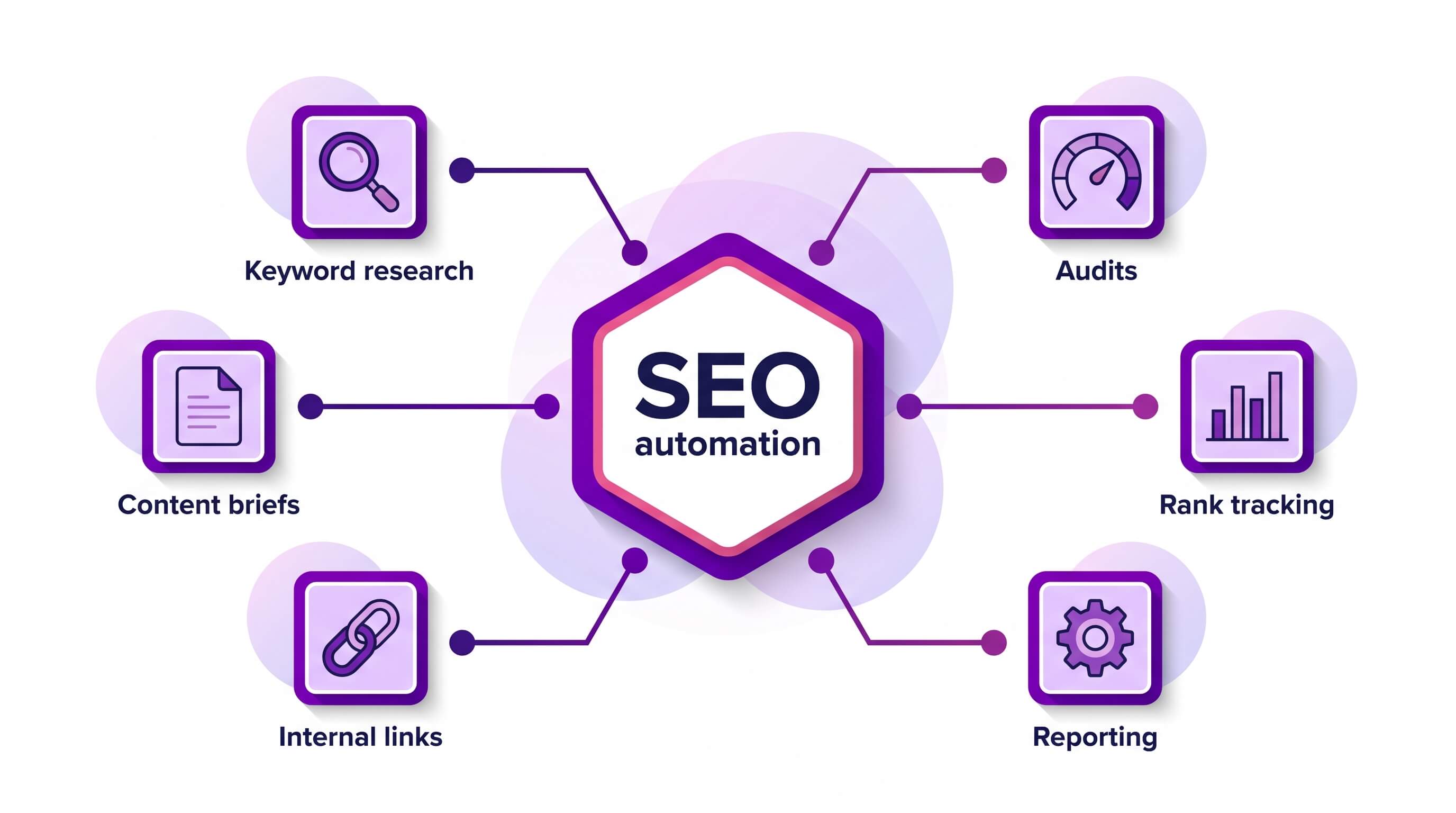
SEO automation is the practice of using software, APIs, and AI models to run repeatable search engine optimization tasks without manual effort, so teams can focus on strategy, editorial judgment, and the creative work that actually moves rankings.
It covers everything from keyword research and content briefs to technical audits, internal linking, schema generation, rank tracking, and reporting.
In a Make context, SEO automation means orchestrating those tasks across connected apps inside a visual scenario, where each module performs one step and passes data to the next.
What sets SEO automation apart: it turns repetitive organic search work into programmatic, scheduled scenarios, so specialists spend their time on strategy and editorial judgment instead of manual scaffolding.
Definition and scope
SEO automation is any workflow that replaces a recurring human SEO action with a triggered, rule based, or AI assisted process.
The scope is broad: research workflows pull search volume and SERP data through HTTP - Make a Request, briefs are drafted by OpenAI - Generate a Completion, content drafts land in Google Docs - Create a Document, audit findings flow into Google Sheets - Add a Row, and weekly reports get posted via Slack - Create a Message.
Within Make, this orchestration lives in the Scenario Builder, where each operation represents one API call and every connection securely stores credentials for the apps involved.
For a wider view of how this fits broader operational work, see the workflow automation guide.
Manual SEO versus automated SEO
Manual SEO relies on a person opening dashboards, copying data into spreadsheets, writing briefs from scratch, and emailing PDF reports.
Automated SEO keeps the strategist in charge of decisions, but hands the mechanical steps to a scenario: the module chain fetches data, normalizes it, enriches it with AI, writes outputs to the systems your team already uses, and notifies the right people.
Manual work still matters for editorial nuance, intent calls, and link relationships; automation simply removes the repetitive scaffolding around it.
Where AI fits in
AI sits inside the scenario as one or more reasoning modules that interpret unstructured inputs and produce structured outputs.
Common patterns include OpenAI - Generate a Completion drafting content briefs from SERP data, Anthropic Claude - Create a Prompt classifying search intent or clustering keywords, and an Iterator followed by an Aggregator turning a list of URLs into a single audit summary.
AI models also generate meta titles, schema, FAQ blocks, and internal link suggestions.
For comparable orchestration patterns across adjacent disciplines, browse current marketing automation tools to see how AI assisted modules are reshaping content operations more broadly.
Why does SEO automation matter?
SEO automation matters because mid-market teams face a workload that grew faster than their headcount: hundreds of pages to audit, thousands of keywords to track, and dozens of content briefs to ship every quarter.
Manual execution caps what an SEO team can cover, and the work that gets skipped (internal linking, schema validation, redirect hygiene) is the work that quietly erodes rankings.
Automating the repeatable layer of SEO frees specialists to focus on strategy, editorial judgment, and the calls a machine cannot make.
The operational case for SEO automation comes down to time savings, scale, and accuracy.
A scenario that runs nightly across 5,000 URLs catches broken canonicals before a crawler does; a weekly content refresh scenario updates meta descriptions across a CMS without a human opening each record.
Teams scaling toward operational AI use, like the patterns described in this AI automation strategy playbook, treat SEO as a system rather than a checklist.
Operational reasons it matters for mid-market teams
- Time savings on repeatable work: rank tracking, indexation checks, and broken link sweeps run in the background through HTTP - Make a Request and Google Sheets - Search Rows, returning hours per week to senior practitioners.
- Scale across large URL inventories: a single scenario with an Iterator can process thousands of pages per run, something a manual audit cannot match without proportional headcount.
- Accuracy through consistent rules: automated title length checks, schema validation, and hreflang audits apply identical logic to every page, removing the human variance that produces audit drift.
- Faster content velocity: brief generation, draft routing, and publish triggers move through OpenAI - Generate a Completion and Slack - Create a Message, compressing the gap between keyword research and live page.
- Cross-team visibility: SEO data lands in the same dashboards marketing and product already use, as illustrated in this internal efficiency success story, so optimization decisions stop living in a silo.
- Resilience against algorithm shifts: automated monitoring flags ranking drops within hours, giving teams a response window measured in days rather than weeks.
Process flow diagram showing how SEO automation crawls analyzes and publishes site optimization updates
How does SEO automation work?
SEO automation works by chaining three operational stages, crawl, analyze, and act, into repeatable scenario workflows that pull site and search data, route it through reasoning logic, and push optimized outputs back to the systems where content lives.
The goal is to remove repetitive technical and analytical tasks from human queues while keeping editorial judgment where it belongs.
What's the core mechanism?
The core mechanism behind SEO automation is event-driven orchestration.
A trigger module (a schedule, a webhook, a new row, a published URL) starts a scenario that fetches data from search and crawl sources, sends it to a reasoning layer, and writes the resulting recommendations or changes back to a CMS, sheet, or ticket queue.
Each operation is logged, retryable, and observable, so SEO leads can audit what changed, when, and why.
Reasoning often runs through an OpenAI - Generate a Completion or Anthropic Claude - Create a Prompt step that scores pages against intent, gaps, and internal linking opportunities, paired with reliable API connections to crawlers, log files, and rank trackers.
Key components
A working SEO automation stack has six components inside Make.
- Trigger: a Schedule module starts the run on a cadence; a sitemap update or publish event can start it too.
- Fetcher: Google Search Console - Run a Report and HTTP - Make a Request pull query, crawl, or log data.
- Router: Router splits work by page type, language, or priority, with a Filter on each route controlling which bundles continue.
- Reasoning layer: prompt templates combined with retrieval; teams scaling content classification often pair it with LLM integration patterns.
- Writer: results land through Google Sheets - Search Rows, WordPress - Update a Post, or Monday - Get an Item.
- Aggregator: Aggregator and Set Variable consolidate the run into a digest delivered through Slack - Create a Message.
PRO TIP: Stage your triggers by crawl, analyze, and act on separate scenario schedules so a 10,000 URL crawl never collides with a per-page OpenAI - Generate a Completion call; this protects against API rate limits and keeps each operation retryable in isolation.
Data flow across systems
Data flows in a closed loop: source systems feed the Scenario Builder, which normalizes payloads into bundles, applies enrichment, and writes back into editorial and analytics surfaces.
A typical sequence pulls keyword and click data from Search Console, joins it with crawl signals from a tool like Screaming Frog or Sitebulb via HTTP - Make a Request, runs SERP context through an AI web search step, and passes the merged record to a model that drafts title, meta, and internal link suggestions.
The Iterator handles batches page by page so each operation stays auditable.
Outputs land in a review queue, and approved changes sync to the CMS while a structured log streams into BigQuery or Airtable for trend analysis. T
Teams running fully agentic loops extend this with Make AI agents that decide which pages need refresh based on traffic decay and competitor movement, closing the loop between detection and corrective action.
SEO automation examples
SEO automation shows its value in four recurring workflows that mid-market teams rebuild every quarter: keyword research and clustering, content briefs and on-page optimization, technical audits and internal linking, and rank tracking and reporting.
Each example below maps to a Make scenario you can copy, with named modules and the data each bundle carries between steps.
Keyword research and clustering
A clustering workflow pulls raw queries from Google Search Console - Run a Report, deduplicates them through an Aggregator, and sends the array to OpenAI - Generate a Completion with a system prompt that groups terms by search intent.
The completion returns a JSON object of clusters, which an Iterator expands into individual bundles. A Filter then keeps only clusters with three or more queries and an average position under 20, surfacing the topics worth briefing this sprint.
The same scenario can branch through a Router to push high-volume clusters into a backlog sheet via Google Sheets - Add a Row while sending striking-distance terms to a Slack triage channel.
Content briefs and on-page optimization
The same clustering output feeds a brief-generation scenario: a second OpenAI - Generate a Completion module drafts an H1, target keyword, secondary keywords, outline, and internal link suggestions, then Google Docs - Create a Document writes the brief into a shared folder.
For on-page optimization, HTTP - Make a Request can crawl a published URL, pass the rendered HTML to Anthropic Claude - Create a Prompt for a heading and entity gap review, and post the diff to Slack - Create a Message.
Teams running on WordPress can publish revisions through the WordPress integration with WordPress - Update a Post.
PRO TIP: Chain the clustering scenario directly into brief generation by mapping the cluster_name and queries[] array straight from the Iterator into the second OpenAI - Generate a Completion prompt; this skips the manual handoff and keeps writers waiting on Slack notifications, not spreadsheets.
Technical audits and internal linking
Three scenarios cover most of the recurring technical work:
- Schedule HTTP - Make a Request against an XML sitemap, pipe URLs through an Iterator, and log status codes plus core web vitals to Google Sheets - Add a Row for weekly internal link audits.
- Use the backlinks API connector to pull referring domains, then route lost-link alerts through Slack - Create a Message.
- Run an OpenAI - Generate a Completion module over crawled body copy to suggest contextual internal links, writing recommendations back to the CMS.
Rank tracking and reporting
A rank tracking loop runs on a weekly schedule: Google Search Console - Run a Report pulls position data, an Aggregator compares it to the prior period stored in Google Sheets - Search Rows, tagging each URL as a gain, loss, or flat via a Set Variable step. Then a Filter routes significant drops to Slack - Create a Message, while a monthly scenario sends a digest through Gmail - Send an Email.
The same pattern extends to AI sentiment analysis on branded SERP snippets, giving SEO leads a qualitative signal alongside positional data.
Comparison matrix showing key evaluation criteria for choosing an SEO automation platform
How do you choose the best SEO automation platform?
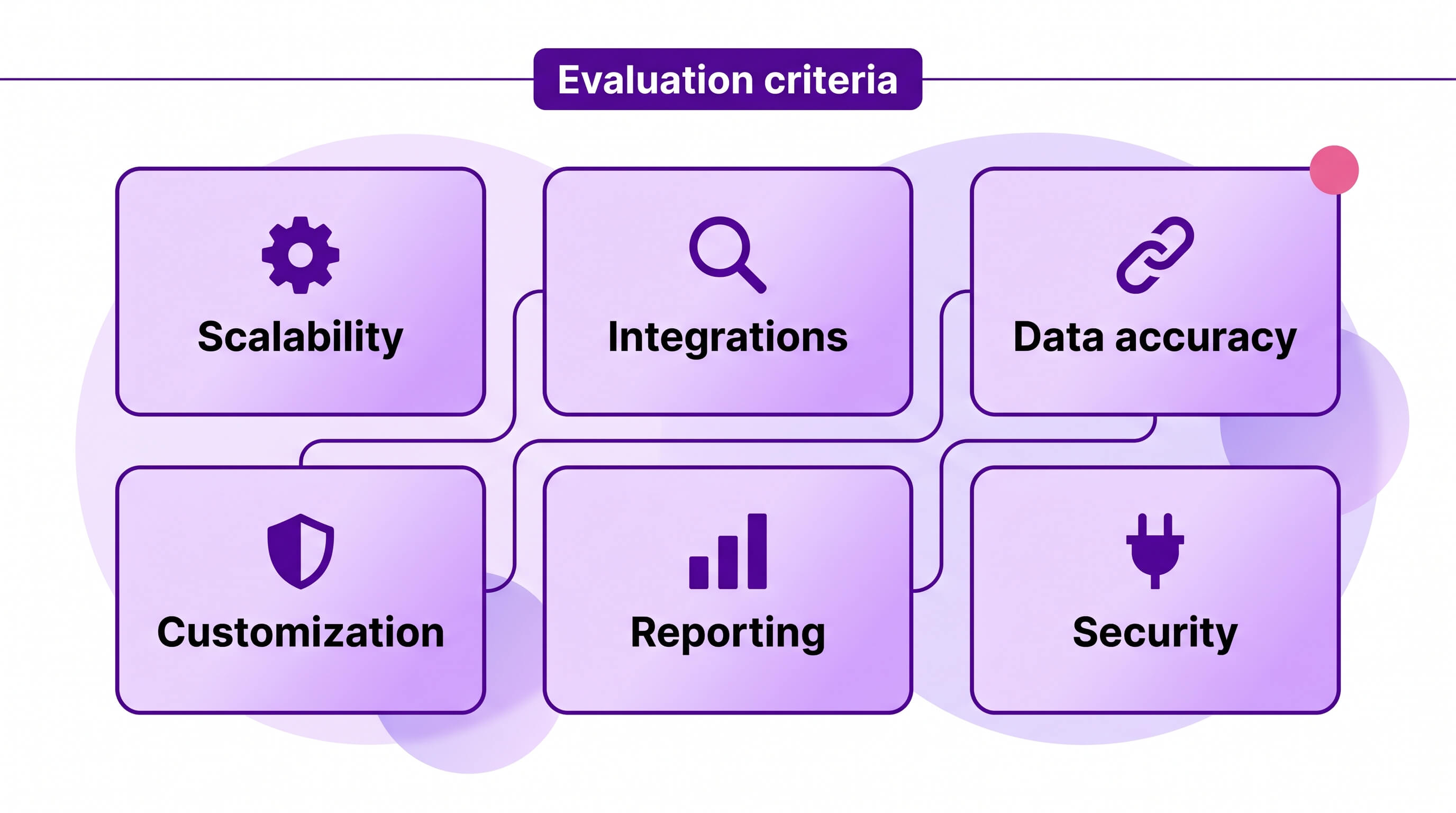
Choosing an SEO automation platform comes down to six criteria: integration depth, scalability, data accuracy, customization, reporting, and security.
These factors decide whether your scenario library stays maintainable as crawl volumes grow, whether content briefs reflect live SERP data, and whether stakeholders trust the dashboards enough to fund the next phase.
Mid-market teams scaling beyond pilots should weigh each criterion against the workflows they actually run, not against a generic feature checklist.
Integration depth is the single most predictive factor. An SEO workflow rarely lives inside one app: rank trackers, log analyzers, CMSs, analytics warehouses, and LLM providers all need to talk.
Make connects to 3,000+ apps natively, and the HTTP - Make a Request module covers any REST API beyond that.
Compare connector breadth carefully against your stack; reviewing an Make vs Zapier breakdown helps clarify how routing logic and data operations differ between visual platforms.
Scalability covers operation consumption, parallel execution, and how gracefully a platform handles 50,000 URL crawls without timing out.
Data accuracy hinges on how the tool deduplicates, handles rate limits, and validates responses before writing to Google Sheets - Add a Row or a database.
Customization determines whether you can branch logic per market, language, or template type using a Router and a Filter.
Reporting and security close the list.
Treat any platform that cannot export run logs or enforce role based access as not fit for purpose for regulated industries.
For teams extending automation toward agentic workflows, reviewing AI agent platforms alongside this matrix helps you score how well each tool supports retrieval, tool use, and human review checkpoints.
Where to from here?
SEO automation is the practice of delegating repetitive search tasks to scenarios that watch sources, transform data, and update destinations on a schedule or trigger.
Done well, it frees specialists to focus on strategy, editorial judgment, and link relationships, while machines handle rank tracking, internal link audits, schema generation, content briefs, and publishing handoffs.
Make fits this work because its visual Scenario Builder, 3,000+ apps, and modules like Google Search Console - Run a Report, OpenAI - Generate a Completion, and Google Sheets - Add a Row compose into governed pipelines.
Start with one painful workflow, measure the time recovered, then expand.
You can get started for free and build your first SEO scenario today.
Frequently asked questions
Q1: Is SEO automation safe for Google rankings?
Yes, when automation handles research, monitoring, and reporting tasks. Risk appears when teams auto-publish unreviewed AI content or generate spammy backlinks. Safe SEO automation keeps human review on published content and follows Google's guidance on helpful, people-first material.
Q2: Can SEO automation replace an SEO specialist?
No. SEO automation handles repetitive work like rank tracking, audits, and data aggregation, freeing specialists for strategy, editorial judgment, and technical decisions. The specialist defines the playbook; the scenario executes it. Replacing the specialist removes the judgment that keeps automation aligned with business goals.
Q3: What parts of SEO should not be automated?
Final content approval, link outreach relationships, strategic keyword selection, and brand voice decisions should stay with humans. Automate data collection, draft generation, internal link suggestions, and reporting. Anything requiring editorial taste, negotiation, or competitive judgment benefits from a human reviewer before anything ships publicly.
Q4: How much does SEO automation cost?
Costs vary by stack. Make offers a free tier and paid plans based on operations. SEO data tools (Ahrefs, Semrush, DataForSEO) and AI APIs (OpenAI, Anthropic) bill separately. Mid-market teams typically combine a Make plan with one SEO data subscription and metered AI usage.
Q5: How do I start automating SEO with Make?
Start with one repetitive workflow, such as weekly rank tracking into Google Sheets. Build a scenario using Google Sheets - Search Rows, an SEO data module, and Slack - Create a Message for alerts. Once stable, add content briefs, audits, and internal link suggestions incrementally.
Related blogs
Tool and strategies modern teams need to help their companies grow.

AI
Best AI agent platforms of 2026: ranked & reviewed
The best AI agent platforms ranked by production-grade criteria so mid-market teams can move from comparison to deployment this week.

Raife Dowley
June 17, 2026

AI
What is AI automation? A complete guide for 2026
Most teams use AI but stay stuck in pilots. Here's how AI automation turns those pilots into production systems.
Raife Dowley
May 21, 2026

AI
What Is an Agentic Operating System? 2026 Guide
What an agentic operating system actually is, the six layers it runs on, and where it beats traditional automation platforms.
Raife Dowley
May 22, 2026