Make vs Zapier: choosing the best tool for automation and AI
Selecting the right automation platform affects your organization's efficiency, growth potential, and ability to leverage AI. Make and Zapier take different approaches. This comparison examines the differences that matter most to businesses seeking value from automation and AI.

500,000+ companies have saved millions of hours with Make






Make vs Zapier
Features comparison
Make is a visual, powerful AI automation that's accessible to wider teams while accelerating results for technical ones. Zapier focuses on straightforward automation through a linear, step-by-step tool designed and priced for basic use cases.
Pricing
- Credit-based pricing
- Cost per credit lower than Zapier
- Free plan not time-limited
- All paid plans include AI app capabilities, Make AI Agents, and Make Grid
- Task-based pricing
- Cost per task higher than Make
- Free plan not time-limited but allows only two-step workflows
- AI agent and chatbot capabilities offered at additional cost
AI and agentic automation
- Make AI Agents available within workflows
- Limited capabilities unless purchased as separate features
Workflow orchestration
- Visual orchestration of multi-agent systems integral via Make Grid
- Zapier Canvas provides basic workflow explanation
User-friendliness
- Animated drag-and-drop Scenario Builder
- Real-time data flow visualization
- Maia builds from plain-language prompts, visually, in the Scenario Builder
- Intuitive interface suited for simple automations
- Requires separate step for basic data transformation
- Copilot builds Zaps from plain-language prompts
Integrations
- 3,500+ app integrations
- Roughly double the number of preset actions in most apps when compared to Zapier
- 8,000+ app integrations
- Limited customization per app integration
Access control and governance
- Custom Roles for precise, permission-level access control, assignable at org or team level
- Full audit log of every role creation, update, and assignment
- Fixed account roles only (Owner, Admin, Member) with folder-level sharing
- Account-wide audit log (6–12 months depending on plan)
Customization
- Flexibility to connect unlimited additional APIs
- JavaScript/Python usable via the Make Code app
- Custom functions available on Enterprise plans
- Automations rely on basic preset actions
- Code by Zapier offers some customizability
Security, compliance, and reliability
- SOC 3, SOC 2 Type II and ISO 27001 certified
- GDPR compliant
- SOC 2 Type II and ISO 27001 certified
- GDPR compliant
Support and community
- Professional support on all paid plans
- 24/7 priority support for Enterprise plan
- Make Academy with 36 courses
- Email support on all paid plans
- Premier support for Enterprise customers
- Zapier Academy with 12 courses
Leader in customer satisfaction
Join the satisfied customers who give us top ratings.

Capterra


4.8


4.7

G2
4.7
4.5

Getapp
4.8
4.7

Gartner
4.6
4.6
Pricing comparison
Make’s value at scale vs Zapier’s costly Professional plans
Make's credit-based model scales efficiently and comes with AI apps and Make AI Agents in every paid plan. Zapier's task-based packages rise rapidly in price when deploying workflows at scale; agentic AI features must be added at extra cost.
Free
$0/mo
1,000 credits/mo
Free
$0/mo
100 tasks/mo
Core
$9/mo
Starting at 10,000 credits/mo
—
N/A
—
Pro
$16/mo
Starting at 10,000 credits/mo
Professional
$49/mo
Adjustable credits
Team
$29/mo
Starting at 10,000 credits/mo
Team
$69/mo
Adjustable credits
Enterprise
Custom pricing/mo
Enterprise
Custom pricing/mo
Enterprise plans
Make's unified platform vs Zapier's fragmented pricing
Make provides enterprise-grade infrastructure on one visual platform, with compliance certifications, 24/7 priority support, and dedicated value engineers included as standard. Zapier's AI capabilities (including Agents, Chatbots, and Copilot) remain separate, individually priced add-ons to their Enterprise plan.
Building by prompt
Maia by Make vs Zapier’s Copilot


%201.svg)
+2
Date
·
Duration
Make
Maia
Maia builds automations and AI Agents from plain language, directly in the visual Scenario Builder, showing every step in real time and asking clarifying questions, so you stay in control throughout. Included on all plans.
.avif)

+2
Date
·
Duration
Zapier
Copilot
Copilot builds Zaps from plain-language prompts, with checkpoint version control to review and roll back AI-suggested changes. Included on all plans.
User-friendliness
Make’s visual workflows vs Zapier’s linear simplicity
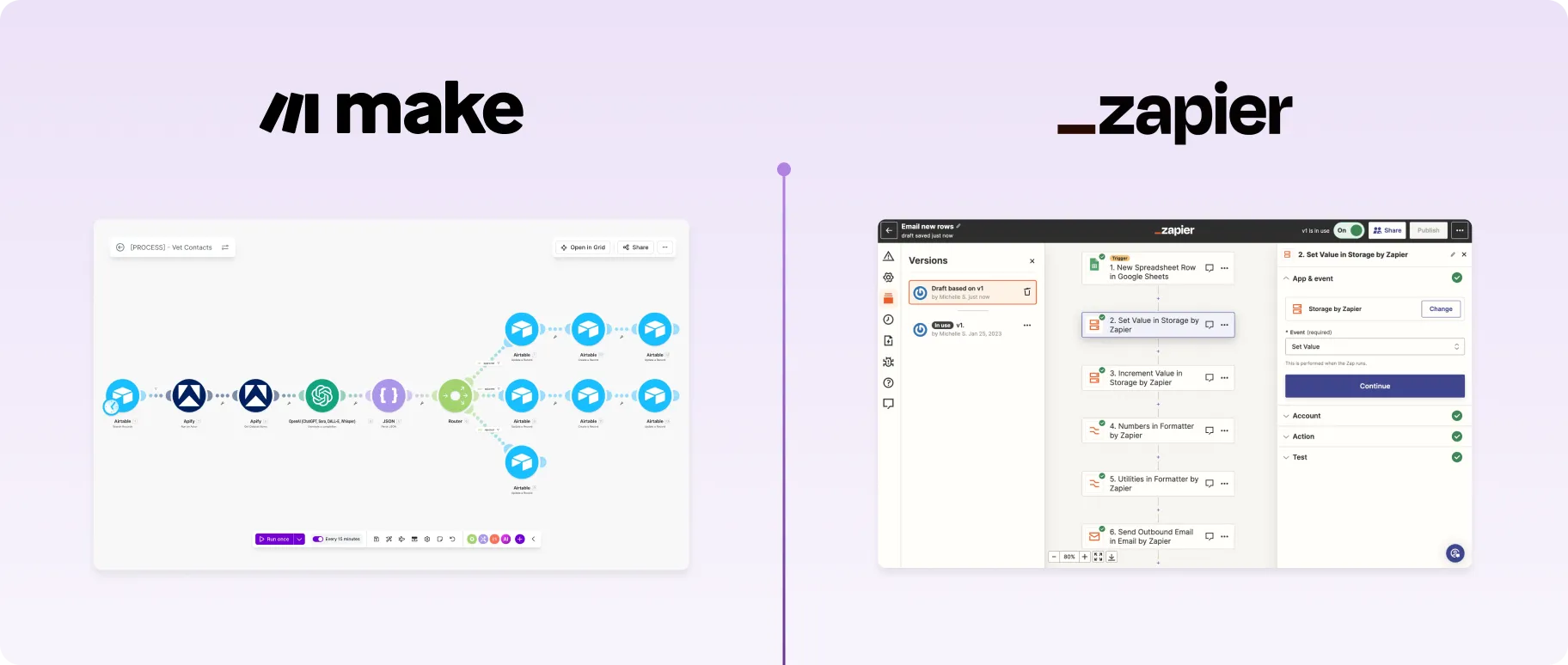
Make emphasizes visual design with drag-and-drop building, real-time data flow animations, and features that accelerate building for broader business teams. Zapier's step-by-step interface is geared toward straightforward automations but becomes limiting as complexity builds.
Workflow orchestration
Automatic visual maps with Make Grid vs Zapier's manual canvas
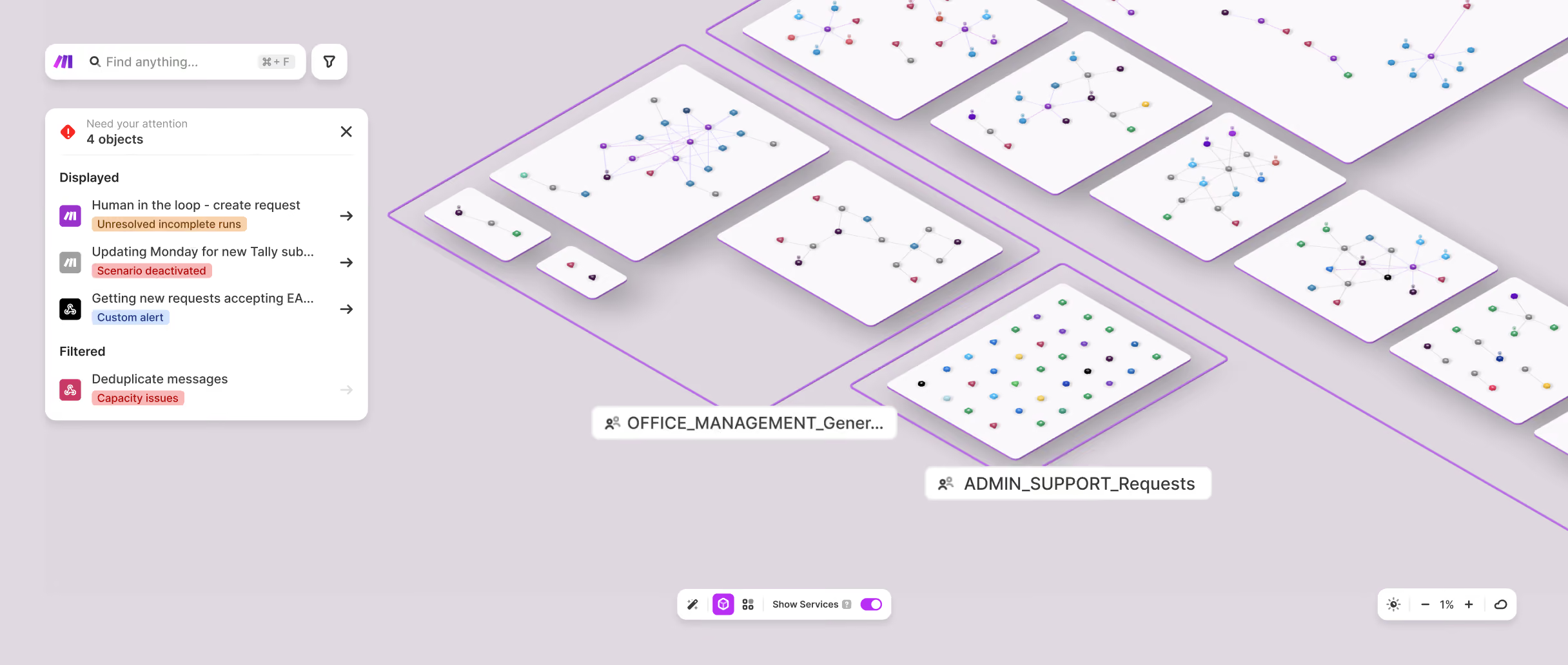
Make Grid automatically generates real-time visual maps of entire automation landscapes. Zapier Canvas requires teams to maintain and update their canvases themselves.
+2
Date
·
Duration
Make
Visual agents
Make Grid automatically generates real-time visual maps of your entire automation landscape, showing relationships, dependencies, and agents, with zero manual setup and included in every paid plan.
+2
Date
·
Duration
Zapier
Conversational setup
Zapier offers 8,000+ integrations with limited actions and flexibility per app and as a result less functionality for customization.
Support and community
Make’s comprehensive resources vs Zapier’s forum-based assistance
Make provides professional support on all paid plans, structured learning resources through Make Academy, and an active community of 45,000+ members. Zapier offers email support across paid plans with a large user community generating significant third-party content.

Integrations
Make’s customizability vs Zapier’s sheer size
+2
Date
·
Duration
Make
3,500+
Make provides 3,500+ pre-built apps with deep functionality and flexibility per app, plus custom API connections, code, and custom apps on paid plans.
+2
Date
·
Duration
Zapier
8,000+
Zapier Canvas includes AI-assisted mapping; however requires teams to actively Zapier offers 8,000+ integrations with limited actions and flexibility per app and as a result less functionality for customization. and maintain their own canvases rather than generating a live map on its own.
Making the choice
Choosing between Make and Zapier means getting to the core of your organization's attitude toward AI automation: Are you aiming to streamline a handful of chores, or do you want to make AI automation a core driver of your business?
For teams seeking no-frills automations, Zapier's simplicity and broad integration library can seem attractive. Make, however, provides superior value for organizations with the ambition to fully leverage mature, complex AI automation across the business. Make balances accessibility with power, providing the right tools for broader business units and tech-savvy power users alike to put AI and automation to work. What’s more, Make’s pricing delivers greater value as your ambitions grow with transparent pricing and economies of scale.
Make helps teams innovate faster, while staying in control. For organizations serious about automation and AI as a strategic capability, Make is the strongest choice.
- Connect 3,000+ native apps across your stack
- Reduce manual work by a factor of 5
- 50% fewer manual processes in under 6 months
- Critical process automation with 24/7 support
.webp)


Support
FAQs
Can’t find the answer you’re looking for? Please chat to our team.
Which platform is better for business users starting out with automation?
Zapier's step-by-step interface is genuinely beginner-friendly, and for very simple, single-step automations it's a strong starting point.
That said, most business users quickly outgrow basic automations. Make's visual Scenario Builder is designed to make complexity manageable from the start – you can see exactly how data flows through your workflows, which builds understanding faster than a linear, abstracted interface.
Make Academy's interactive courses also mean that the learning curve, while real, is well-supported. And because Make's pricing starts lower, experimenting and building confidence doesn't have to cost more.
If you're starting out with a view to scaling – automating more processes, incorporating AI, or connecting complex systems – Make gives you room to grow without switching platforms later.
Which tool is better for AI?
Both platforms connect to major AI providers – OpenAI, Google AI, Anthropic Claude, and others – allowing you to add AI steps to your automated workflows.
Where Make pulls ahead is depth and accessibility. Make AI Agents are built, run, and debugged directly inside the Scenario Builder, giving you full visibility into how your agents behave and interact with other workflows. Make Grid then maps your entire automation landscape – including agents – in real time, making complex multi-agent systems manageable at scale.
Zapier offers AI agent functionality, but full access requires purchasing a separate package on top of your base subscription. Make includes AI Agents and Make Grid on all paid plans.
For teams serious about agentic automation, Make's integrated, visual-first approach offers more power, transparency, and value from the outset.
Can I migrate workflows from Zapier to Make?
Yes. Migrating from Zapier to Make is a manageable process. There's no automated import tool, so you'll recreate your Zaps as Make scenarios manually – but most users find it more straightforward than expected. A key adjustment is terminology. Zapier's "Zaps" become "scenarios" in Make, "steps" become "modules", and "paths" become "routes". Familiarizing yourself with these terms first makes the transition noticeably faster. Make's Help Center glossary is a useful reference. From there, you build each scenario in the Scenario Builder, adding and connecting the modules that correspond to your existing Zap steps. Make's 7,900+ pre-built templates also cover many common use cases, so you may find ready-made starting points for workflows you've already built in Zapier.
Make Academy's learning resources are available throughout to support you at every stage.