How to create an AI-powered content inspiration library with CometAPI + Make
Discover how to build an AI-powered content library that continuously generates social media ideas, automatically organizes them in spreadsheets, and keeps your content pipeline full – without manual brainstorming sessions or creative burnout.

.webp)
Content creators and social media managers face a constant challenge: continuously generating fresh, engaging content ideas while managing multiple platforms and campaigns. The pressure to maintain an active social presence can quickly become overwhelming, especially when you're juggling client work, strategy development, and day-to-day operations.
The solution? An automated content inspiration library that generates, organizes, and stores unlimited social media content ideas using AI - all without manual intervention.
By combining CometAPI's powerful AI capabilities with Make's automation platform, you can create a system that continuously feeds your content pipeline with Q&A-style posts, engagement tips, and trending topic ideas, automatically organized in Google Sheets for easy access.
Let's build a complete workflow that transforms your content creation process from reactive to proactive.
Why automated content generation matters
Traditional content planning involves manual brainstorming sessions, scattered notes, and inconsistent posting schedules. Modern AI-powered content automation offers a dramatically different approach:
• Consistent content flow that maintains your social media presence
• Diverse content formats tailored to platform-specific engagement patterns
• Real-time trend adaptation based on current topics and hashtags
• Seamless organization through automated spreadsheet management
When connected to Make's automation platform, AI content generators become even more powerful, populating your content calendars, triggering social media posts, and maintaining comprehensive content libraries for future campaigns.
Now, let’s break down how to integrate Make and CometAPI for the Content generation workflow effectively.
Step 1: Setting up the CometAPI + Make integration
Before diving into specific workflows, let's establish the connection between CometAPI and Make. Setup between the two platforms is straightforward, giving you an array of options to choose from to build the exact automation you're looking for.
Obtain your CometAPI key
- Sign up or sign into your CometAPI console.
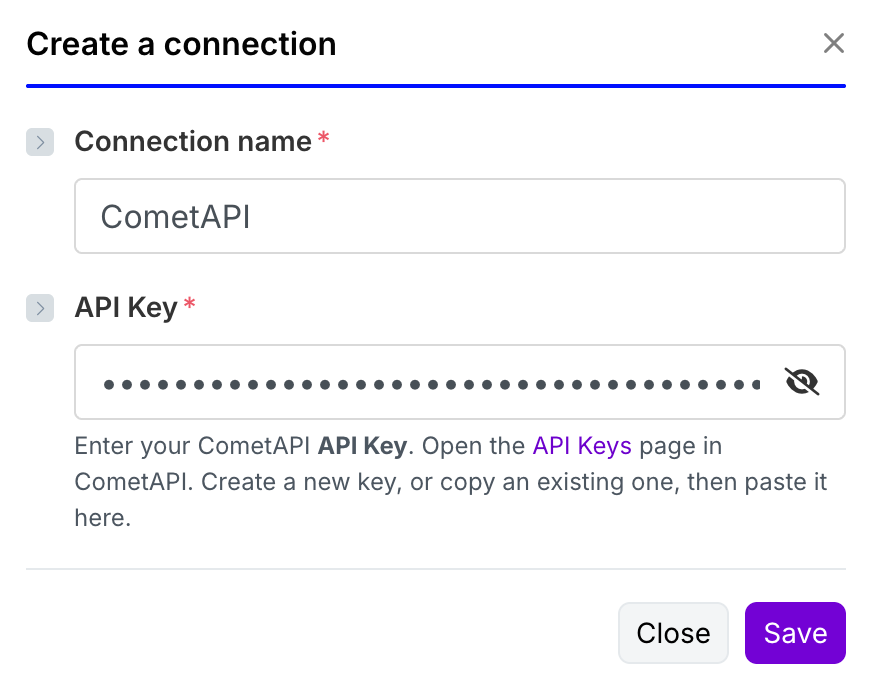
- Create or navigate to your API keys page and copy the sk-xxxxx key for the project you’ll use. Store it securely for the next steps.
Create a Make scenario
- Log in to your Make account
- Click on "Create a new scenario"
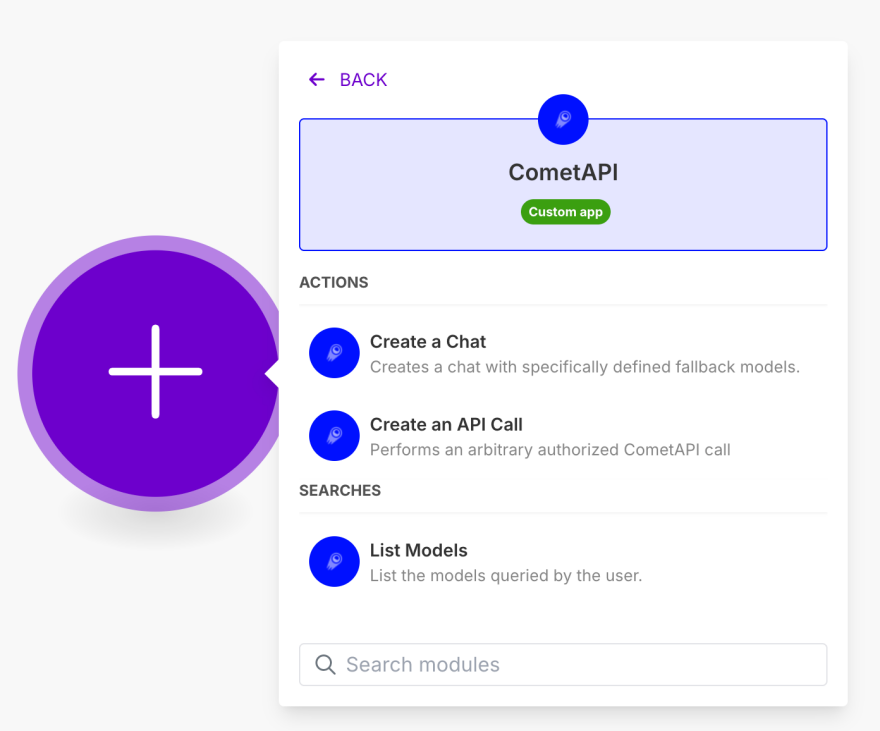
3. All that's left is to add your API key from CometAPI and Make.
Step 2: Content generation workflow
Below are the specific parameters for each module in this automated content creation workflow:
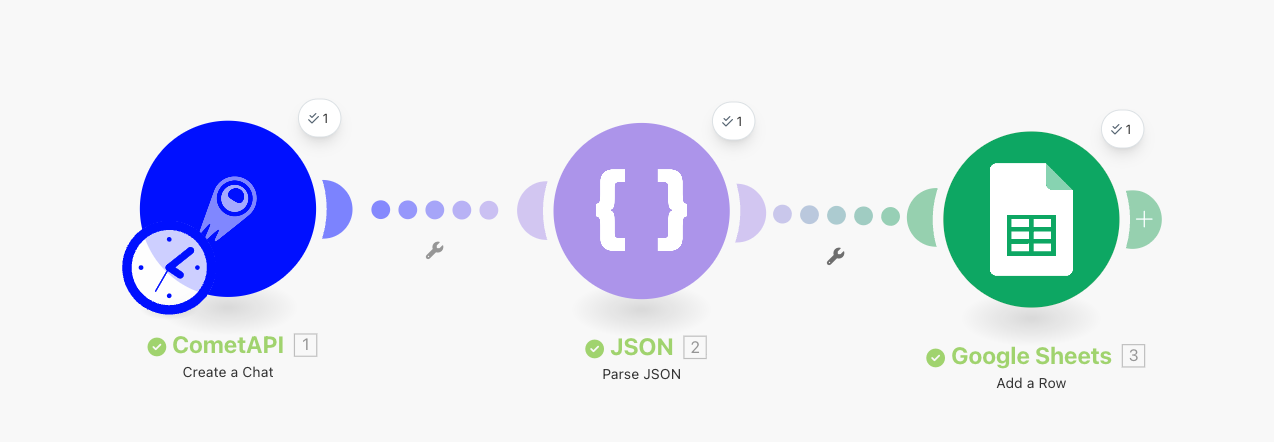
Module 1: CometAPI - Create a Chat
To ensure the correct output format for the next Parse JSON Module, we recommend using a more advanced LLM like GPT-4 or Claude for optimal results.
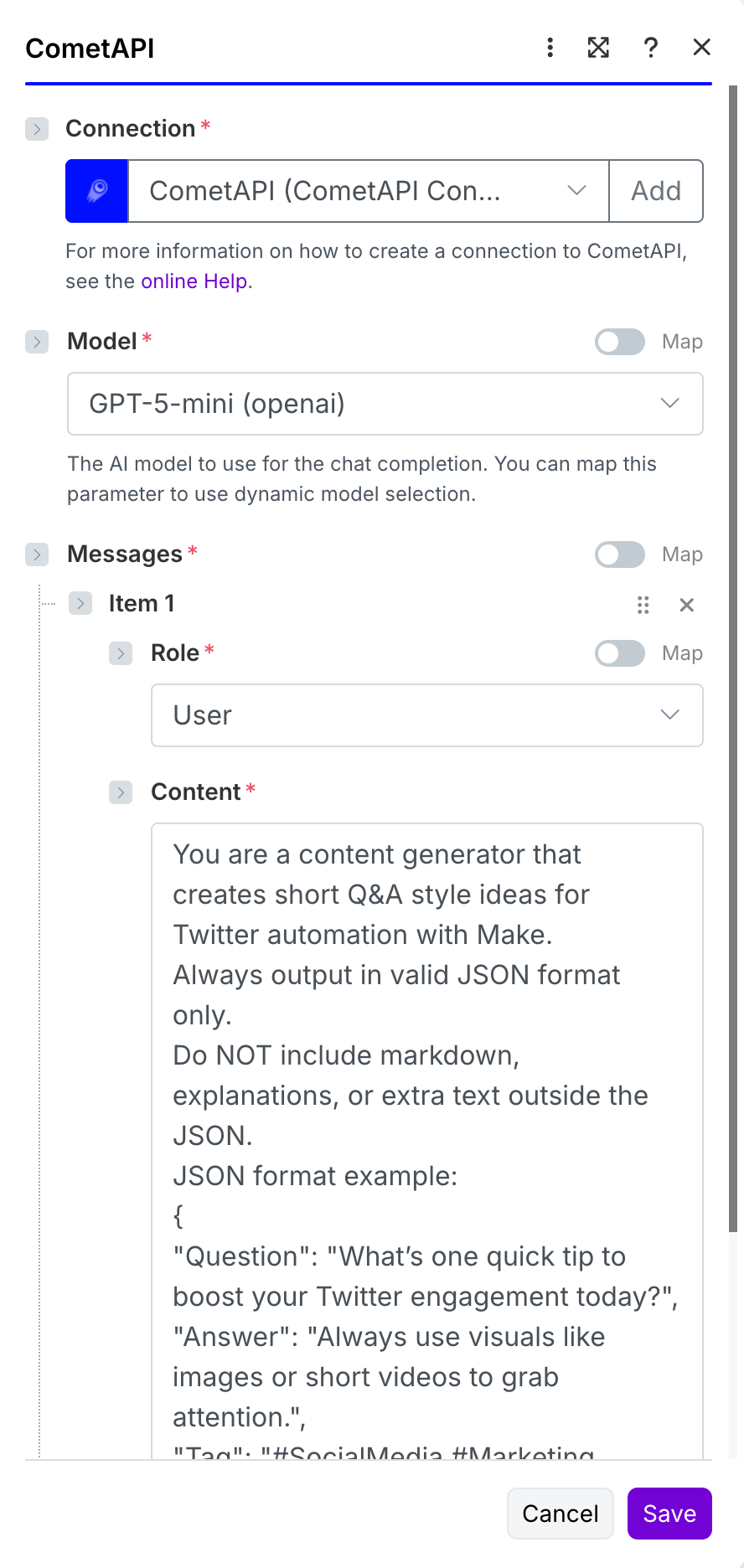
Content Generation Prompt
This is the optimized prompt that generates structured Q&A content for social media automation. You can copy and paste this for immediate use:
You are a content generator that creates short Q&A style ideas for Twitter automation with Make.
Always output in valid JSON format only.
Do NOT include markdown, explanations, or extra text outside the JSON.
JSON format example:
{
"Question": "What's one quick tip to boost your Twitter engagement today?",
"Answer": "Always use visuals like images or short videos to grab attention.",
"Tag": "#SocialMedia #Marketing #Tips"
}
RULES:
• Follow the JSON structure exactly: Question, Answer, Tag.
• The Question must be short and engaging.
• The Answer must be a concise, actionable suggestion.
• The Tag field should contain 2–3 relevant hashtags.
• Do not add any other keys or text.
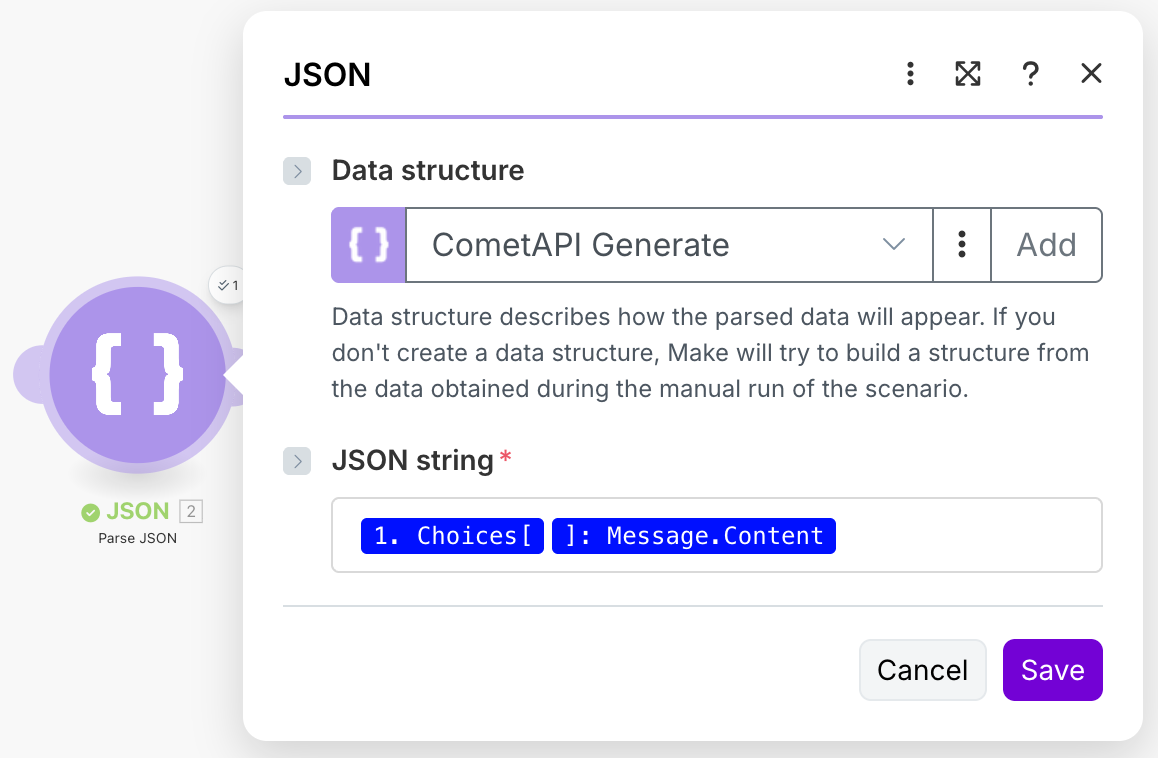
Module 2: Parse JSON
This module extracts the structured data from the AI response, making individual fields (Question, Answer, Tag) available for the next steps in your workflow.
Module 3: Google Sheets Integration
Prerequisites Setup
Before configuring the Google Sheets module, you need to:
a. Connect your Google account and ensure you grant proper access permissions during authorization
b. Prepare a spreadsheet in your Google Sheets with the following structure for optimal organization:
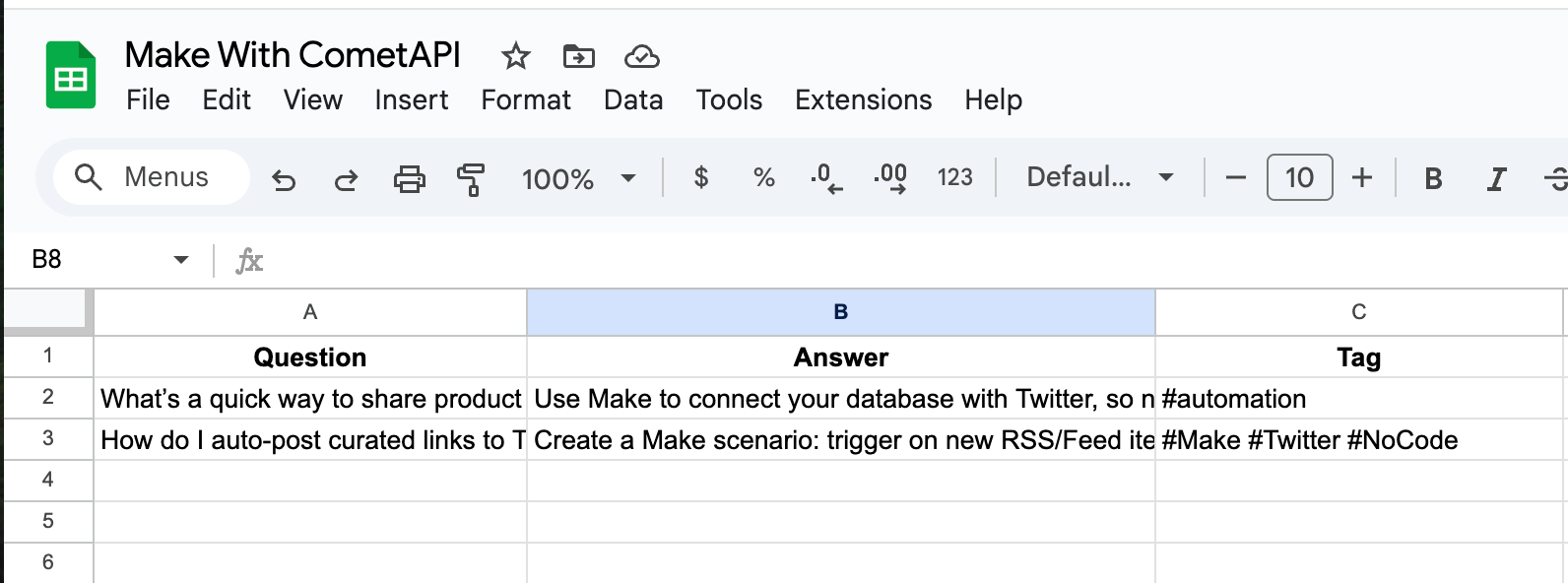
Module Configuration
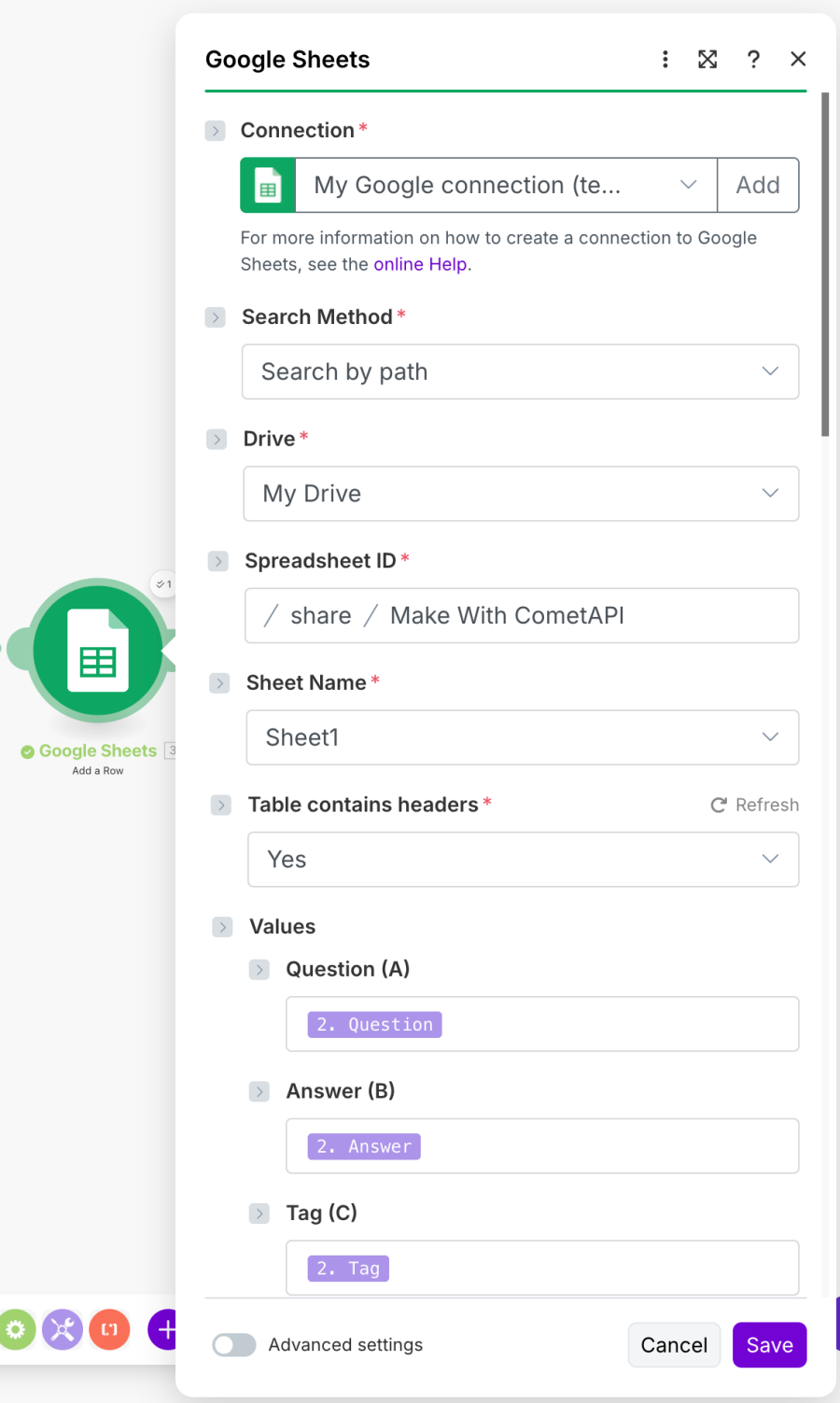
Back in Make's Google Sheets Module setup, you need to bind the correct values based on your Parse JSON configuration:
Field Mapping:
- Question Field: Maps to the parsed "Question" from JSON
- Answer Field: Maps to the parsed "Answer" from JSON
- Tag Field: Maps to the parsed "Tag" from JSON
Step 3: Testing and deployment
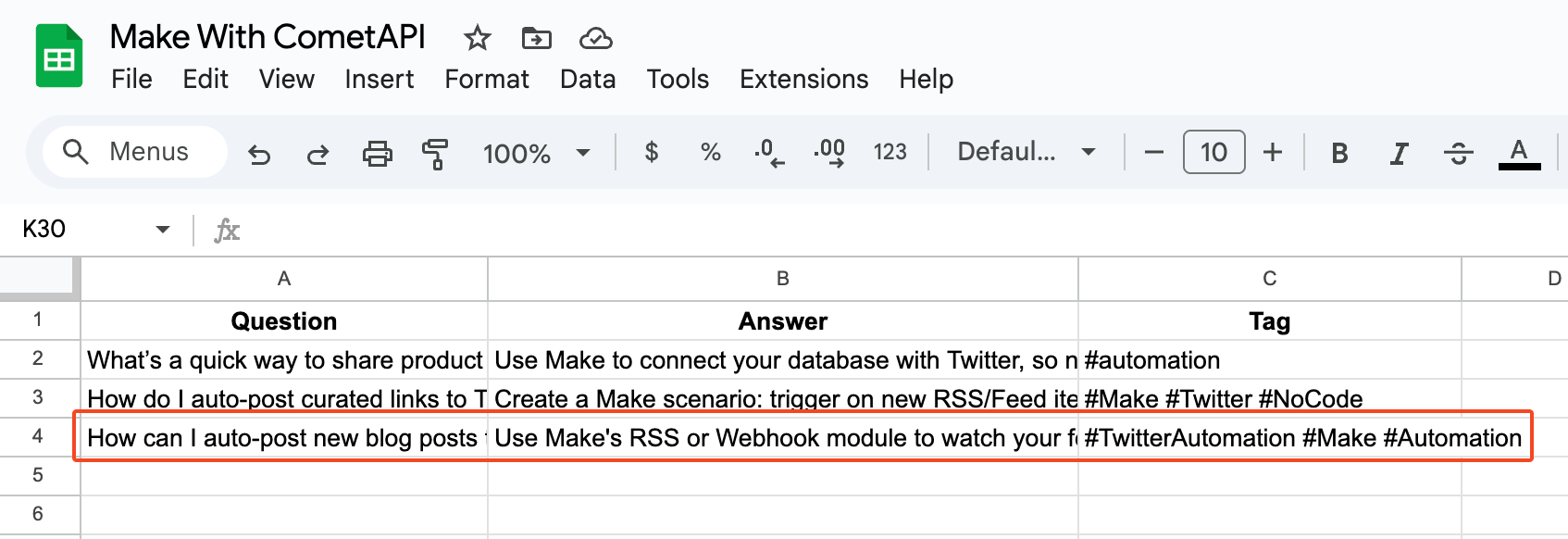
Now we can test our automated content generation workflow. Click "Run Once" to execute the scenario:
After the run completes, check your Google Sheets. You should see that the AI has successfully inserted a new row of structured content data.
Advanced workflow variations
Here are several ways to expand this basic content generation workflow for different business needs:
1. Multi-platform content adaptation
• Modify the prompt to generate platform-specific content (Twitter, LinkedIn, Instagram)
• Add conditional logic to format content differently based on platform requirements
• Include character count optimization for each social media platform
2. Content calendar automation
• Schedule the workflow to run multiple times daily
• Add date/time stamps for content scheduling
• Integrate with social media scheduling tools like Buffer or Hootsuite
3. Performance tracking integration
• Connect analytics APIs to track content performance
• Implement feedback loops to optimize future content generation
• Add A/B testing capabilities for different content formats
4. Team collaboration features
• Send Slack notifications when new content is generated
• Create approval workflows for content review
• Implement content categorization for different team members
Implementation tips for maximum effectiveness
• Prompt optimization: Regularly test and refine your AI prompts based on output quality
• Content variety: Rotate between different content types and formats to maintain engagement
• Quality control: Implement review processes for AI-generated content before publication
• Data organization: Use consistent naming conventions and categorization in your spreadsheets
• Scheduling strategy: Balance automation with human oversight for brand consistency
Scaling your content automation
This basic workflow serves as a foundation for more sophisticated content operations. Consider these expansion opportunities:
Content Personalization
- Segment audiences and generate targeted content for different user personas
- Integrate CRM data to create personalized messaging campaigns
Multi-language Support
- Expand to generate content in multiple languages for global audiences
- Implement translation workflows for content localization
Visual Content Integration
- Connect AI image generation tools for automated visual content
- Implement video script generation for social media videos
Performance Optimization
- Use analytics data to identify high-performing content patterns
- Implement machine learning feedback loops for continuous improvement
Final thoughts
By combining CometAPI's AI content generation with Make's powerful automation capabilities, content creators can build scalable systems that maintain a consistent social media presence without constant manual effort.
The setup process is straightforward, the scalability potential is enormous, and the return on investment can be immediate - transforming time-consuming content brainstorming into a streamlined, automated process.
Your AI-powered content inspiration library is just one workflow away.
Related guides
Tool and strategies modern teams need to help their companies grow.

How-to guides
From disorganized survey submissions to actionable insight with Make and Rows
Discover how to automatically transform open-ended survey responses into categorized insights, enrich feedback with company data, and trigger real-time notifications without spending hours on manual analysis.

Alberto Manassero
December 4, 2025

How-to guides
How to automate executive sales reports with AI in Make
Learn how to transform raw sales data into polished executive reports, generate actionable insights with AI-powered analysis, create branded PDFs with charts, and deliver them automatically every Monday morning.

Michelle Mitchell
November 27, 2025

Information Technology
How AI Agents can transform sales calls into automated workflows
Ready to transform your sales process with AI agents? Learn how to automatically capture meeting insights, enrich and qualify leads, update your CRM in real-time, and free your sales team from manual tasks while boosting deal velocity.

Mariana Oliveira
November 25, 2025