Oct 7, 2026 | 10 minutes
HR automation: benefits, examples, and how it works in 2026
From onboarding to payroll, here's how HR teams turn repetitive admin into automated workflows across every system they use.
HR teams still spend a large share of the week on the same repetitive tasks: resumes read one by one, onboarding paperwork chased by hand, the same policy question landing in an inbox for the tenth time this month.
None of it takes judgment, but all of it eats into time HR could spend on work that needs manual, human attention. HR automation moves that work into workflows that run without someone triggering each step by hand.
This article covers what HR automation is, the benefits it delivers, real examples from recruiting and onboarding, and how to connect it across the tools your team already uses.
Key takeaways
HR automation uses software, and increasingly AI, to handle repetitive HR tasks such as resume screening, interview scheduling, and answering routine employee questions.
It works on two levels: rule-based triggers for repeatable steps, and AI-assisted judgment for tasks like scoring a resume or drafting a reply.
SHRM's 2026 State of AI in HR report found that 87% of HR professionals using AI reported improved efficiency, and 75% reported improved work quality.
Real examples include resume scoring, interview scheduling across a full panel's calendars, interview scorecards built from transcripts, and Slack-based onboarding Q&A.
The biggest gains come from connecting HR systems to each other, not from automating a single task inside a single tool.
What is HR automation?
HR automation uses software, and increasingly artificial intelligence, to carry out repetitive or rule-based HR tasks without someone manually triggering each step.
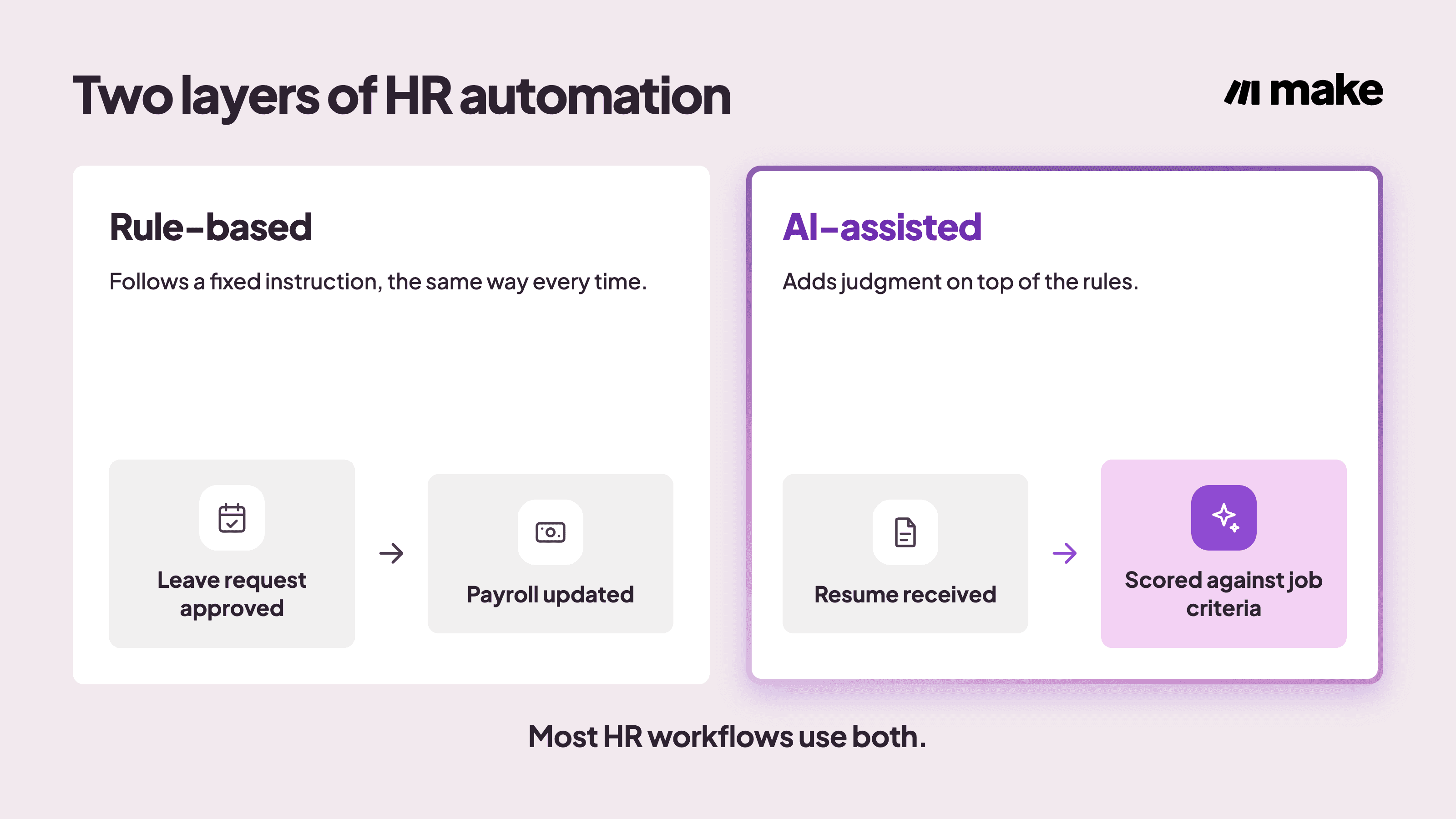
It covers two different layers of work, and most useful workflows combine both:
Rule-based automation: follows a fixed instruction. When a candidate accepts an offer, the system creates their record in the HRIS and sends the onboarding checklist, every time, the same way.
AI-assisted automation: adds judgment on top of that logic, scoring a resume against a job description or drafting a reply to a routine employee question.
HR automation is normally set up using the tools a team already runs day to day: an applicant tracking system, an HRIS, payroll, and messaging apps such as Slack.
It connects to a wide range of HR app integrations rather than replacing tools a team already trusts.
What are the benefits of HR automation for growing HR teams?
Once a workflow runs on its own, the benefit shows up in four places: time, accuracy, candidate /employee experience, and data quality.
Time recovered: saved hours that previously went into manual triage, status updates, and re-typing the same record into more than one system.
Fewer manual errors: the same steps run the same way every time, so a step never gets skipped or entered differently depending on who's doing it. That consistency matters most in payroll and compliance-related tasks, where a missed field or a wrong number carries real cost.
Faster candidate and employee experience: replies and next steps arrive quickly instead of sitting in a queue behind other work.
Cleaner data: every step logged in one place instead of scattered across email threads and spreadsheets.
Recent survey data backs these four benefits up. According to SHRM's , 87% of HR professionals using AI in their function reported improved efficiency, and 75% reported improved work quality.
That gain tends to show up first in payroll, because payroll repeats the same calculations, tax withholdings, and deadlines every pay period, and a wrong number there gets noticed immediately: someone's paycheck is wrong.
If you are searching for more reading, Make's use cases walk through exactly where the recovered time comes from.
How does HR automation work?
HR automation runs on three connected layers: fixed rules that trigger actions, AI that adds judgment, and the connections that keep every system in sync.
Rule-based triggers and actions
A rule-based step follows an if-this-then-that pattern.
When a leave request gets approved, the workflow updates the payroll record and notifies the manager, without anyone re-entering the same information by hand.
AI-assisted judgment layered on top
Make AI Agents handle the judgment calls a fixed rule cannot: scoring a resume against a job description, drafting a reply to an employee question, or deciding which request still needs a person. The agent works from instructions and reference material a team gives it, not from a rigid script.
Connecting systems across the HR stack
Most HR tools automate tasks only within that one tool, without triggering anything in the other software a team relies on.
The goal with effective AI automation is getting an applicant tracking system, an HRIS, payroll, and a messaging tool to work together: passing data between them, triggering actions in one when something changes in another, and staying in sync without someone bridging the gap by hand.
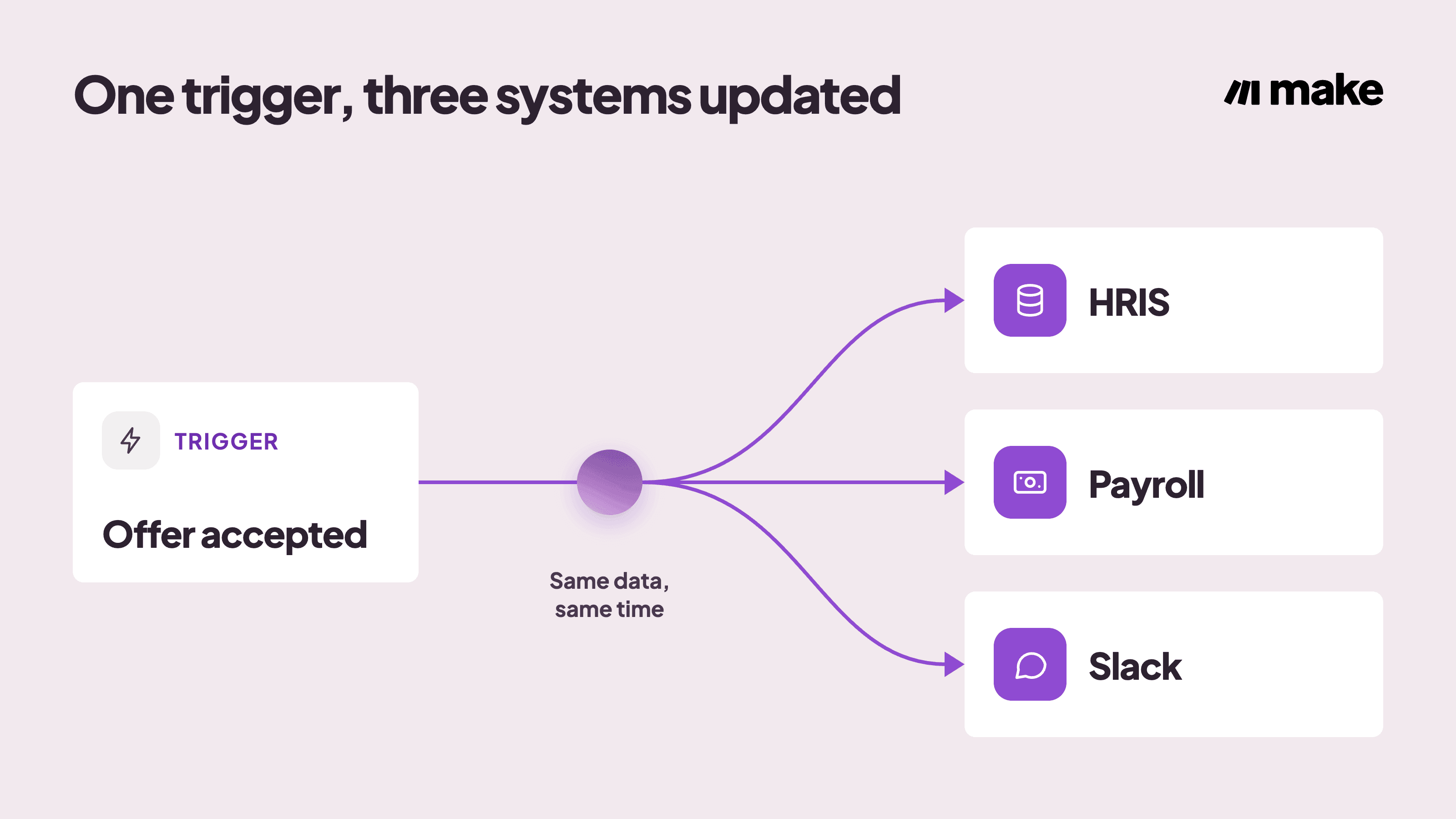
For example, the automation should be able to:
Have one trigger (offer accepted) branching into: HRIS record created
Get payroll record staged
Notify manager and team via Slack
Make can do all that, plus it gives the automation an additional layer: Make Grid offers a people team one view of every workflow like this running across the business, so nothing runs unseen.
HR automation examples: four Make scenarios you can use today
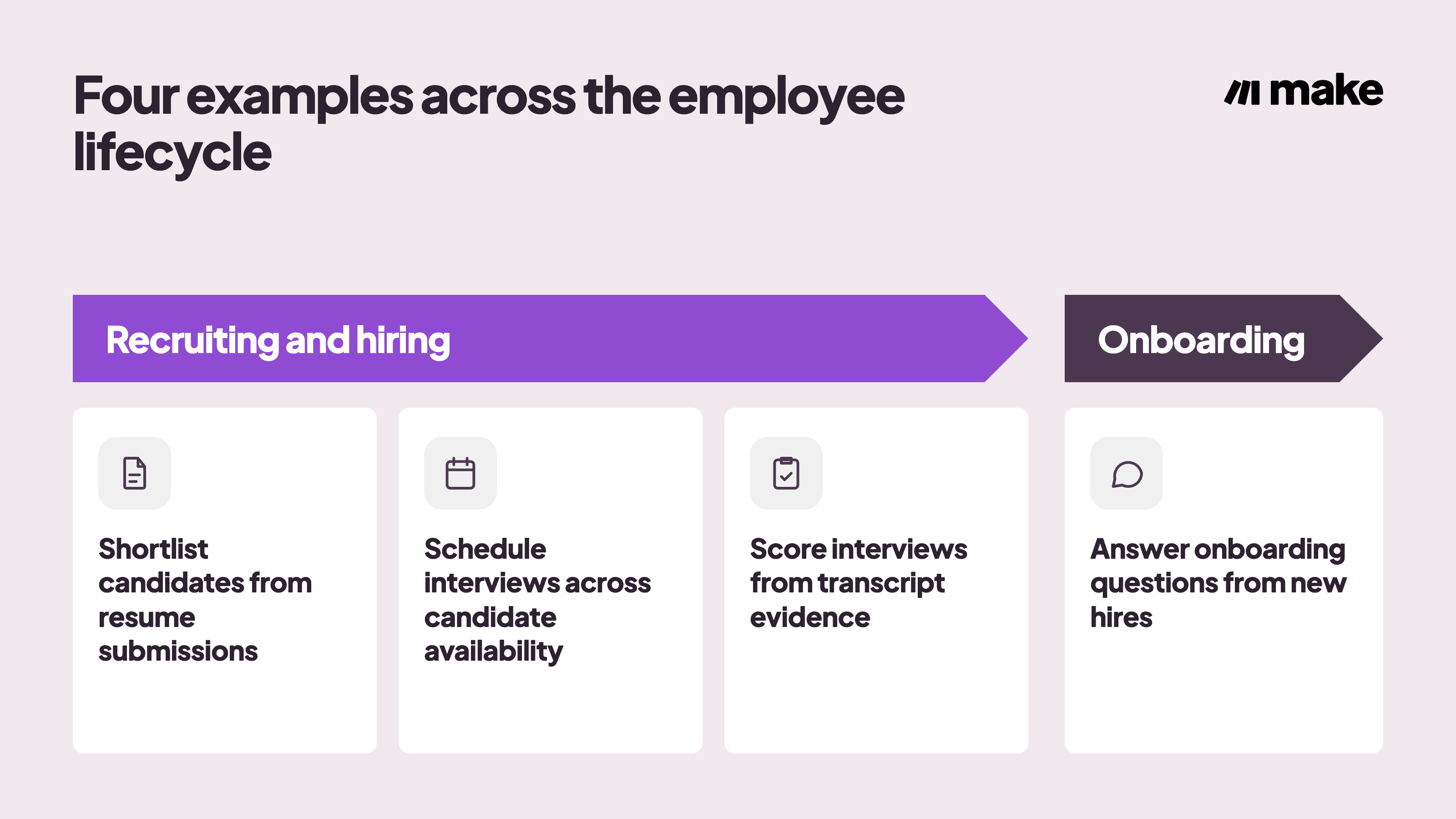
The clearest examples of HR automation come from three connected stages of the employee lifecycle: recruiting, hiring, and onboarding, where the same steps repeat for every candidate or new hire.
Each one below is a real Make scenario, already built and free to copy, not just a description of what's possible.
Shortlist candidates from resume submissions
Recruiters read every resume by hand, and different reviewers judge candidates differently, so strong candidates get buried in the pile.
In this automation, an AI agent scores each resume against a team's hiring criteria, gives a fit score, a summary, strengths, and gaps, then logs every candidate to Google Sheets and posts anyone scoring 80 or higher to Slack.
It connects Google Forms, Google Drive, Google Sheets, and Slack, and runs at a beginner level of complexity.
See the Resume Analysis Agent template to set it up.
Schedule interviews across candidate availability
Coordinators send messages back and forth to find a time the whole panel can make, and candidates sometimes drop out before a slot gets booked.
In this automation, an AI agent checks everyone's Google Calendar, finds the earliest time that works for the full panel, books the interview with a video link, and updates the tracker on its own.
It connects Google Calendar and Google Sheets, and runs at an intermediate level of complexity.
See the Interview Scheduler Agent template to set it up.
Score interviews from transcript evidence
Scorecards get delayed or skipped, and some interviewers are far more thorough than others.
In this automation, an agent finds the interview on the calendar, reads the transcript, fills in the scorecard template with evidence from the conversation, and flags anything it had to assume.
It connects Google Docs and Google Calendar, and runs at an intermediate level of complexity.
See the Interview Scorecard Agent template to set it up.
Answer onboarding questions from new hires
HR keeps getting interrupted by the same questions from new hires about policies, processes, and culture.
In this automation, a Slack agent searches internal documentation and answers new hires directly in the thread, and it can handle follow-up questions in that same thread.
It connects Slack to a knowledge base, and runs at a beginner level of complexity.
See the HR Onboarding Q&A Agent template to set it up.
The table below lines up each example against its stage, its trigger, and its outcome.
Process | Stage | Trigger | Outcome |
Resume scoring | Recruiting | New application submitted | Fit score, summary, and Slack alert for strong candidates |
Interview scheduling | Recruiting | Interview requested | Panel-wide time found, booked, and tracked automatically |
Interview scorecards | Recruiting | Interview completed | Scorecard filled from transcript evidence |
Onboarding Q&A | Onboarding | New hire asks a question in Slack | Answer delivered in-thread from internal documentation |
How Make helps with HR automation
If a team's current HR software already covers recruiting, onboarding, and payroll end to end in one place, that single system is a fine starting point, and there's no reason to add anything on top of it.
Most teams get here in pieces instead: an applicant tracking system, a separate HRIS, payroll, and Slack, each good at its own job but never built to talk to the others.
Connecting those is where Make comes in. It links these tools without custom code, using a "Router" for branching logic and AI agents for judgment-heavy steps like the scoring and scorecard drafting shown above.
Every step runs on a visual canvas a people team can check without opening each app individually.
Recruiting: connects tools like an applicant tracking system, Google Forms, and Google Sheets so every application gets scored and logged the same way.
Interview coordination: for example, connects Google Calendar across every panelist so scheduling runs without back-and-forth email.
Onboarding: Make can connect Slack and internal documentation so new-hire questions get answered in the thread they were asked in.
Every example above, plus more, is available as a ready-made HR automation template, and the library of AI agents covers common HR judgment tasks beyond the four shown here.
Make's security practices cover the encryption, access control, and compliance requirements a people team needs to check before connecting employee data across systems.
Connect your HR stack today
The biggest gains of AI automation like Make’s come from connecting HR systems to each other, not from automating one task inside one tool.
Start with the process that costs a team the most, whether that's hours lost to manual work, errors that slip through, or candidates and employees left waiting, and build outward from there.
Get started free and use one of the templates above as a starting point.
Frequently asked questions
Q1: What HR processes can be automated?
Most repetitive, rule-based HR processes can be automated, including recruiting, interview scheduling, onboarding, payroll, leave requests, and compliance reminders. Judgment-heavy work such as final hiring decisions still needs a person.
Q2: Does HR automation replace human decision-making?
No. Automation and AI handle the repetitive steps around a decision, such as scoring or scheduling, while a person still makes the final call on hiring, pay, and performance.
Q3: Is HR automation only worth it for large organizations?
No. A smaller HR team gets back roughly the same time per hire as a larger one, since the manual steps scale with application volume, not headcount alone.
Q4: What's the difference between HR automation and HR software?
HR software stores and manages HR data, such as an HRIS or ATS. HR automation is the layer of workflows connecting that software to other tools and triggering actions between them.
Q5: How do you measure the ROI of HR automation?
Compare the hours a process took before and after automation, multiply the hours saved by the team's loaded hourly cost, and weigh that against the cost of the tool and setup time.
Ready to make the automation revolution happen?