Make AI Agents: Trust through transparency
Why we rebuilt Make AI Agents inside the scenario builder - and how to use them properly.
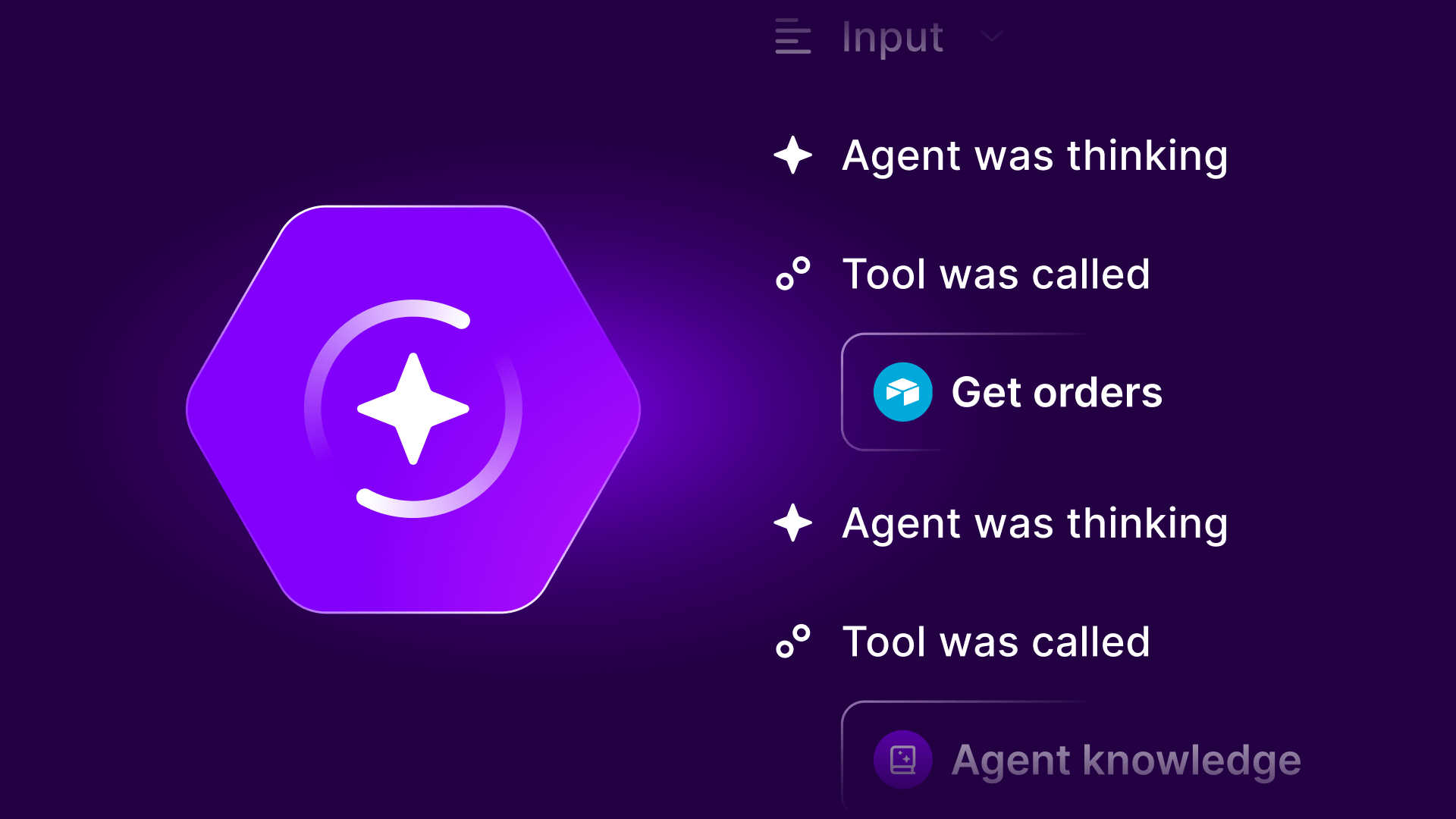
When we launched AI agents last year, we learned something: builders didn't want another AI tool to add to their stack. They wanted AI that co-existed alongside their automation.
So we brought our agent capability to the canvas that people know and love.
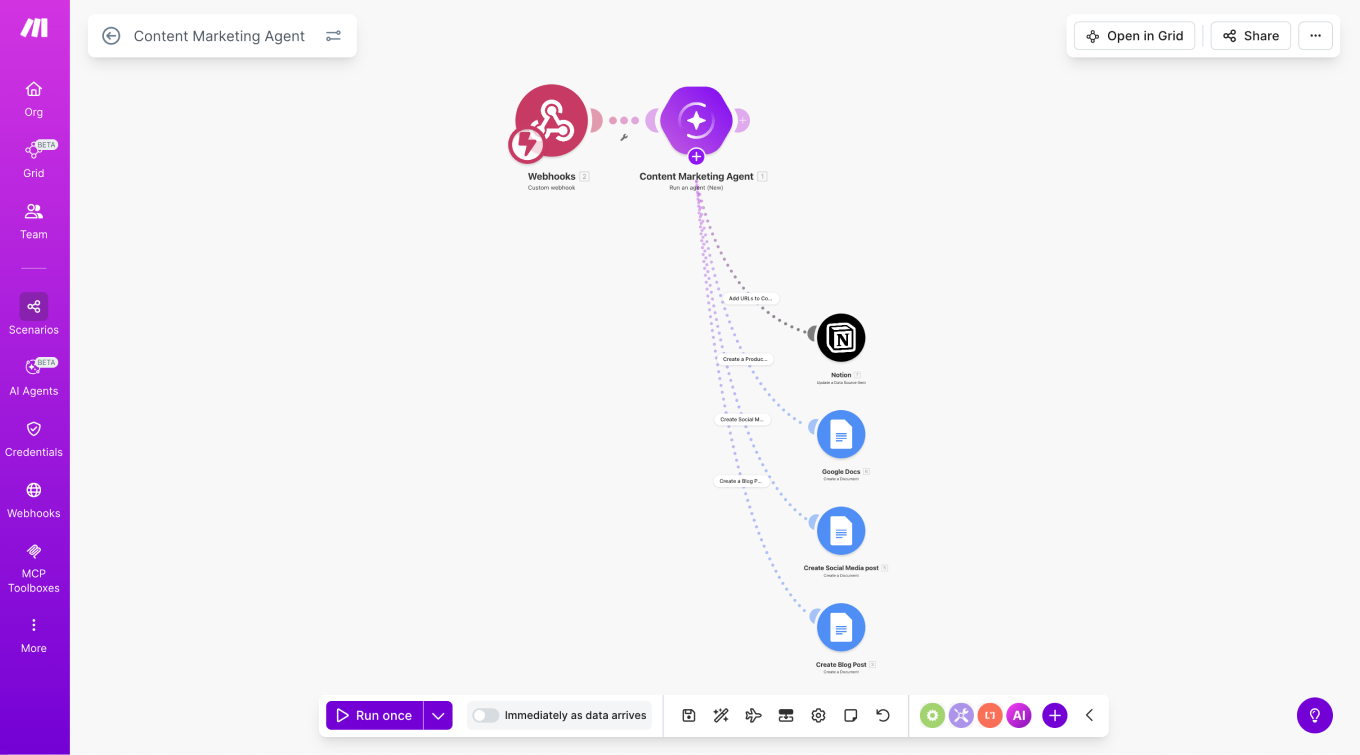
The new Make AI Agents aren't isolated any more. They're built, run, and debugged inside the same canvas as your scenarios. We removed context switching in favor of one execution model. AI reasoning becomes part of your system, not an add-on.
This means that it’s easier to set up and configure your agent and the tools and knowledge it uses, and it's easier to see what an agent did. Further, the new "Reasoning" panel enables you to see how the agent decided which steps to take. Alongside this focus on visualization, another core development is that we can now share pre-built AI agents and allow users to share their valuable use cases with each other for inspiration. This was a key piece of feedback from our users and a major step forward with this new generation of Agents. To make things even easier, we’re also launching a Library of Agents. We believe that building AI agents shouldn’t mean starting from scratch or guessing what “good” looks like. The Library of Agents is a growing collection of ready-made, production-ready AI agent examples designed to solve real business problems. Each agent shows how to structure prompts, tools, knowledge, and guardrails in a way that’s transparent, reliable, and easy to adapt. The Library exists to help teams who understand what they want to automate but struggle with how to design agents that work consistently in real workflows.
Here's why these changes matter - and how to make the most of them.
The next generation
A key piece of feedback from users was that they wanted an AI agent that existed within the automation canvas. We took this on board and extended the visual benefits of agents to make all the core processes, from building to debugging, easier.
From "agent tool" to "agent builder"

The big change is architectural. Agents are no longer managed separately from your automation logic. They're now built, run, and debugged inside the same canvas where you build scenarios.
You can combine deterministic steps with agentic reasoning in a single workflow. An HTTP module pulls data, a router handles the simple cases, and an agent handles the nuanced ones that would otherwise require dozens of conditions.
Visual reasoning makes AI decisions observable
One of the biggest complaints about AI in production workflows? Lack of transparency. When something goes wrong, you're left guessing what the model decided and why.
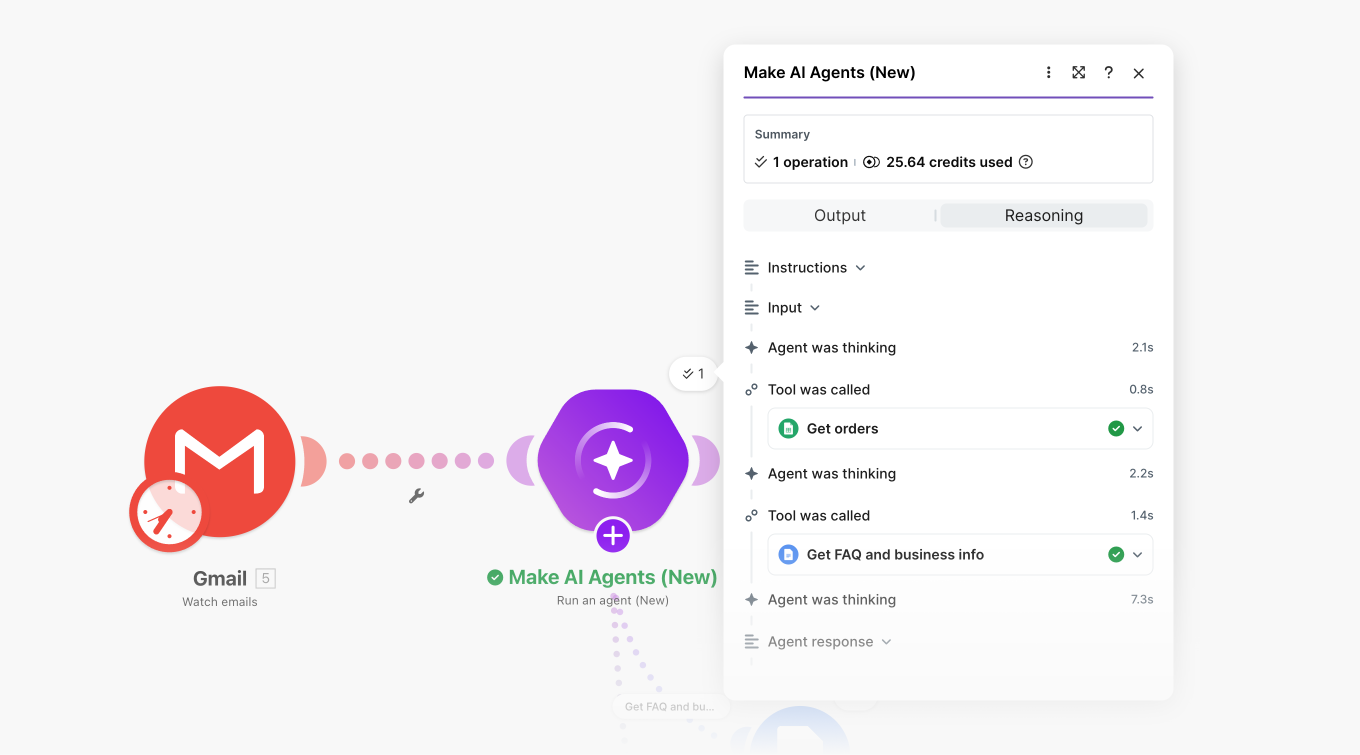
Reasoning panel in the new Make AI Agents, built on the canvas
The new agent architecture exposes every decision. When an agent runs, you see what it decided, why it decided it, and which tools it used. Visual traces replace log-hunting and inference.
This changes debugging. Instead of trying to reverse-engineer what happened from outputs, you can see the agent's reasoning process laid out visually. You can spot where logic went sideways, adjust your prompt or toolset, and rerun with confidence.
It's the difference between hoping your agent works and knowing why it works.
Deterministic vs agentic: when to use what
Not everything needs AI. In fact, many things don't.
Use standard modules when rules are fixed and predictable, data is structured, and speed matters most. Use agents when inputs are unstructured (text, documents, messages), logic changes often, or routing decisions are too complex to encode manually.
Use both together. Let deterministic steps handle the control flow. Let agents handle judgment and selection.
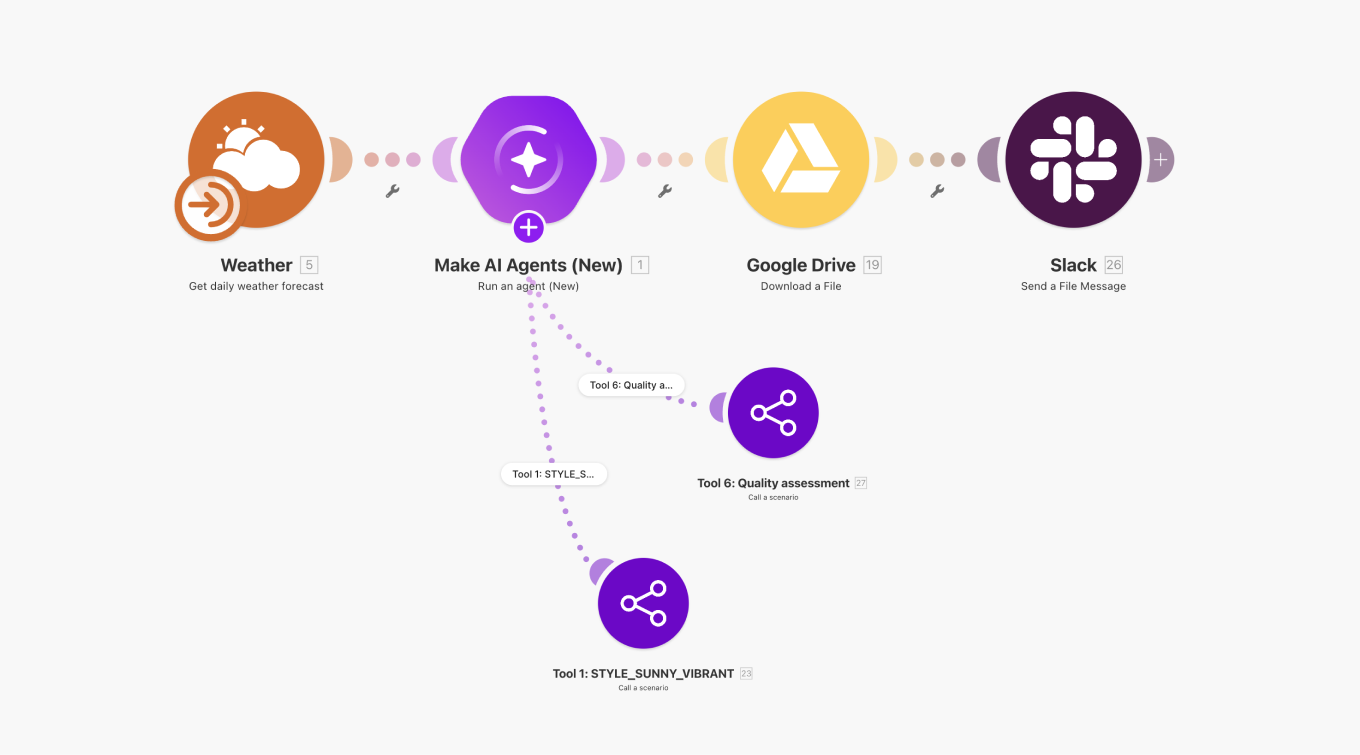
Example: A customer support scenario might use a webhook to receive messages, a router to handle common questions with canned responses, and an agent to analyze complex issues and determine which team to route them to. The agent doesn't waste time on simple stuff. It focuses on what it's uniquely good at.
This is how you scale. Pure agent workflows can introduce unnecessary variability. Pure deterministic workflows become unmanageable when exceptions multiply. The hybrid approach gives you control where you need it and flexibility where it matters.
Five agent patterns to build from
Random agent builds lead to random results. Patterns create reusable, scalable systems.
Here are the five patterns we've seen work in production:
- Conversational agent: handles questions, retrieves knowledge, and formats responses. Best for customer support, internal help desks, and knowledge base queries.
- Synthesizer agent: pulls from multiple sources and produces a structured summary. Good for research tasks, competitive analysis, and report generation.
- Routing agent: analyzes input and selects the correct workflow dynamically. Use this when your conditional logic tree becomes unmanageable.
- Qualifier agent: evaluates inputs against criteria and makes a decision. Works well for lead scoring, application screening, and content moderation.
- Orchestrator agent: coordinates multiple tools or agents to complete a larger task. This is your framework for multi-step processes that require judgment at each stage.
Start with one pattern. Master it. Then expand. You'll find most use cases map cleanly to one of these five archetypes. And if you’d like further help, you can also access our Library of Agents that gives you ready-made AI agent examples built for real workflows, not demos.
Sharing, not duplicating: scaling agent systems
The old model encouraged duplication. Every team built its own version of similar agents because sharing was difficult.
The new architecture treats agents as shareable components.
Cost transparency and control
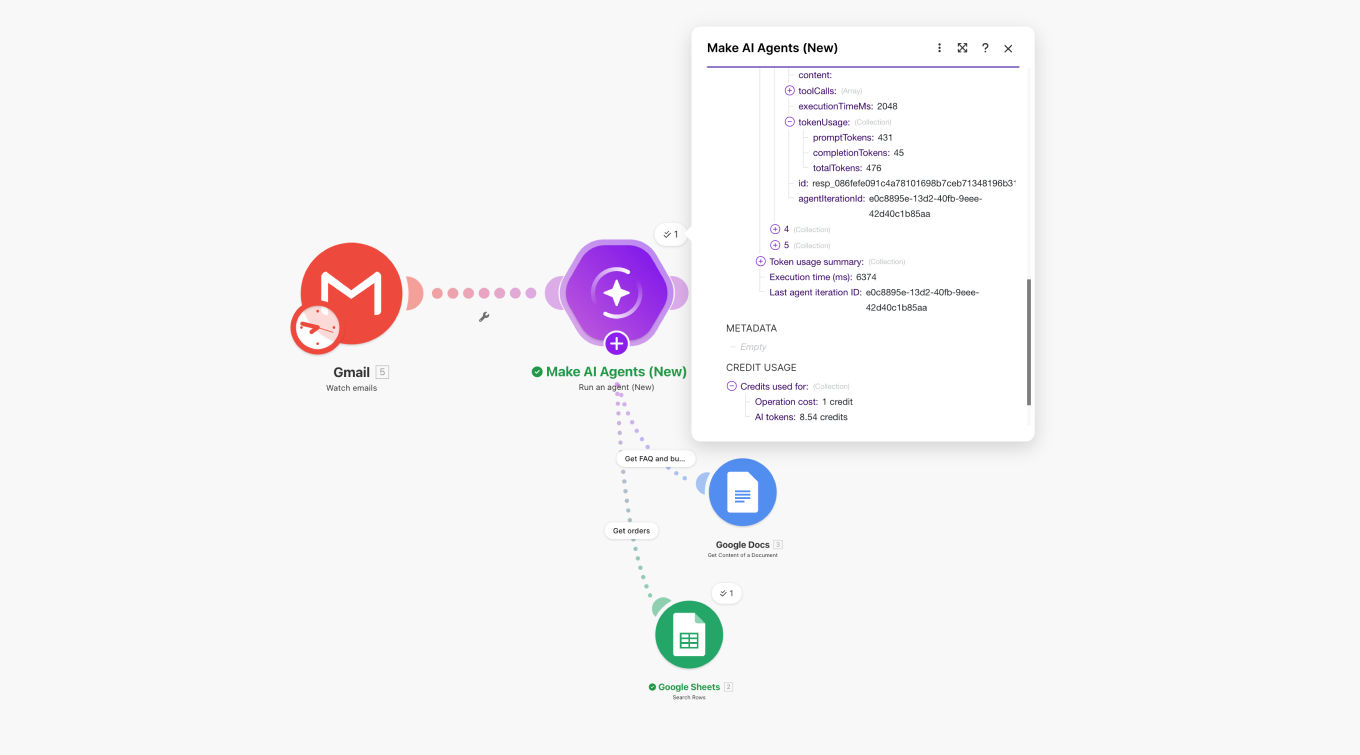
AI costs can spiral if you don't know what's running when. The new agent architecture makes every call visible.
Agent execution history shows what was called, how often, and where the cost is incurred. You can tune prompts to reduce token usage, anchor AI decisions with deterministic logic to avoid unnecessary calls, and use your own model keys where cost sensitivity is high.
You should know what you're paying for and why.
File support: moving beyond text
Agents that only handle text are useful. Agents that can read documents, process images, and generate outputs unlock new workflows.
The new agents support file inputs and outputs. You can build scenarios that read invoices, extract data, validate against criteria, and generate summary reports as PDFs or CSVs.
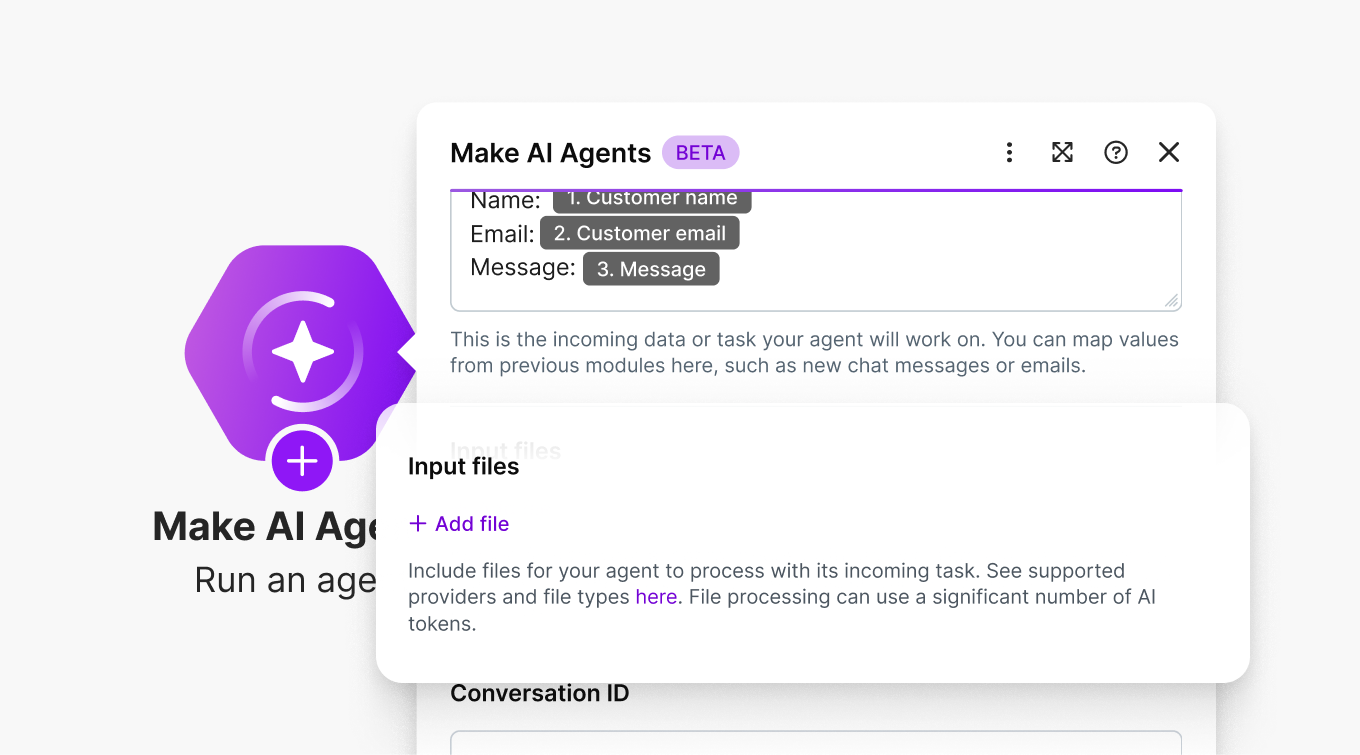
Before, these workflows required brittle combinations of third-party tools, data transformation modules, and manual validation steps. Now, an agent handles the whole pipeline.
Workflows that were previously manual or cobbled together from fragile integrations can now run reliably at scale.
Getting started: how to adopt and build AI agents without the risk
Don't try to replace everything at once. Start with one pattern. Combine agent and deterministic steps. Keep humans in the loop.
A good first project: take a workflow with a complex decision tree and replace the brittle conditional logic with a qualifier agent. Run them in parallel for a week. Compare results. Tune the agent. Switch over when you're confident.
Reuse before rebuilding. If someone on your team has already built an agent that does 80% of what you need, modify the existing infrastructure rather than starting from scratch.
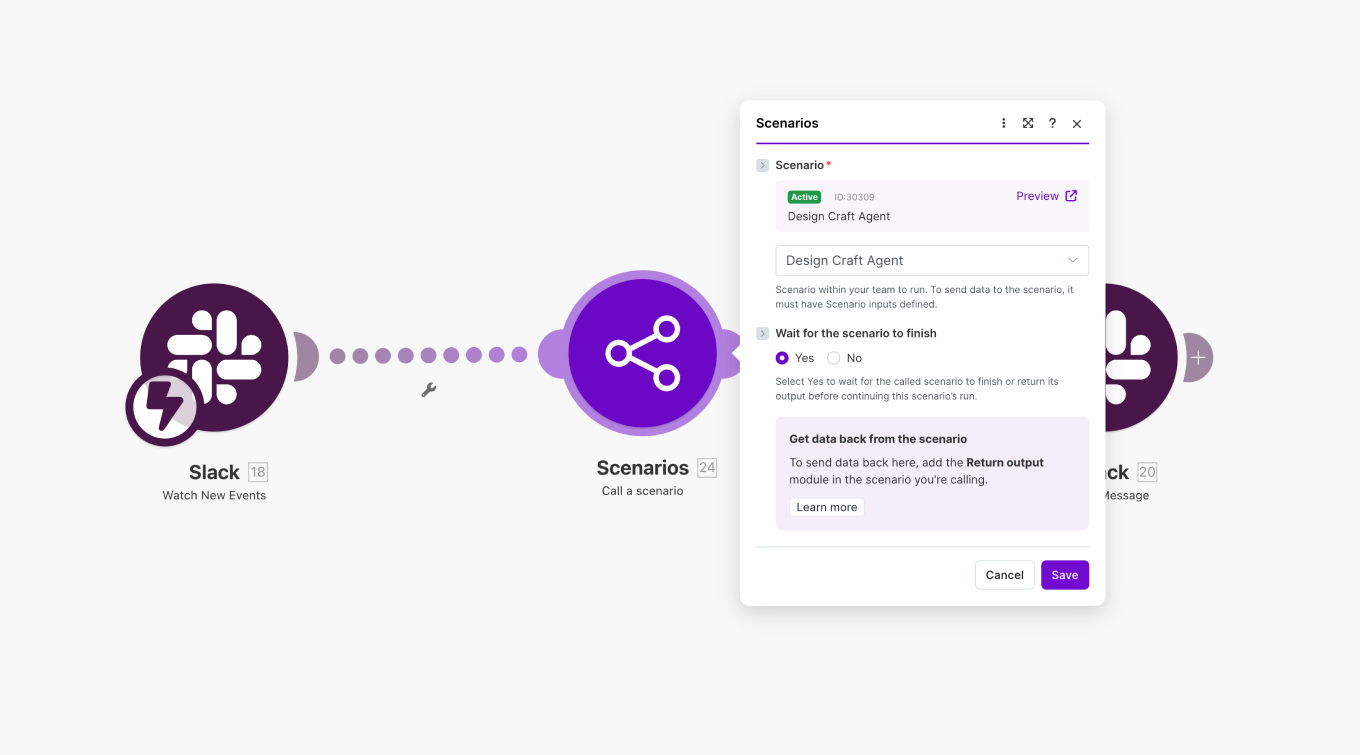
And remember: agents aren't magic. They're powerful decision modules that work best when paired with clear prompts, well-structured data, and deterministic control flow.
Agents you can build with
The new Make AI Agents are here to help you build clear, inspectable, reusable decision systems directly in your scenario canvas.
Everything happens in one place. You can see what's going on, understand why decisions get made, and adjust things without jumping between different tools or interfaces. When agents are part of your canvas instead of separate from it, they stop feeling like a special case you have to work around and start feeling like a natural part of how you build.
If you're already using Make, the new AI agents are available now in your Scenario Builder. If you're new here, you can start building with them today.
Related blogs
Tool and strategies modern teams need to help their companies grow.
Inside Make
Announcing the next generation of Make AI Agents
Find out about the next generation of Make AI Agents, designed to help you automate complex work with clarity and trust.

Vitek Linhart
February 11, 2026
AI
When to use AI agents
As we unveil the next generation Make AI Agents, Michael Nketsiah, Product Marketing Manager at Make, outlines how to maximise their potential.

Michael Nketsiah
February 11, 2026
AI
Get a tailored AI automation strategy with Make AI Playbook
Discover how to move your organization from scattered AI experiments to a structured implementation strategy with a free maturity assessment, personalized roadmap, and actionable frameworks that deliver 3-5x higher ROI.

Natalia Mrazova
January 20, 2026