Feb 24, 2026 | 4 minutes
How to automate 360-degree feedback and performance analysis with Make and AI
Learn how to automatically analyze 360-degree feedback with AI, extract strengths and development areas from open-ended responses, generate polished performance reports, and deliver insights to managers—without manual data processing.

360-degree feedback is a gold mine of HR insights, yet its value often goes untapped. Why? Because processing and analyzing all that data is slow and prone to bias. Especially when it comes to open-ended comments.
This is where Make and AI-driven HR analytics step in.
By combining automated workflows with AI analysis, you can turn raw performance evaluations into structured reports in minutes, eliminating days of manual work.
What can Make’s AI do for HR?
For HR leaders and department managers, AI-driven performance automation eliminates tedious manual work, allowing you to focus on your people and their professional growth.
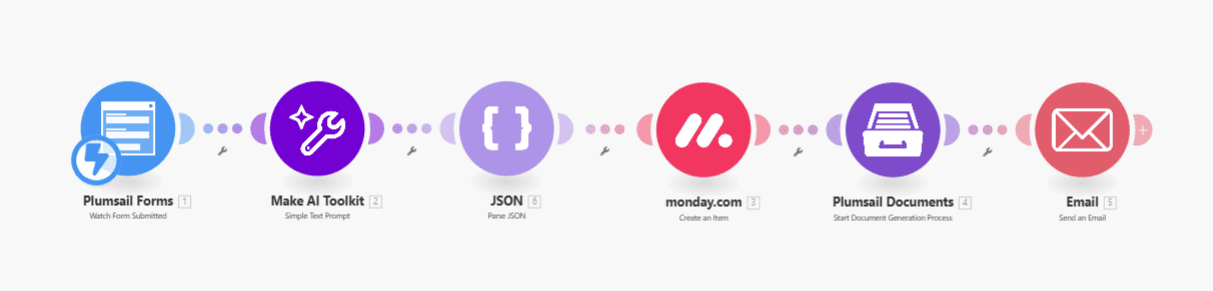
The Make scenario we introduce in this blog will:
Be triggered when the 360-degree feedback questionnaire is submitted
Send the responses to AI
Use the AI to extract employees’ strengths, space for improvement, and development recommendations
Save the response and AI performance analysis to the database.
Generate ready-to-use performance review documents (PPTX, PDF, or image)
Instantly report to relevant managers and HR personnel
Step-by-step: Build 360-degree feedback automation in Make
Here is how you can build your own HR automation in Make.
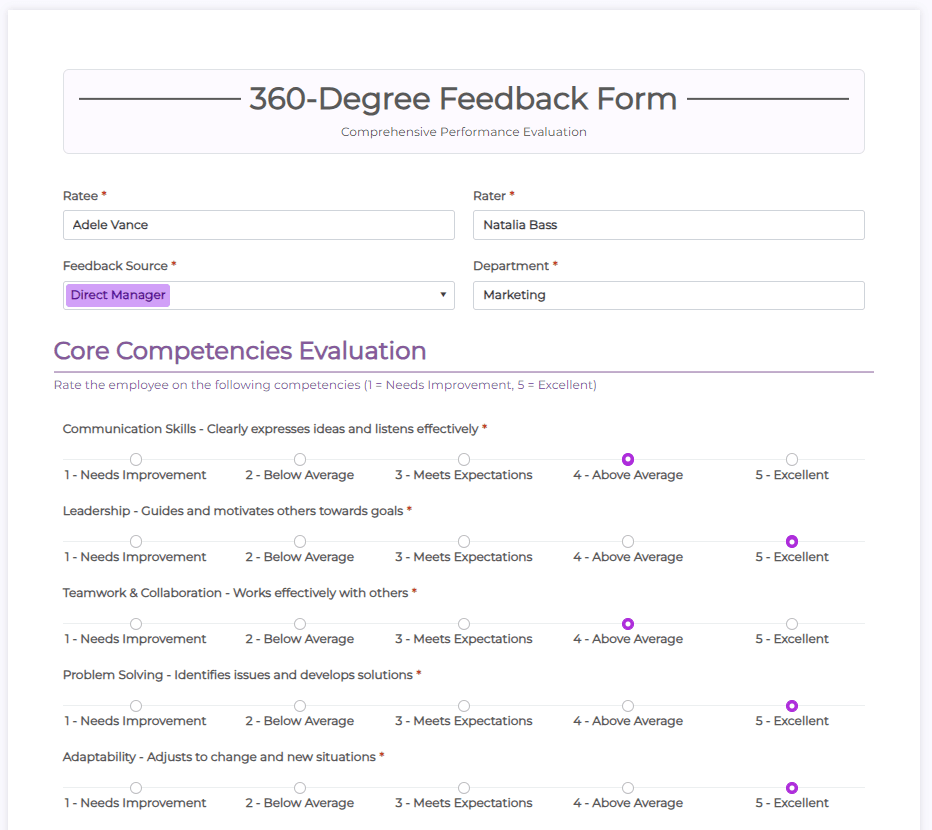
Step 1: Watch for form submissions
The scenario is triggered as soon as new feedback is received through Plumsail Forms.
Step 2: Analyze feedback with AI
Next, add the Make AI Toolkit module. You’ll need to write a prompt and include the data from your feedback form.
The key is to write a detailed prompt that clearly defines your desired output. Start by compiling a list of every point you want to be included in the report.
Quick tip: If you haven’t mastered prompt writing yet, try asking one AI to write a prompt for the other.
In this scenario, we chose to output the results in JSON format. We highly recommend this approach because the resulting data is much easier to map and use in subsequent steps.
Here is a part of a prompt we used in this scenario: “Role: You are an expert industrial-organizational psychologist and performance data analyst. Your task is to generate a 360-degree feedback development report based on JSON data.
Objective: Transform numerical ratings and qualitative comments into a report that identifies "blind spots," "hidden strengths," and “actionable developmental goals.”
Step3: Parse JSON
Use Parse JSON module to extract fields from the AI reply. This creates clean, typed fields that are easier to log, filter, and map into reports.
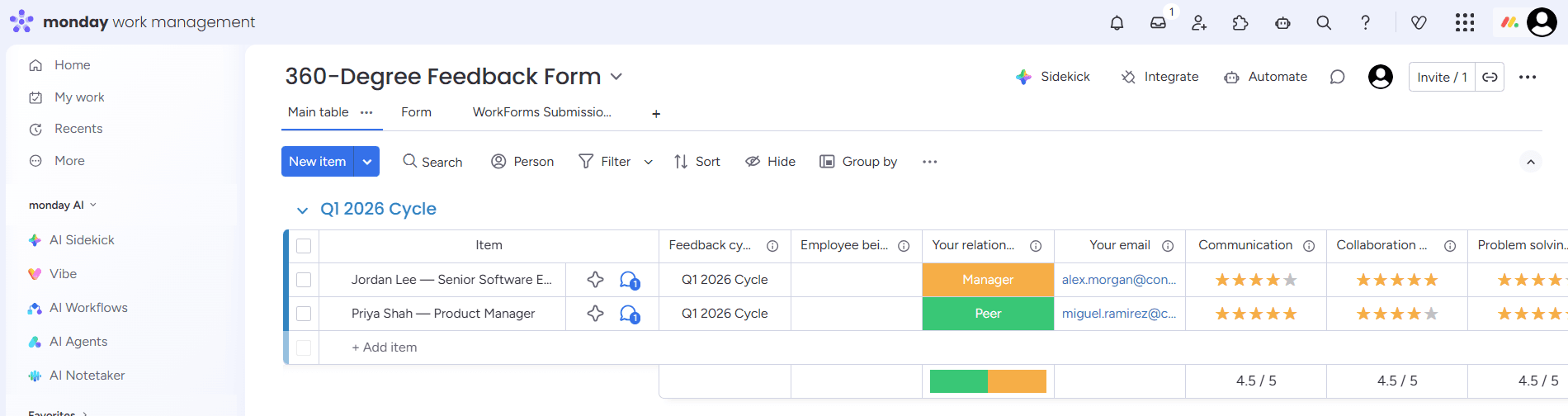
Step 4: Log feedback to a database
Save the original response and the AI analysis to your database. It could be monday.com, Airtable, Zoho People, Notion, or any platform you use.
Step 5: Create a report file
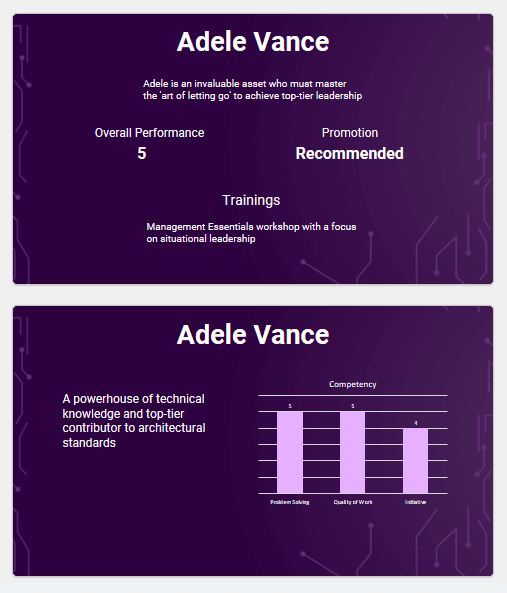
Use Plumsail Documents (or another document generator) to map fields into a standardized template. Produce a PDF or PPTX file that includes:
Employee & reviewer metadata
Ratings with supporting comments
AI-generated strengths, weaknesses, and recommendations
Suggested goals for the next review period
Step 6: Send the report
Share the final file by email, post it to Slack, or store it in cloud storage, whichever distribution channel fits your workflow.
Make it a consolidated report
To create a consolidated report that includes all reviewers – self, manager, and peers – do this:
Trigger the scenario when all reviewers submit the feedback or when a review period closes.
Group all feedback data for the target employee and send it to the AI for consolidated analysis.
Turn AI output into a single, comprehensive report that includes cross-review insights and trends.
Getting Started
With Make and AI connected to your 360-degree review form, you can transform how performance analysis happens in your organization.
If you’ve been waiting for a sign to move away from old-fashioned, manual appraisal workflows, try this scenario yourself and customize it to fit your HR processes perfectly.
Ready to make the automation revolution happen?