Shopify, Linkly, and Make: A “zero-touch” system for flawless link shortening & attribution
Learn how to build a Make scenario that automatically generates branded, trackable short links with perfect UTM parameters the moment a product is created in Shopify and publishes them to social media.


Every time a new product drops, a mad scramble begins. Your marketing team is rushing to craft social posts, email blasts, and paid ads. But lurking in this high-pressure workflow is a productivity killer: manual link tagging.
We’ve all done it: copying a clean URL from Shopify, opening a link shortener, manually typing out a long string of UTM (Urchin Tracking Module) parameters, and pasting the result into a spreadsheet. It’s a direct drain on your budget. Manual UTM tagging creates avoidable attribution errors, particularly when multiple people are building links across campaigns, channels, and regions. This means you’re funding campaigns based on flawed data, potentially abandoning winning strategies or scaling losing ones.
This guide shows how to build a "zero-touch" attribution system using Make and Linkly. By the end, your Shopify store will automatically generate branded, trackable short links the second a product is created, and share them directly to your chosen social media platforms, all without human intervention.
Why automated tracking is your e-commerce superpower
In e-commerce, data is only valuable if it’s accurate. When you rely on manual processes, UTMs get misspelled, parameters are forgotten, and tracking breaks, often without you knowing. Consistent, automated attribution provides a clear, reliable picture of which channels and campaigns actually drive sales.
By automating this workflow with Make, you gain:
- Flawless Consistency: Every single link adheres to the same, pre-defined tagging structure, reducing human error to near zero.
- Maximum Speed: Links are ready and published on social media before the product even hits your homepage, giving you a competitive edge.
- Professional Branding: You use branded short links instead of long, messy URLs, which helps create a more consistent brand experience than long, messy URLs.
The Prerequisites: What You'll Need
To implement this workflow, ensure you have the following accounts set up:
- Make account: The central automation platform that will connect your apps.
- Shopify store: With staff permissions to access product data and webhooks.
- Linkly account: The short-link generator that will apply your UTMs and branding.
- Facebook account: With an active Business Page for the automated social posting.
The 4-step zero-touch automation workflow
Step 1: Watch for new products in Shopify (the trigger)
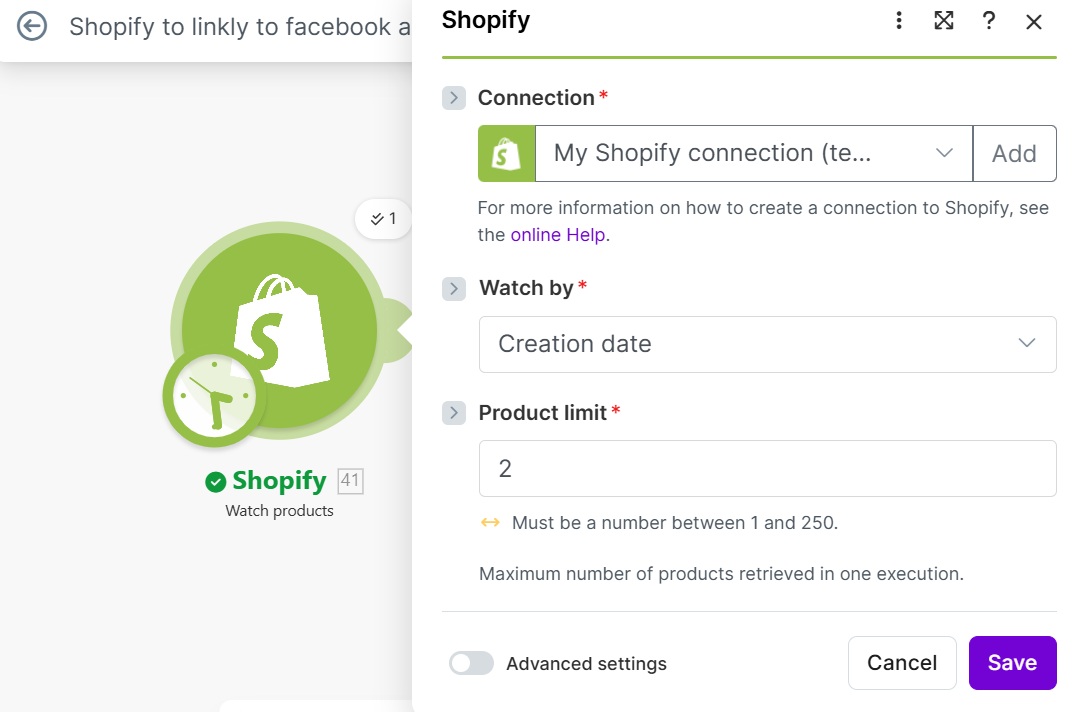
Your automation begins with a trigger. We’ll use the Shopify > Watch Products module in Make.
- Role: This module acts as the "ears" of your automation, constantly monitoring your store for any new additions to your product catalog.
- Setup Tip: For your initial test run, set the "Limit" to 1. This ensures that only the most recently created product is processed, making it easier to debug the scenario.
Step 2: Construct the full product URL (the foundation)
Shopify’s API provides a unique product handle (e.g., blue-suede-shoes) but not the full, live URL. We must construct the final destination link.
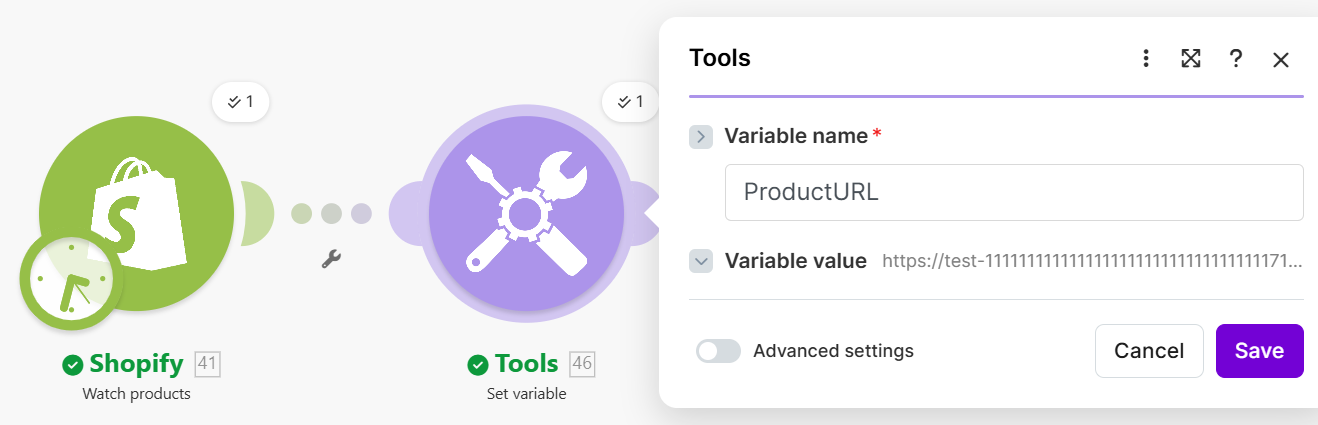
- Module: Use the Tools > Set Variable module.
- Action: Create a variable, which we can call ProductURL, by appending the product's handle variable to your store's standard product base URL (e.g., https://yourstorename.com/products/ + [Product Handle]). This ensures Linkly always points to the correct, live product page.
Step 3: Create the trackable link with Linkly (the heavy lifting)
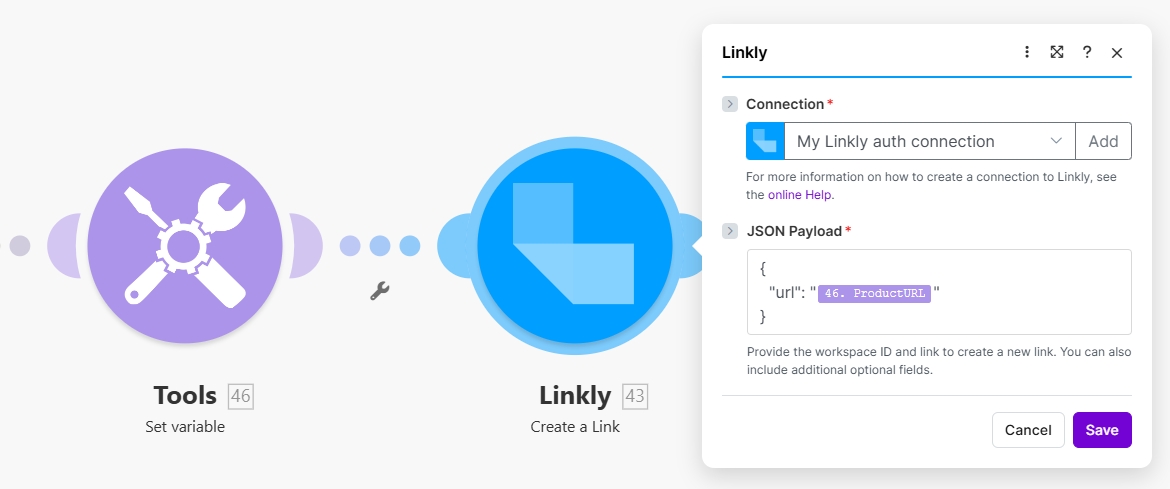
This is where the attribution is baked in. Add the Linkly > Create a Link module.
- Destination URL: Map the ProductURL variable created in Step 2.
- Crucial: Adding UTM Parameters: Use Linkly’s settings to dynamically map your desired UTM parameters. A best-practice structure for a Facebook post might look like this:
- UTM Source: Facebook
- UTM Medium: social_post
- UTM Campaign: [Product Title] (Map the dynamic product title from Shopify)
- Branded Domain: Select your custom branded domain (e.g., brand.link) for the highest click-through rate.
Step 4: Share to social media (the final touch)
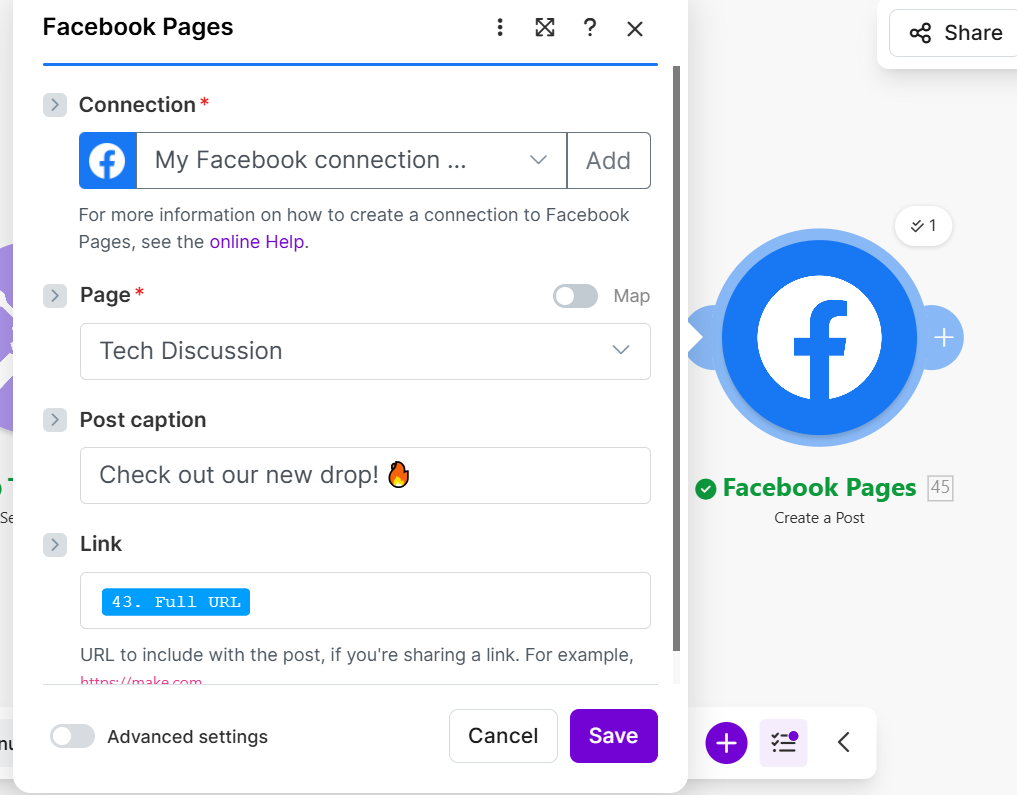
The final step is immediate distribution. We use the Facebook Pages > Create a Post module.
- Action: Map the Full URL output from the Linkly module directly into the post message field. You can also map the Shopify Product Title and a short description to create a rich, informative post.
Now, the moment you click "Save" on a new product in Shopify, your fully tracked, branded short link is live, and your social media post is published.
The ROI of zero-touch attribution
What seems like a small manual task becomes a recurring operational drain once it’s repeated across every campaign and channel.
The real cost, however, is the missed opportunity. With automated tracking, you get instant visibility into which traffic sources are converting best. Automated attribution improves reporting consistency and gives teams cleaner data for optimization, budgeting, and performance analysis.
Automation is a foundation for predictable, scalable growth. By connecting Shopify, Linkly, and Facebook via Make, you have clean, accurate data and an always-on marketing presence that allows you to focus solely on growing your brand.
Related guides
Tool and strategies modern teams need to help their companies grow.

How-to guides
Client portal: How no-code tools can help you build one
Build a client portal that connects data, automations, and clients in a collaborative space that enhances transparency.

Madhan Kanagavel
December 17, 2025

How-to guides
How to create an AI-powered content inspiration library with CometAPI + Make
Discover how to build an AI-powered content library that continuously generates social media ideas, automatically organizes them in spreadsheets, and keeps your content pipeline full – without manual brainstorming sessions or creative burnout.
.webp)
Anna Xu
December 9, 2025

How-to guides
From disorganized survey submissions to actionable insight with Make and Rows
Discover how to automatically transform open-ended survey responses into categorized insights, enrich feedback with company data, and trigger real-time notifications without spending hours on manual analysis.

Alberto Manassero
December 4, 2025