May 20, 2026 | 5 minutes
8 Essential automations for home service businesses
Learn how to automate appointment confirmations, review requests, lead follow-ups, and seasonal promotions for your home service business, capturing every inquiry, reducing no-shows, and reactivating past customers without manual outreach.
Running a home service business is hard work. You're going from one customer to another, qualifying new customers, and evaluating new technicians to hire. And that’s just in a single day.
When you’re moving this fast, it’s easy for things to slip through the cracks. Customers reschedule at the last minute because they forgot about their appointment. You forgot to collect reviews from past clients. And when you receive negative reviews, you don’t follow up until it’s too late.
In this article, we’ll share eight Make and Quo workflows you can use to automate your home service business operations. Each of these workflows can be duplicated in your Make workspace so that you can start using them instantly.
1. First touch message after website form submission
Many businesses don’t follow up with customers who submit a website form after business hours. When they follow up the next morning, it’s usually too late.
So, how do you sustain customer engagement without spending money on after-hours customer support? With automated text outreach, you can capture every lead and automatically build customer engagement. Acknowledge their interest and let them know when you’ll get back to them. You can even let them book an appointment with you if it’s urgent.
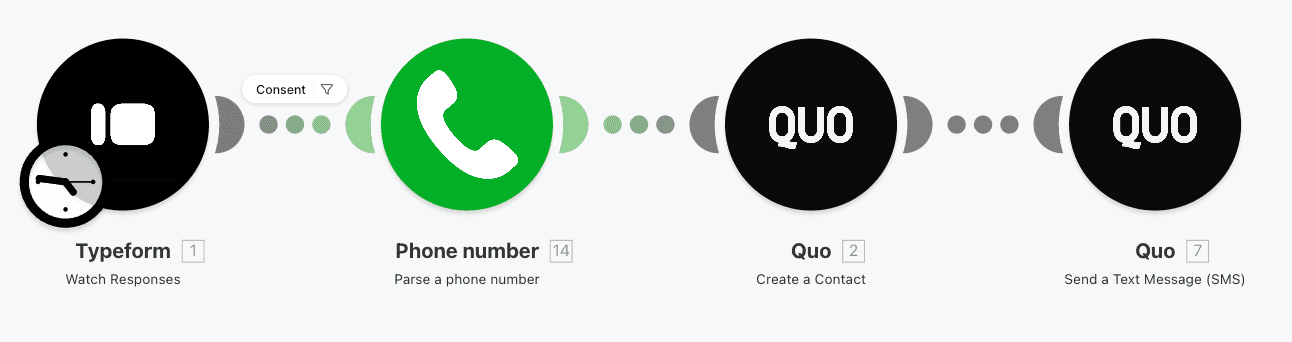
How it works:
Trigger: New submission in Google Forms, Typeform, Airtable, or Jotform
Action: Create a contact in Quo
Filter: Only continue if consented to receive text messages on the form
Action: Send text message
Get scenario template for the first touch message
2. Appointment confirmation for new job bookings
If your customer books a service directly on your website, you can send an appointment confirmation to them instantly.
Simply connect your field service management platform with Quo in Make. Fire off your confirmation texts right after a customer books a job with you.
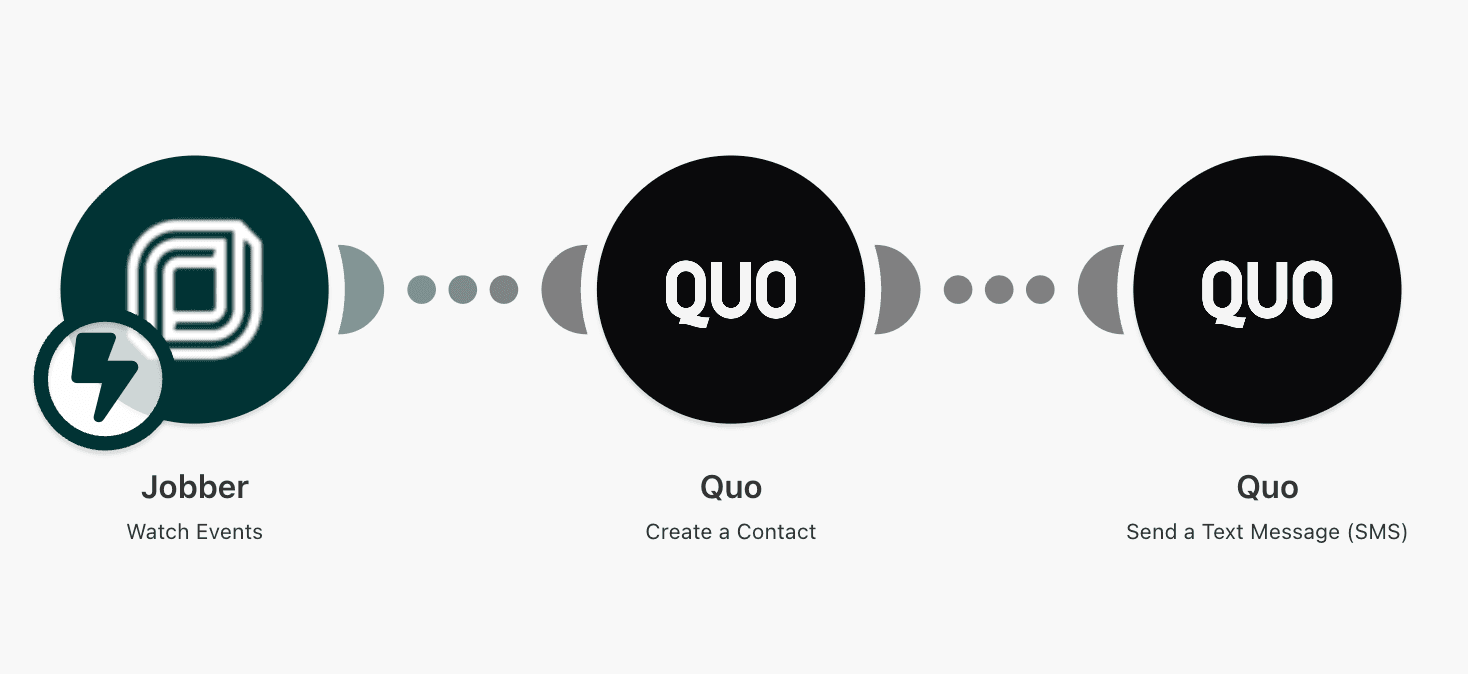
How it works:
Trigger: New job created in Jobber
Action: Create a contact in Quo
Action: Send a text message
Get scenario template for the appointment confirmation
3. Follow up with an inactive lead
Some leads are eager to get on the phone right away. Other leads need a few reminders to get there. This workflow automatically sends follow-up messages if your leads haven’t booked a call with your team.
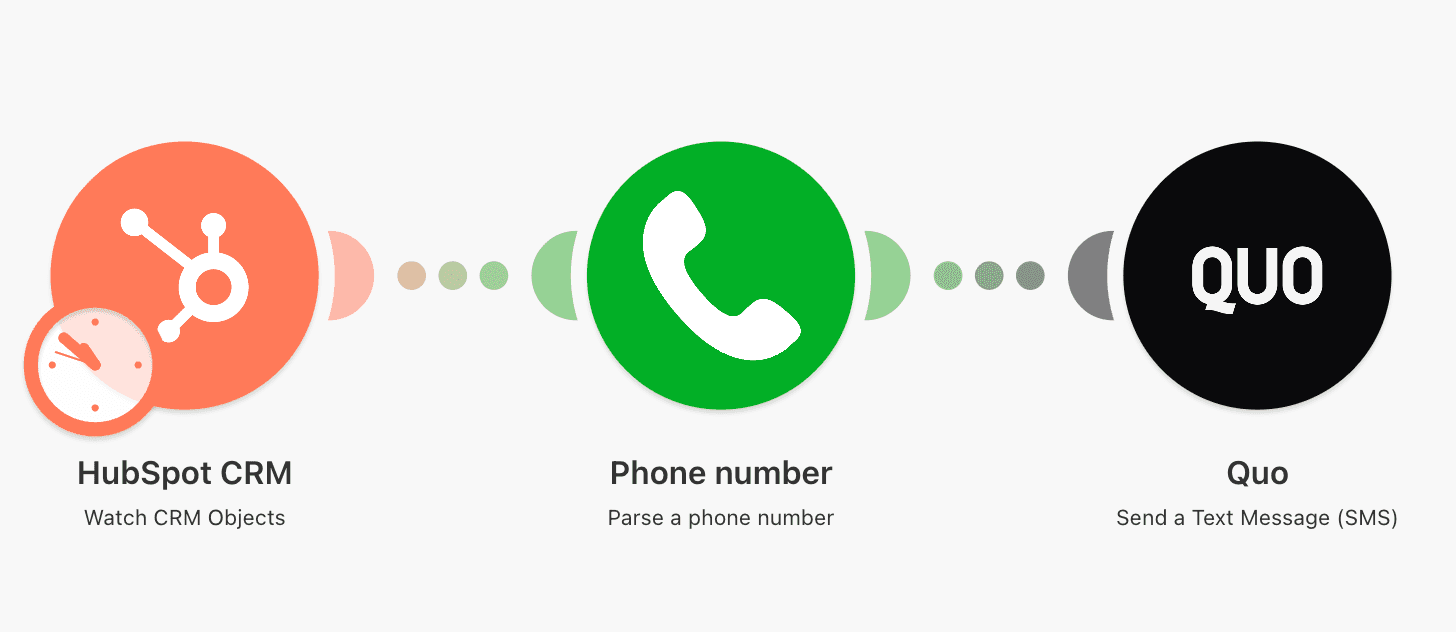
How it works:
Trigger: Schedule (daily at 9 a.m.)
Action: Pull leads from HubSpot CRM where the last activity is older than X days
Filter: Only continue if the lead has a phone number and hasn't already received a follow-up
Action: Send follow-up SMS via Quo
Get scenario template for the inactive lead follow-up
4. Review requests
Every home service business owner knows how important reviews are for generating new business. According to BrightLocal, 42% of consumers read online reviews when they’re browsing for local businesses.
Reviews are easiest to get right after a job is complete. Customers can speak specifically to your quality of service and their overall experience.
This workflow sends an automatic review request as soon as a job closes, so you're reaching out at exactly the right moment.
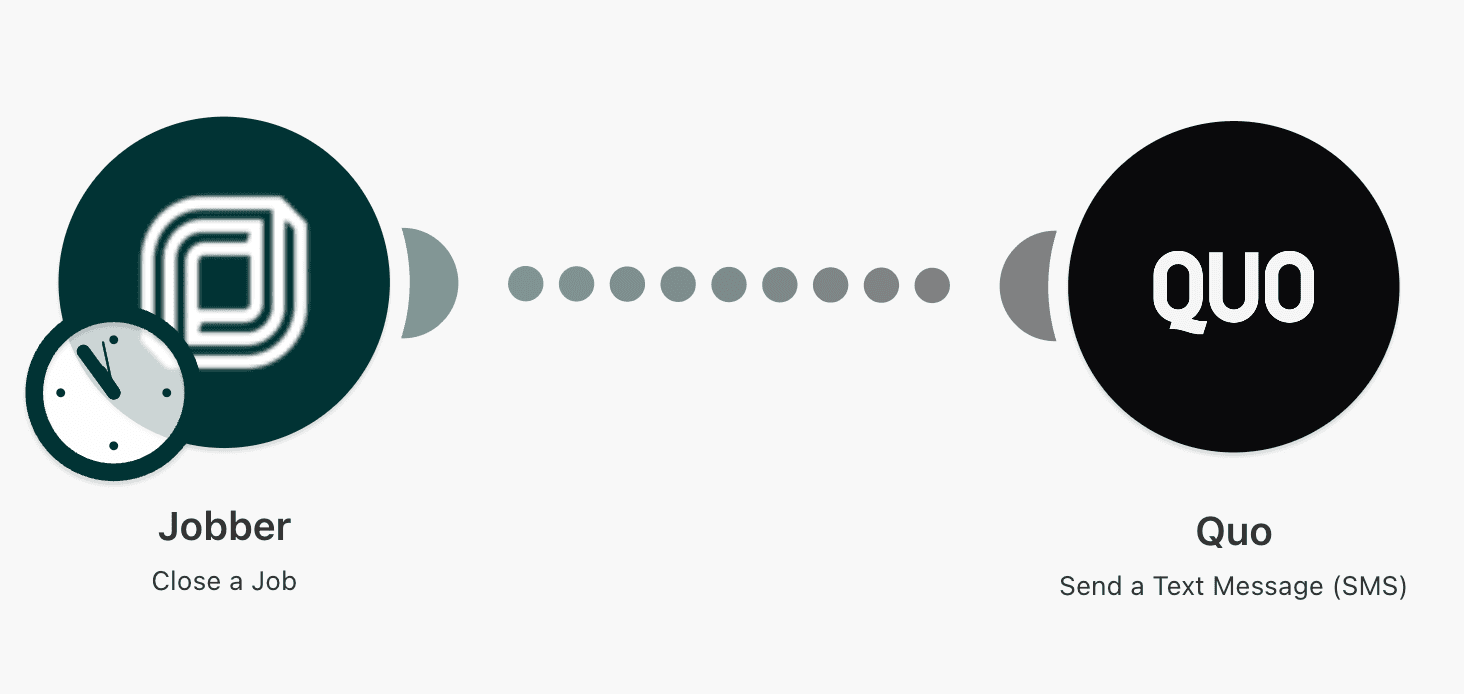
How it works:
Trigger: Job closed or completed in Jobber or Housecall Pro
Action: Send text message: “Thanks for booking your service, want to take two minutes to share how it went?”
Get scenario template for the review requests
5. Positive customer review follow-up
Turn your satisfied customers into public champions. Follow up with people who have enjoyed your service and ask them to leave a public review on your Google My Business page.
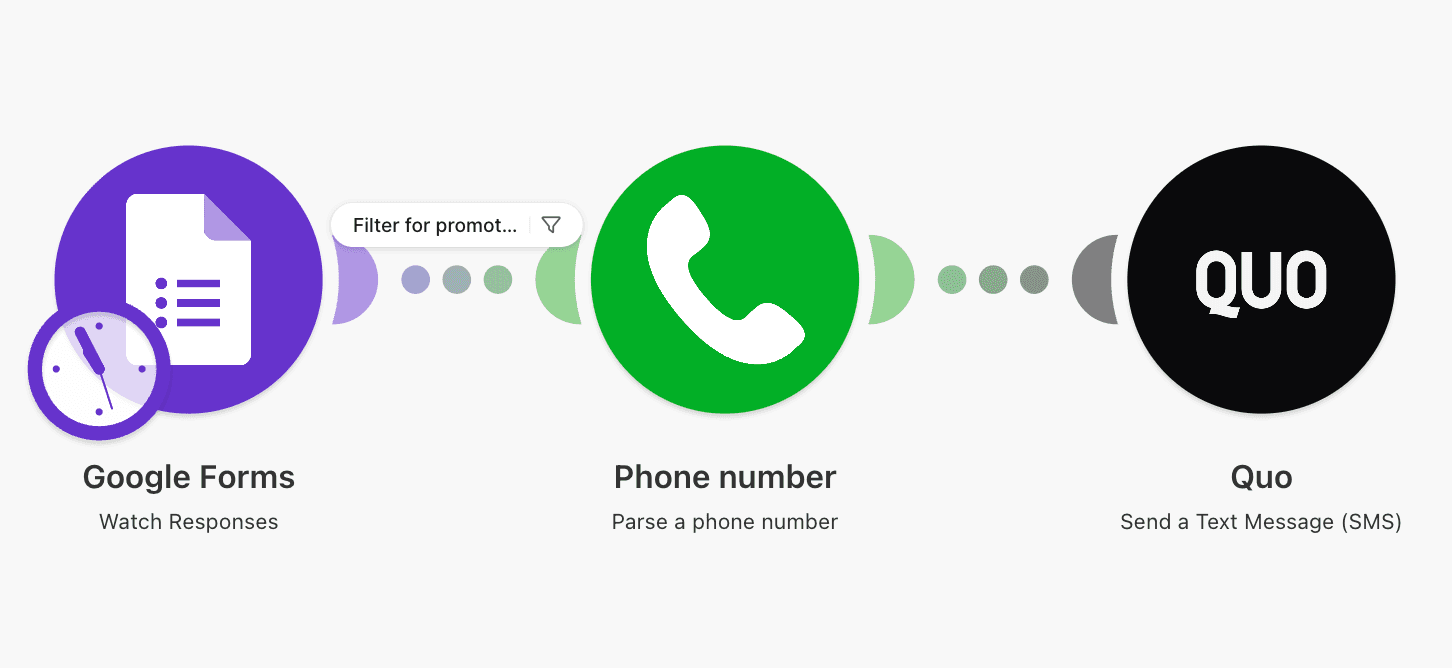
How it works:
Trigger: New submission in Google Forms for an NPS question like “How likely are you to recommend [Company/Product/Service] to a friend or colleague?”
Filter: Filter for high scores (9-10).
Promoter path: Automated Quo message that responds to the customer with a link to your Google My Business page. Ex: “Hi [First name], thanks for choosing [Business name]! Glad we could help. If you have 30 seconds, would you mind leaving us a Google review? It makes a huge difference for us: [link]
Get scenario template for the positive customer review follow-up
6. Negative customer review follow-up
Reviews are not always only about praise. But the negative ones are priceless, too. It’s an opportunity to understand what went wrong and how you can fix it for your current and future customers.

How it works:
Trigger: New submission in Google Forms for an NPS question like “How likely are you to recommend [Company/Product/Service] to a friend or colleague?”
Filter: Filter out low scores and detractors (0-6).
Detractor path: Automated Quo message that responds to the customer with a booking link.
Get scenario template for the negative customer review follow-up
7. Seasonal service promotions
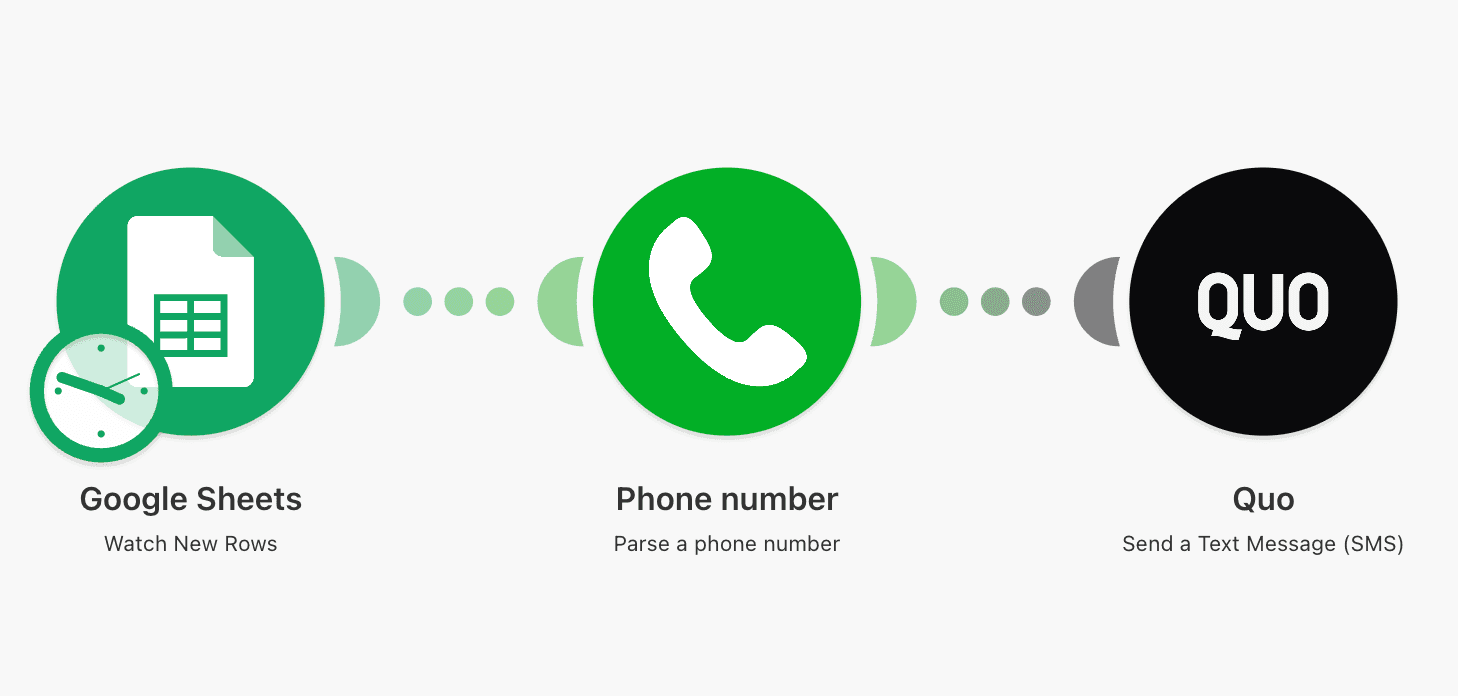
Send unique seasonal promotion texts to multiple contacts at once, like spring cleaning or summer lawn care – with Google Sheets, Make, and Quo. Seasonal promos are an organic way of reactivating past customers and staying top of mind for them.
How it works:
Trigger: New row in Google Sheet
Filter: Only continue if SMS consent is provided
Action: Send text message with Quo
Get scenario template for the seasonal service promotions
8. Customer reactivation outreach
Another way you can reactivate past customers is through automated outreach. With your CRM, Make, and Quo, you can reach out to past customers who might need your services again.

How it works:
Trigger: CRM module (Jobber, HubSpot, etc.) "Watch Events" filtered to stage updates, or a scheduled scenario that queries for customers whose last completed job was 90+ days ago
Filter: Only continue if the customer has consented to receive text messages
Action: Send Quo message: "Hi [First Name], it's been a few months since your last [Service Type] – want to get back on the schedule? Reply here or call us at [Number].”
Get scenario template for the customer reactivation outreach
How to approach your automation workflows
It’s tempting to try automating all your business operations overnight. But it’s more like a marathon, not a sprint. Here are a few automation best practices to keep in mind:
1. Start small: Pick one or two automations that'll have the most impact on your business. Start there and test the results before you implement the next one.
2. Personalize where you can: Add touches of personalization for your customers and your brand. That way, you can elevate automated messages and make them memorable every time.
3. Always collect SMS consent: Texting your customers is subject to strict regulations in many countries. Always make sure you collect consent to send texts in your website forms, phone calls, and marketing materials.
4. Review your automations monthly: Seasonal promotions expire, team members may leave, and review links change. Block 15 minutes once a month to check that your scenarios are still running and the message content is still accurate. To check for possible errors and which scenarios the errors affect, use the Make Grid visual map of all your active automations.
Ready to make the automation revolution happen?