Apr 28, 2026 | 10 minutes
AI agent vs chatbot: what is the difference?
Find out what separates an AI agent from a chatbot, when each one fits, and how to make the right call.
You have just sat through a vendor demo where the product was pitched as "not just a chatbot, it's an AI agent." Now you have to defend a budget decision to your VP without a clear answer.
The distinction is real and the cost of getting it wrong is real.
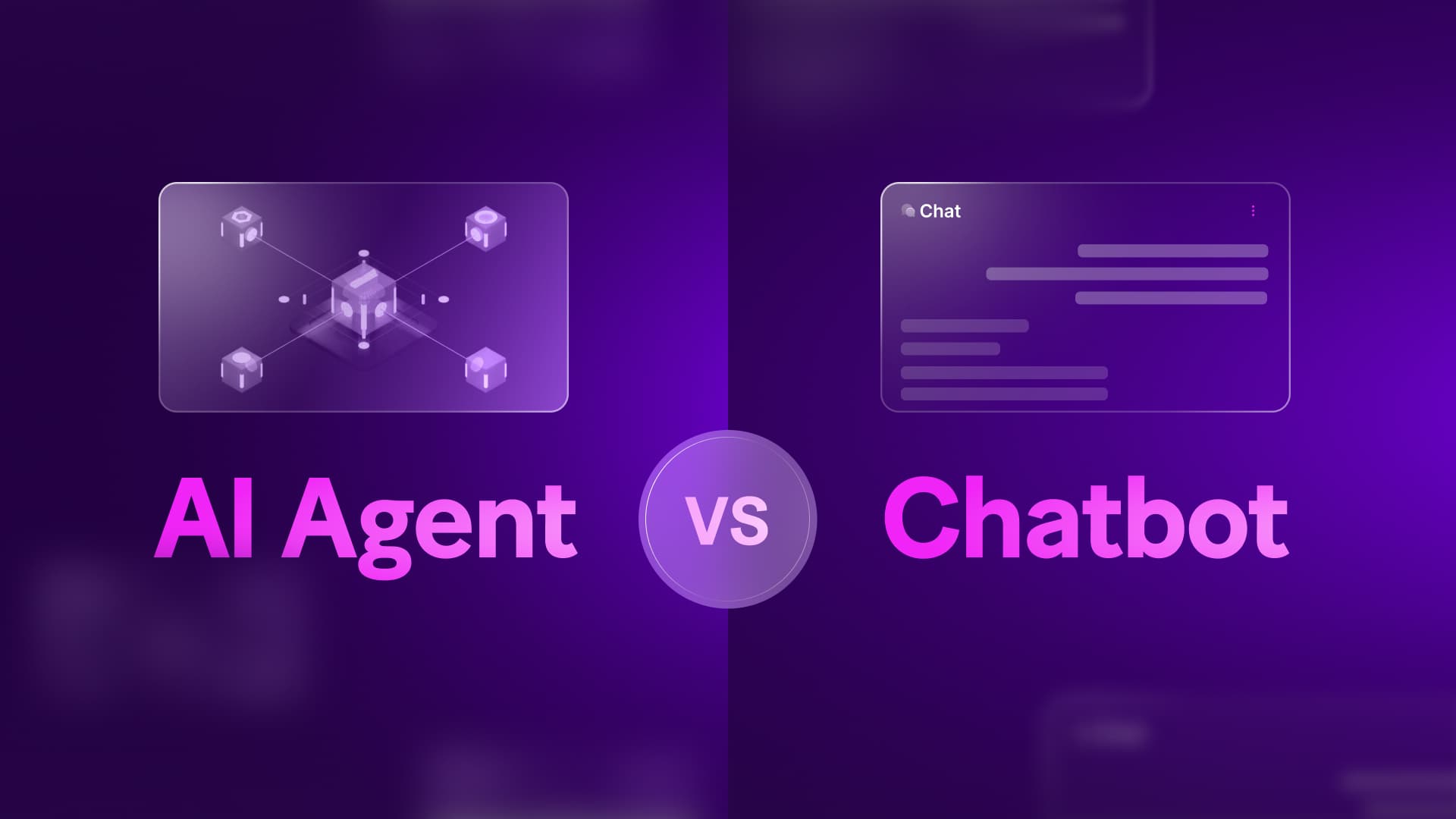
An AI agent differs from a chatbot primarily in its capacity for autonomous action. A chatbot provides information and answers questions within a defined scope.
An AI agent perceives inputs, reasons about goals, selects tools, and executes multi-step actions across external systems.
Chatbots are great at information delivery. Agents are designed for task completion and operational outcomes.
What is a chatbot?
Functionally, a chatbot is a conversational interface that responds to user inputs within a defined scope. It receives a query, matches it against its training or rules, and provides an output. It does not initiate actions in external systems based on its own reasoning.
Chatbots operate on a spectrum of language capability. Early chatbots relied on rigid decision trees, while modern versions use natural language processing to understand variations in phrasing.
Today, you can create AI chatbots powered by highly capable models like GPT-5.5 or Claude Opus 4.7, allowing them to handle open-ended conversations naturally.
However, a common misconception is that connecting ChatGPT to a chat widget creates an AI agent. The model determines how well the system understands language, but it does not change the underlying architecture.
A chatbot can possess a sophisticated grasp of context, but if its only capability is returning text to the user, it remains a chatbot. It answers questions; it does not complete work.
What chatbots do well
A chatbot works best when the interaction ends with information delivery. It can answer product questions, explain policies, summarize documentation, or direct a user to the right resource.
Chatbots work well in high-volume, low-ambiguity environments. Support teams use them to deflect repetitive questions. Internal teams use them to surface policy answers from documentation. Sales teams use them to qualify early inquiries before routing them to a person.
Where chatbots stop
The limit is not intelligence alone. The limit is agency. Even a strong AI chatbot stays a chatbot if it cannot decide which systems to use, retrieve live operational context, and take action safely.
If a user asks, "Where is my order?" a chatbot can explain shipping policies or point to a tracking page. If the user asks, "My address is wrong, update the shipment and notify the carrier," the system needs access, decision logic, and execution. That crosses into agent territory.
What is an AI agent?
An AI agent perceives input, reasons about how to achieve a specific goal, selects tools, and takes action to produce an outcome. It operates across multiple steps, rather than just returning a single response.
For a deeper look at the underlying mechanics, understanding AI agents requires looking at how they interact with external systems.
To understand where agents fit, it helps to view them through Make's automation spectrum:
Deterministic automation: Rule-based, predictable operation (if X happens, do Y).
AI-powered automation: Incorporating AI for content generation or data extraction within a fixed scenario.
Agentic automation: The system determines the necessary steps, handles fuzzy logic, and adapts to variable inputs to reach a goal.
AI agents are not just smarter chatbots. The difference is structural. When an agent receives a prompt, it does not just formulate an answer. It evaluates the request, decides if it needs more information, uses tools to query databases or APIs, and then executes actions across those systems.
Another frequent misconception is that AI agents replace traditional automation. In practice, traditional automation vs AI agents is a false binary. Agents act as a decision layer on top of your existing deterministic automation, applying judgment where rules are too rigid.
An AI agent definition in operational terms
A practical AI agent definition starts with outcomes, not model size. If the system can inspect context, choose from available tools, carry state across several modules, and complete a goal without a human deciding each next step, you are looking at agent behavior.
The phrase intelligent agent creates confusion because many vendors use it loosely to describe anything that sounds conversational. In operations, the standard is stricter: an agent must do more than talk. It must reason toward an outcome and act within guardrails.
Why this matters for technical teams
For a technically minded buyer, the difference changes implementation risk. A chatbot project usually centers on knowledge quality, retrieval design, and response quality. An agent project adds permissions, error handling, rollback logic, auditability, and approval design.
That means the evaluation criteria change as well. A strong demo response is not enough. You need to know which tools the agent can access, how it chooses among them, what it logs, and how you intervene when the context is incomplete.
Key differences: A practical comparison
The decision between a chatbot and an AI agent hinges on scope of action, integration depth, and decision-making autonomy.
A chatbot operates in a single-turn dynamic: the user asks a question, and the bot provides an answer. Its integration with external systems is generally read-only, pulling from a knowledge base to inform its response. Because its decision-making is scripted or bounded strictly by its training data, setup is relatively straightforward. You define the knowledge source, set the tone, and deploy. If it fails, it usually does so gracefully by apologizing and offering to transfer the user to a human.
An AI agent pursues multi-step goals. Its integrations are read, write, and execute. It decides dynamically which tools to use based on the context of the interaction. Because it has this autonomy, setup requires defining explicit guardrails, mapping out tool access, and testing how the agent handles edge cases. Monitoring is critical because the failure modes are active: an agent might update the wrong field in your CRM or send an email prematurely if its context is incomplete.
The fastest way to tell them apart
Ask one question: does the system only respond, or does it also act?
If it responds with text based on what it knows, it is a chatbot. If it can inspect current state, choose tools, and carry out changes in connected systems, it behaves as an agent. That framing cuts through most marketing language around AI agent vs chatbot.
Failure modes differ
A chatbot usually fails by not knowing enough. It gives a vague answer, misinterprets intent, or cannot find the right document.
An agent fails differently. It may have enough context to act, but not enough certainty to act correctly. That is why approval checkpoints, observability, and narrow tool permissions matter more in agent design than in standard conversational AI projects.
When to use a chatbot
A chatbot is the right choice when the questions are predictable, the answers are informational, and no action needs to be taken in another system. If consistency matters more than adaptability, a chatbot is sufficient.
For example, a support widget that answers FAQs about your SaaS product's pricing tiers or points users to onboarding documentation is a perfect chatbot use case. It reduces the volume of basic inquiries hitting your team.
The failure mode of a chatbot occurs when a user asks a question outside its training, or when they need account-specific action. If a user asks "Can you upgrade my account to the enterprise tier?", a chatbot can only provide a link to the billing page or route the ticket to a human.
Typical chatbot applications
Common chatbot applications include:
answering product and pricing questions,
guiding users to help center content,
collecting lead qualification details,
surfacing internal policy answers, and
handling first-line FAQ coverage in AI customer service.
These are strong use cases because they keep the system inside a bounded domain. The bot does not need to reconcile conflicting data, modify records, or choose among several operational paths.
A good fit for conversational AI
If your goal is fast access to information, conversational AI can carry significant value without the overhead of agent architecture. You still need retrieval quality, prompt discipline, and guardrails for hallucinations, but you do not need execution logic across multiple systems.
This is often the right first step for teams that have scattered documentation. Before adding action-taking logic, it helps to centralize and test the information layer.
When to use an AI agent
An AI agent is necessary when a task requires judgment across variable inputs, and the outcome requires executing actions in one or more systems. When a process has too many branches to script manually, or the scale means a human cannot review every case, you need an agent. Before starting, it is helpful to outline an automation strategy guide to identify exactly where human judgment is slowing down operations.
Consider how Kai built a customer service solution to handle complex queries.
In this AI agent case study, the system authenticates the user via one-time password, retrieves account data from Airtable, determines the appropriate resolution, and logs the entire interaction.
It does not just explain how to resolve an issue; it does the work across multiple connected systems without human intervention.
Evaluating when to use AI agents comes down to identifying handoffs. If your current process requires a person to read an input, open a second application, look up a record, and then act in a third application, an agent can manage that sequence.
Signs your process is agent-ready
You likely need an agent when:
the input quality varies widely,
the process includes judgment calls that people make repeatedly,
the task crosses several systems,
the cost of delay is high, and
the outcome requires action, not just explanation.
A useful test is to look for "tab switching labor." If someone spends the day moving between Slack, a CRM, a ticketing system, and a database to decide the next action, there is a strong case for an agent.
Where intelligent agents create leverage
The strongest use cases for intelligent agents sit at the boundary between rigid rules and full human review. Claims triage, account exception handling, ticket enrichment, and lead follow-up all fit this pattern.
The inputs vary, the systems are fragmented, and the decision path changes case by case. In those cases, an agent does not replace every rule. It uses deterministic modules where the logic is fixed, and applies reasoning only where variability enters the process.
The blended reality: agents that include chatbot interfaces
Much of the confusion in vendor demonstrations comes from the fact that many AI agents have a chatbot front-end. The conversational interface, however, is not what makes the system an agent.
What makes it an agent is what happens behind the chat window. A user might interact with what looks like a standard Slack bot or web widget. But if that system takes their request, reasons about the required steps, queries a database, updates a ticket, and then replies with a confirmation of the completed task, it is an agent operating behind a conversational UI.
Why the interface confuses buyers
In practice, buyers often evaluate the part they can see. They judge the conversation quality, the brand tone, and how naturally the system responds. Those things matter, but they do not answer the core question in the difference AI agent chatbot debate.
The critical layer sits behind the interface. You need to inspect the tool graph, the permissions, the fallback behavior, and the audit trail. Two products can look identical in a demo and behave very differently in production.
Front-end conversation, back-end execution
A useful mental model is this: the chatbot is the interface, the agent is the operator. One manages the dialogue. The other decides whether a tool call, a database lookup, or a write operation must happen next.
That model also clarifies architecture decisions. You can keep a conversational front-end for familiarity while changing the back-end from answer generation to action orchestration.
How to build and deploy AI agents with Make
The biggest challenge in agent deployment is visibility. Without observable reasoning, debugging failures becomes guesswork. Make AI Agents are built directly inside the Scenario Builder, so every decision the agent makes is inspectable as it happens. The Reasoning Panel shows which tools the agent considered, what context it inferred, and why it acted. If something goes wrong, you can audit the logic immediately.
Build AI agents on Make either by building your own from scratch or using one of our proven templates from the agent library.
Make AI Agents use Make scenarios as tools, giving you access to Make's 3,000+ integration library without custom developer work.
You can combine deterministic automation for predictable steps with an agent layer for judgment-heavy tasks in the same scenario. For instance, you could automate feedback processing by having deterministic routing capture the form, and an AI agent analyze the sentiment and draft the targeted follow-up in your CRM. For consequential actions, use Make's Human in the Loop modules to require manual approval before the agent finalises anything.
| Chatbot | AI agent |
Primary function | Provide information and answer questions | Execute tasks and achieve goals |
System access | Read-only (knowledge bases, FAQs) | Read, write, and execute across multiple apps |
Decision logic | Scripted or direct prompt-response | Multi-step reasoning and dynamic tool selection |
Scope of action | Single conversational turn | Continuous operation until goal is met |
Setup focus | Document ingestion and tone training | Tool configuration and system guardrails |
Failure mode | Does not know enough | Knows enough but acts incorrectly |
Next Steps
The decision between an AI agent and a chatbot is not about which technology is newer. It is about identifying where judgment slows down your operations.
If your process ends with giving a customer information, deploy a chatbot. If your process requires a system to evaluate input and take action across multiple tools, build an agent.
Look at your highest-friction manual handoff. Find the exact moment a team member has to read data in one tab and act in another, then map your first scenario in Make to see how visual reasoning handles the logic.
The core difference between an AI agent and a chatbot is that an agent can reason, select tools, and execute multi-step actions to complete a goal, while a chatbot returns information and stops there.
FAQs
How should I start building an AI agent vs chatbot scenario in Make?
Start by defining the exact handoff where an answer is no longer enough and an action must happen. In Make, that usually means a scenario with deterministic intake modules first, then Make AI Agents at the decision point, so you can test reasoning separately from system updates.
What breaks most often when moving from a chatbot to an agent build?
The most common failures come from incomplete data, mismatched field formats, or overly broad tool access. In Make, inspect the bundles that reach each module, tighten permissions on the tools available to the agent, and use Human in the Loop approval before any irreversible operation.
Does a chatbot become an AI agent as soon as I connect it to GPT or Claude?
No. A stronger model improves language understanding, but it does not change the system architecture by itself. The system becomes agentic only when it can choose tools, reason across multiple steps, and complete work beyond returning text.
How do I evaluate whether Make can handle more than a demo-grade AI agent?
Look at observability and control, not just response quality. Make gives you a visual canvas, scenario-level logic, and the Reasoning Panel, so you can inspect why the agent chose a path, which tools it considered, and where the operation failed.
How do I scale an initial agent build across more systems and higher volume?
Keep the agent focused on judgment-heavy decisions, and let deterministic scenarios handle validation, routing, logging, and post-action updates. As volume grows, break larger processes into modular scenarios, then use Make Grid to see how those connected systems and decisions interact.
Where is AI agent vs chatbot architecture heading over the next 12 to 18 months?
Teams will keep the chatbot interface for accessibility, but they will put more emphasis on controlled back-end execution, auditability, and cross-system orchestration. In practice, that means designing scenarios where Make AI Agents handle variable judgment, while deterministic modules enforce policy, approvals, and compliance boundaries.
Ready to make the automation revolution happen?