Agent workflow memory: 2026 guide to AI agents that remember
Discover how agent workflow memory enables AI agents to retain context across sessions. Learn architecture patterns and implementation strategies for 2026.
A customer submits a follow-up support ticket about an ongoing technical issue. The triage agent receives it, treats it as a brand-new case, and asks for their account ID and system logs, information they already submitted yesterday.
The operator spots the duplicate, steps in, and immediately sees what happened. The agent had no memory of the prior exchange.
That's the core problem when working with agent workflow memory.
From the customer's perspective, the automation is just as frustrating as the old manual inbox. From the operator's perspective, the agent did exactly what it was built to do: start fresh every time.
What is agent workflow memory?
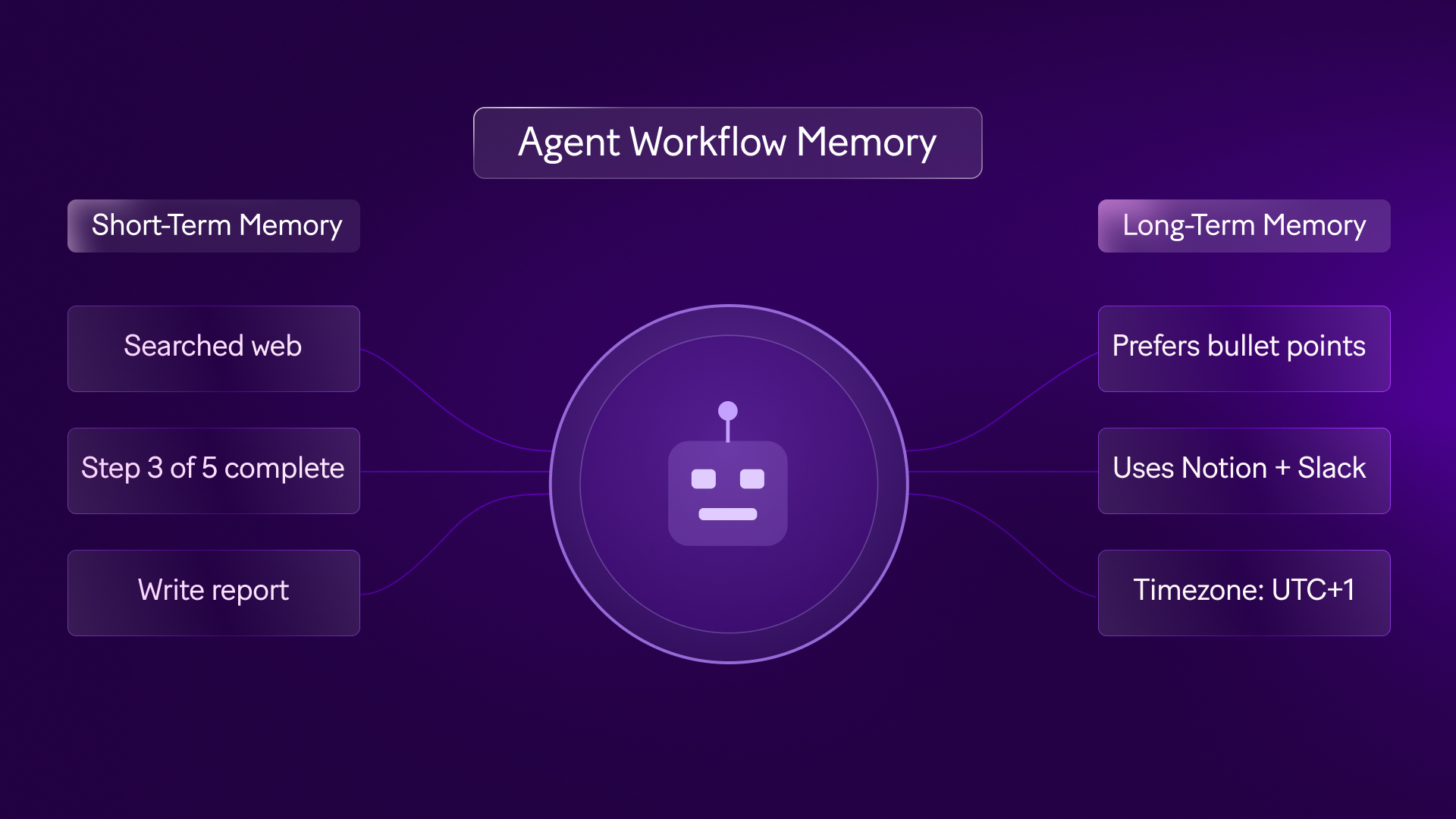
Agent workflow memory is how an AI agent accesses and retains context across triggers, sessions, and steps so each action can be informed by what came before.
Without systemised memory frameworks, these agents run statelessly and you end up wasting a lot of tokens and you’re likely to hit your usage limits more quickly in many of the AI tools that are currently available
They process an input, return an output, and immediately forget the exchange ever happened.
When building automation vs AI agents, you'll encounter three types of memory architectures. Each one handles context differently:
- In-context memory: This is everything the agent can "see" during a single session — the conversation history, the current input, and any instructions you've included in the prompt. It's temporary. Once the operation ends, it's gone.
- External memory: This is structured data you write to a database, CRM, or data store at the end of one run, then retrieve at the start of the next. This is persistent memory that stays active across days, sessions, and triggers.
- Procedural memory: This is the logic and reasoning patterns encoded directly into the agent's instructions or fine-tuned into the model itself. It shapes how the agent thinks, but it's slow to update and not suited for storing live customer state.
You may also see references to episodic memory, which refers to logs of past events.
While useful for auditing, operational scenarios depend heavily on external memory, writing and reading state reliably so the agent never starts from zero.
In Make, agents run inside scenarios. The scenario is the workflow that handles triggers, lookups, routing, and writes.
The agent is the AI module that makes decisions based on the context the scenario provides.
When we talk about agent workflow memory, we're talking about how the scenario retrieves and stores context so the agent can act on it.
Why memory fails in production
Memory failure means the agent makes a decision without access to context it should have had, leading to redundant questions, incorrect routing, or actions that ignore prior history.
Memory failures rarely start with the model. They come from missing identifiers, weak lookup logic, or state written in a format that later modules can't parse.
Teams often assume that AI memory for agents means the model will recall prior exchanges on its own but the real need is a reliable mechanism for retrieving the right context at the right time.
In practice, memory breaks in one of three ways:
- The scenario can't find the prior record
- The prior record is stale, or the retrieved state is too verbose to support a clean decision.
- Each failure mode looks different in production.
But they all produce the same outcome: the agent behaves inconsistently.
What's the difference between memory architecture and model capability?
Memory architecture is the system you build to store and retrieve context across operations. Model capability is how effectively the AI reasons over the context you provide. They're separate concerns.
Teams often treat memory as a model selection issue. It isn't. A better model can reason more effectively over the context you give it but it can't recover context you failed to persist in the first place.
That's why workflow memory systems should be evaluated as data architecture, not prompt engineering.
If your record structure is unreliable, your agent will produce context-aware mistakes at best, and context-blind mistakes at worst.
How do you use agent workflow memory in your business?
Setting up agent workflow memory means deciding where context needs to be remembered across sessions, then building the logic to write it at the end of one run and retrieve it at the start of the next.
Where you need context to be remembered depends entirely on the process. A single-step summarization task doesn't need external memory. A multi-day customer onboarding flow does.
Take an onboarding agent that handles initial intake, sends a confirmation, monitors for missing documents, and follows up over five business days.
In-context memory works fine for the first session where the agent receives the intake form, evaluates it, and generates a welcome email.
But when the client replies on day three with a required document, the scenario triggers again.
Without external memory, the agent doesn't know which document was missing or who the client even is.
To close that gap, write structured state to a data store at the end of the initial run, and configure the scenario to retrieve it at the start of the next.
The same pattern applies everywhere: a sales qualification agent needs to know whether a lead was touched this quarter; a triage agent needs prior ticket history.
Where it gets complicated is deciding what to store versus what creates noise. Storing entire email threads degrades performance.
Storing a structured JSON object with the lead status, last contact date, and missing fields gives the agent exactly what it needs.
You'll also need to account for stale data. If you don't design a time-to-live (TTL) condition, the agent may retrieve and act on outdated state.
When you build your automation strategy, treat state invalidation as a first-class engineering requirement.
What should you store in external memory?
External memory is any persistent data store outside the agent itself. This could be a database, CRM, or data store module where you write structured state at the end of one scenario run and retrieve it at the start of the next.
Unlike in-context memory (which only exists inside a single session), external memory survives across triggers, days, and even weeks.
The best memory payloads are compact, typed, and tied to a business key. Store the customer ID, the active case ID, the current state, the last meaningful event, and the minimum context needed for the next decision.
If a field value can do the job, don't store prose.
This is where real-time memory optimization goes from theoretical to practical.
You improve retrieval quality by reducing ambiguity, naming fields consistently, versioning schema changes, and deciding which values the AI module can trust without revalidation.
What does a practical memory record design look like?
A memory record is the structured data object you store after each automation is run. It's the bundle of fields the agent will retrieve next time it needs context about this customer, case, or process.
For support, a useful memory object might include ticket status, prior sentiment classification, last resolution attempt, required attachments, and escalation owner.
For onboarding: contract status, missing compliance documents, region, and last contact timestamp.
These fields support later decisions without forcing the model to parse a full interaction history every time.
That record should also include update ownership. If two scenarios can write to the same customer state, define which scenario owns which fields. Without that rule, memory becomes a contested surface, and state collisions become far more likely.
What are the benefits of agent workflow memory?
The core benefit of agent workflow memory is consistency: agents behave reliably across time, across sessions, and across the people who interact with them.
When memory works, customers don't repeat themselves. Handoffs from agent to human carry the right context, so operators don't start from zero. And when decisions go wrong, you can audit exactly what the agent knew at any point.
These aren't just efficiency gains, they're the difference between an agent that builds trust and one that erodes it after the third inconsistent interaction.
- Contextual continuity: Customers interact with an agent that already knows their history.
- Auditable decision-making: Operators can inspect the exact variables that influenced each decision.
- Efficient handoffs: Human escalations include structured summaries of every prior agent step.
- Reduced redundant work: Scenarios don't repeat what they already completed in a previous run.
Adding memory doesn't make an agent more intelligent.
It makes it more consistent. An agent with well-designed memory and a weak reasoning model will still produce poor outputs, but they'll be contextually informed poor outputs.
Where does agent workflow memory deliver value first?
Business value shows up first in reduced friction: fewer duplicate requests, fewer manual escalations, and less time reconstructing history.
That's why efficient agent support systems depend less on polished language generation and more on reliable state recall.
The second gain is in oversight. When a decision goes wrong, your team can trace it back to the exact bundle the scenario retrieved.
That level of observability matters when you need to explain why an agent escalated, approved, or deferred a case.
The second gain appears in oversight. Teams can review a failed decision and trace it back to the exact bundle the scenario retrieved.
That level of observability is key when you need to explain why an agent escalated, approved, or deferred a case.
How is agent workflow memory used in practice?
Teams using persistent agent memory today need to rely on specific design patterns to handle state across many often disconnected tools.
For example, customer-facing support agents often use CRM lookups as their primary memory mechanism. When an email arrives, the scenario queries Salesforce, extracts the recent case history, and passes that structured data to the model.
Similarly, internal IT agents often maintain ticket state across working days. If an employee requests software access, the agent logs the request, pings a manager for approval, and goes dormant.
When the manager clicks approve, a webhook triggers a new operation that retrieves the initial request details and provisions the account.
While these patterns are stable, others are still maturing:
- Retrieval-augmented generation (RAG): Using RAG as a memory mechanism works for static knowledge, but requires strict indexing and freshness management when applied to fast-changing customer state.
- Multi-agent memory sharing: Passing context between completely independent agents within the same ecosystem is an active architectural challenge.
- State collisions: If two events trigger the same workflow simultaneously, writing back to the data store can cause race conditions where one update overwrites the other.
To see how these concepts fit into broader operations, review the Make Blog for technical deep dives, or examine scalable web workflows to understand how data retrieval shapes logic.
What are common architectural patterns for agent workflow memory?
An architectural pattern is a reusable design for how scenarios handle memory across steps.
These patterns define when the scenario reads state, passes it to an agent, and writes the agent's decision back to storage.
A common pattern is lookup-classify-write. The scenario receives an event, retrieves current state, passes it to an AI module (the agent) to classify intent or risk, and writes the updated state back to storage.
This pattern works well for support, lead qualification, and procurement intake and anywhere the agent's decision depends on prior state.
Another pattern is wait-resume-complete. The first operation creates state and pauses until a later signal arrives, an approval, payment, or document upload.
When that signal triggers the scenario again, it retrieves the prior record and passes it to the agent to complete the next action with full continuity.
What risks do teams underestimate with agent workflow memory?
The biggest risk isn't missing memory altogether, it's partial memory that appears reliable until an edge case surfaces.
An agent that has access to ticket status but not product tier may route enterprise customers into the wrong support queue.
An agent that sees a contact date but not opt-out status can create a compliance issue. Teams also underestimate retention policy.
Persistent memory creates operational value, but it also creates governance responsibilities.
You need explicit rules for expiry, deletion, and rehydration especially if the agent depends on regulated customer data.
How to use agent workflow memory in Make
Make is the visual automation platform where you build the scenarios that handle agent workflow memory. It's where you connect data stores, route context between modules, and design the logic that determines what gets saved and when.
The Scenario Builder shows you exactly where context is captured, passed, and written — or lost. You can see your memory architecture directly, rather than inferring it from hidden field mappings.
When you build AI agents in Make, you can use built-in data store modules to handle external memory without a separate database integration.
A scenario starts with a data store read, passes the retrieved bundle to an AI module, and ends with a data store write that updates the record.
Because the Scenario Builder displays the output of every module, you can inspect the exact context your agent received. If the retrieved context is incomplete, you'll see it in the operation history before the AI processes it.
Make also supports multi-model AI orchestration within a single scenario. One module can use a fast, cost-effective model to classify intent, while a subsequent module uses a more capable model to generate a response.
Both models have access to the exact same retrieved context, passed between modules on the visual canvas.
- Visual state management: Insert data store reads and writes into existing scenarios without rebuilding the logic.
- Granular error handling: Design failure routes to ensure corrupted state isn't written back to the memory store if an API fails.
- Multi-model access: Share retrieved context across different AI providers within the same canvas.
- Observable payloads: Audit the exact bundles passed into the prompt.
If you're managing complex environments, use Make Grid to map how different scenarios and agents interact with your shared data stores.
Whether you use memory to automate feedback processing or to orchestrate AI chatbots that retain user preferences, visibility into the data flow is mandatory.
You can even extend this logic when you build client portal backend operations that rely on historical user actions.
What does a reference build look like in Make?
A reference build is a proven scenario structure you can adapt for your own use case. It's a starting template that shows where each type of module belongs and how they pass data between steps.
A robust pattern in Make starts with a trigger module, followed by a lookup against a data store or source system keyed to the customer or case. The next module normalizes the retrieved bundle so downstream AI modules receive a stable structure.
After the AI module makes its decision, routers and filters branch the scenario based on that decision — and the final write module updates state with the new outcome, timestamp, and next expected action.
That structure makes debugging meaningfully better than opaque automation workflow software. You can inspect each module output, confirm whether the lookup succeeded, and isolate whether the failure came from retrieval, mapping, model output, or write-back logic.
For teams evaluating intelligent agent processing in production, that transparency matters more than polished demos.
How do you design for failure and recovery in memory workflows?
A recovery path is the logic you build to handle cases where memory lookup fails, either because the record doesn't exist, it's corrupted, or the lookup itself errors out.
If the lookup returns no record, decide whether the scenario should initialize state, defer the case, or escalate to a human.
If a run fails after the agent has already made a decision and sent a response, route the bundle into an error-handling path so you can reconcile the state before the next trigger arrives.
This is where Make's module-level control becomes useful. You can place validation before the AI module, conditionally branch on missing fields, and prevent invalid records from poisoning later operations.
In other words, you're not just building agent workflow memory in Make, you're governing it at the point where memory can fail.
Next steps
The gap between an AI agent that works once and one that works reliably across weeks of real customer interactions is almost always a memory architecture decision. Agent workflow memory shifts your operations from stateless, amnesic executions to designed, persistent systems that compound in value over time.
Start with the scenario that's failing right now.
Find the exact handoff where your agent loses context it should have retained, that's your first memory design target. Open that scenario in Make, add a data store read before your AI module, and run it.
You'll immediately see whether the agent's decision changes when it has access to prior state.
Ready to build agents that remember?
Sign up for Make and use the built-in data store modules to add persistent memory to your first scenario. No separate database required, just drag, connect, and deploy.
FAQs
1. How do you start implementing agent workflow memory in Make without overcomplicating the first scenario?
Start with one persistent state object tied to a stable identifier such as a case ID or customer ID. In Make, place a data store read near the start of the scenario and a data store write at the end, then inspect the retrieved bundle in operation history before expanding the logic.
2. What usually breaks first when agent memory is added to a support or onboarding scenario?
The most common failure is a bad lookup key or inconsistent record structure, not the AI module itself. Use filters and validation modules before the AI step so the scenario branches cleanly when a record is missing, stale, or malformed.
3. Does agent workflow memory mean the AI model remembers past conversations on its own?
No. Agent workflow memory is an architectural pattern for persisting and retrieving context across operations, it's not an inherent model capability. The model reasons over the bundle you provide, so persistent state must live in a data store, CRM, or another controlled source.
4. How does Make compare when you need to inspect and debug memory behavior across multiple scenarios?
Make gives you a visual canvas, module-level output inspection, and operation history that show exactly where context was read, transformed, or lost. When the architecture spans multiple scenarios, Make Grid helps you trace shared state dependencies instead of inferring them from hidden configuration.
5. How do you scale an initial memory design once several systems need to share context?
Define a canonical state schema first, then let each scenario own specific fields rather than allowing every scenario to write everything. From there, you can add routers, conditional logic, and Make AI Agents that consume the same structured memory while preserving auditability across modules.
6. What should technical teams plan for over the next 12 to 18 months with AI memory for agents?
Plan for tighter governance around freshness, retention, and cross-agent state sharing rather than assuming larger models will solve memory gaps. Teams that treat memory as part of scenario architecture now will be in a stronger position to orchestrate Make AI Agents across support, operations, and internal service flows later.
Related blogs
Tool and strategies modern teams need to help their companies grow.
AI
Agent workflow memory: 2026 guide to AI agents that remember
Discover how agent workflow memory enables AI agents to retain context across sessions. Learn architecture patterns and implementation strategies for 2026.

Raife Dowley
May 5, 2026

AI
AI agent vs chatbot: what is the difference?
Find out what separates an AI agent from a chatbot, when each one fits, and how to make the right call.
Raife Dowley
April 28, 2026